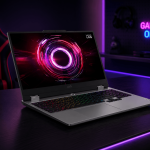
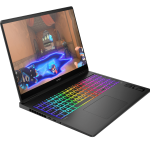
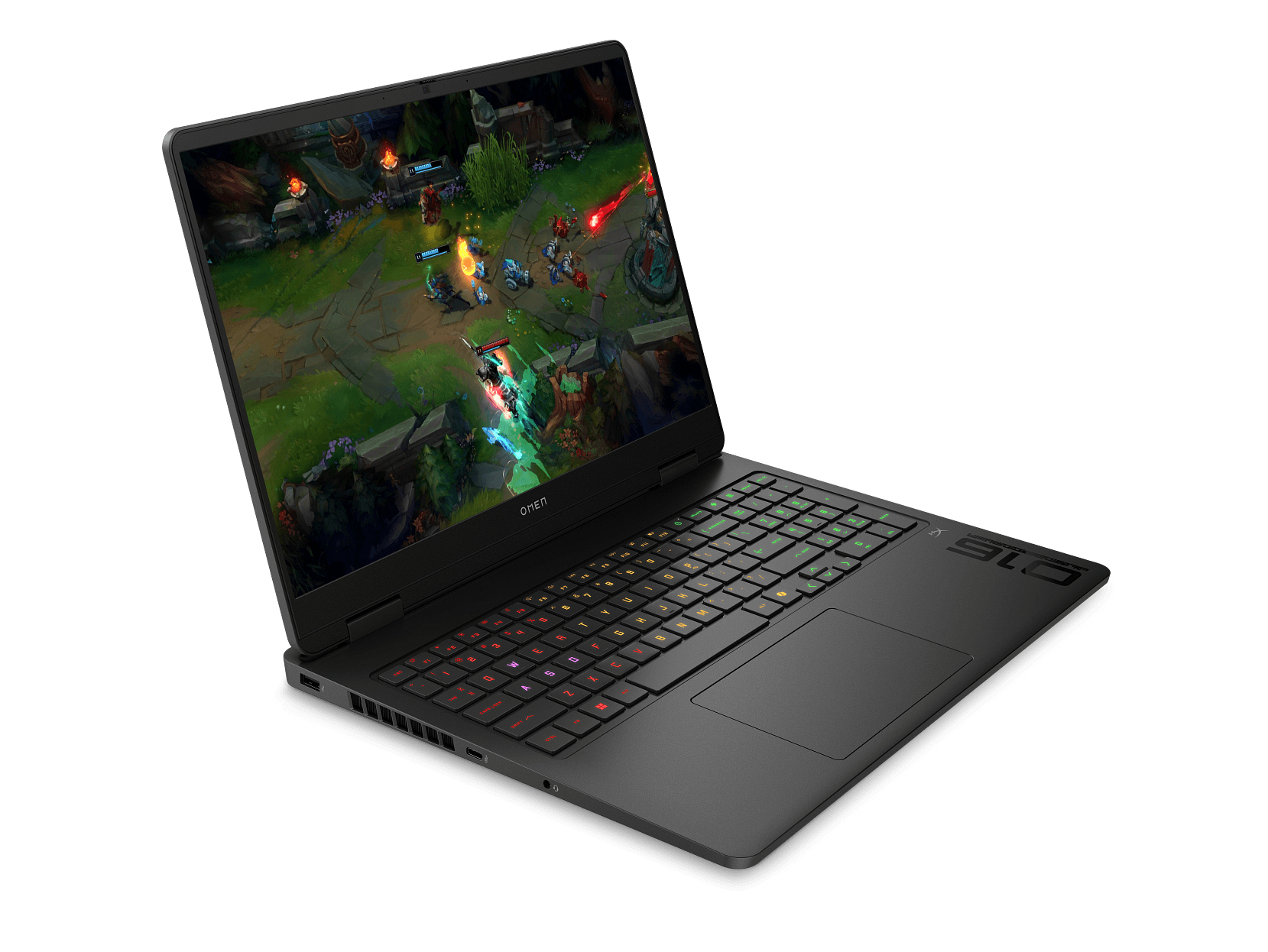
HP’s Omen series sits at the top of the company’s gaming lineup. This isn’t the budget-friendly Victus. The Omen is aimed at gamers who want a serious machine with premium specs and a display to match. With the latest NVIDIA RTX 50 series GPU and a genuinely impressive screen, the Omen 16-am0297TX has plenty going for it on paper.
But there’s a configuration decision buried in the spec sheet that significantly undermines the performance you’re paying for. We’ll get to that shortly, because it needs to be front and centre before you hand over your money.
Last Updated: March 2026
Pros
- Outstanding WQXGA 240Hz display
- Large 83Wh battery
- RTX 5050 Blackwell GPU
Cons
- Single-channel RAM (1x24GB)
- No Thunderbolt 4
- Audio disappoints
Key Specifications
- Display: 16″ WQXGA (2560 x 1600), IPS, 16:10, 60-240Hz, 3ms response time, 500 nits, 100% sRGB, anti-glare, flicker-free, Low Blue Light
- Processor: Intel Core Ultra 7 255H (16 cores, 16 threads, up to 5.1GHz, 24MB L3 cache)
- Memory: 24GB DDR5-5600 (1x24GB – single channel)
- Storage: 1TB M.2 PCIe Gen4 NVMe SSD (2x M.2 slots available)
- Graphics: NVIDIA GeForce RTX 5050 Laptop GPU, 8GB GDDR7
- Operating System: Windows 11 Home
- Wireless: Intel Wi-Fi 6E AX211 (2×2), Bluetooth 5.3
- Battery: 83Wh, 6-cell Li-ion, 230W AC adapter
- Weight: 2.43kg
- Ports: 1x USB-A 10Gbps, 2x USB-A 5Gbps, 1x USB-C 10Gbps (USB PD 3.0, DisplayPort 1.4), 1x HDMI 2.1, 1x RJ-45, 1x headphone/mic combo, AC smart pin
- Webcam: 1080p FHD with privacy shutter
- Keyboard: Full-size 4-zone RGB backlit, numeric keypad, 26-key rollover anti-ghosting
- Audio: DTS:X Ultra, HyperX, HP Audio Boost, dual speakers
- Security: TPM, camera privacy shutter
- Warranty: 1 year parts and labour, no on-site repair
- MPN: CJ5A5PA
- Price: $3,599 at JB Hi-Fi / $2,597 at Officeworks (no stock available online at time of review)
Read This Before You Buy: The RAM Issue
Before anything else, this needs to be addressed because it directly affects gaming performance on this laptop.
The HP Omen 16-am0297TX ships with a single 24GB DDR5 stick running in single-channel mode. This is a significant problem for a gaming laptop, and here is why.
Modern GPUs, including the RTX 5050 in this machine, depend heavily on memory bandwidth to deliver smooth frame rates. Single-channel memory roughly halves the available memory bandwidth compared to a dual-channel configuration. In gaming workloads, that translates to noticeably lower frame rates and reduced GPU performance, which means the RTX 5050 in this laptop is not performing anywhere near its potential out of the box.
If you want to understand the full impact of single versus dual-channel memory, my Dual-Channel RAM in Laptops article covers it in detail.
The obvious fix would be to add a second matching RAM stick to enable dual-channel mode. But here’s the problem: RAM prices have doubled and tripled in recent times, driven largely by AI demand. As I covered in my How AI is Pushing Up the Cost of Computers and Parts article, upgrading RAM is no longer the cheap and easy fix it once was. Adding a matching 24GB DDR5-5600 stick to this laptop could cost you anywhere between $500 and $800. That is simply not worth it.
My honest advice: if dual-channel RAM matters to you for gaming, and it should, look for a gaming laptop that ships with dual-channel RAM from the factory rather than trying to fix this one after purchase. It’s a configuration decision by HP that has no place on a gaming laptop at this price point.
Where to Buy
The pricing situation on this laptop needs to be addressed honestly.
- JB Hi-Fi: $3,599 – available in stock
- Officeworks: $2,597 – significantly cheaper but no online stock at time of review
- MegaBuy and IT Nest – lower prices but also no stock
The $1,002 gap between JB Hi-Fi and Officeworks for an identical product is extraordinary. Whether JB Hi-Fi is simply reflecting the new pricing reality hitting the laptop market, or taking advantage of limited stock availability elsewhere, is hard to say with certainty. It could genuinely be both. I have covered the broader market price increases in my Warning: Laptop Prices Are About to Jump 10-20% post back in December 2025, and this kind of gap is exactly what I’ve flagged was coming. If you want to understand the difference between legitimate price increases and outright price gouging, my just published Laptop Price Gouging article is worth a read before you commit.
If Officeworks gets stock back in at its current price its a no-brainer. But if you need the laptop now, JB Hi-Fi is currently your most reliable option.
At $3,599, the value equation is tighter than it would be at Officeworks pricing. Factor the likely RAM upgrade cost on top and it becomes an even more important consideration.
Design and Build Quality
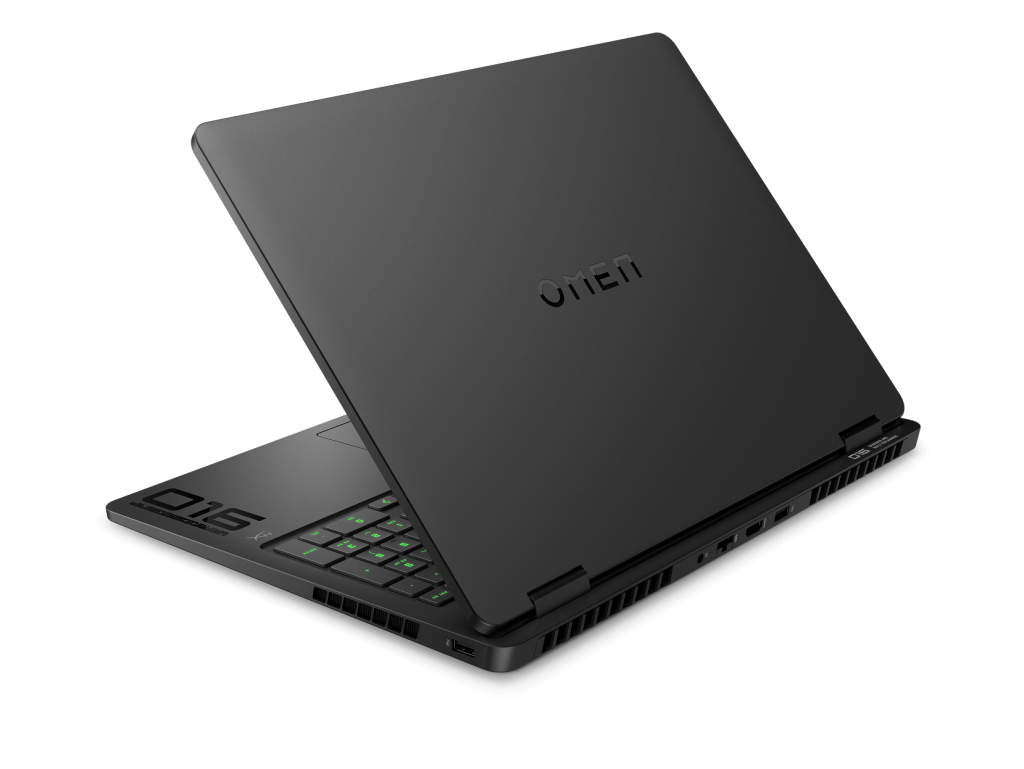
The Omen 16 carries HP’s premium gaming aesthetic in shadow black with black chrome logo accents. It’s understated for a gaming laptop, which is a deliberate design choice that makes it more versatile than most competitors. It won’t look out of place in a café or on a work desk, which is something the more aggressively styled gaming machines can’t claim.
At 2.43kg it’s on the heavier side, which is expected for a 16-inch gaming laptop packing a discrete GPU and an 83Wh battery. Portability isn’t the priority here.
The build feels solid throughout with no noticeable flex in the lid or base. HP has used quality materials and the overall construction inspires confidence for daily use. The 4-zone RGB backlit keyboard adds gaming flair without going overboard, and the anti-ghosting technology is a practical inclusion for competitive gaming.
One keyboard frustration worth flagging: the right Ctrl key has been replaced by the Copilot key. For gamers who use keyboard shortcuts or power users who rely on the right Ctrl key regularly, this is an annoying omission. The Copilot key is something very few users will reach for intentionally.
Display
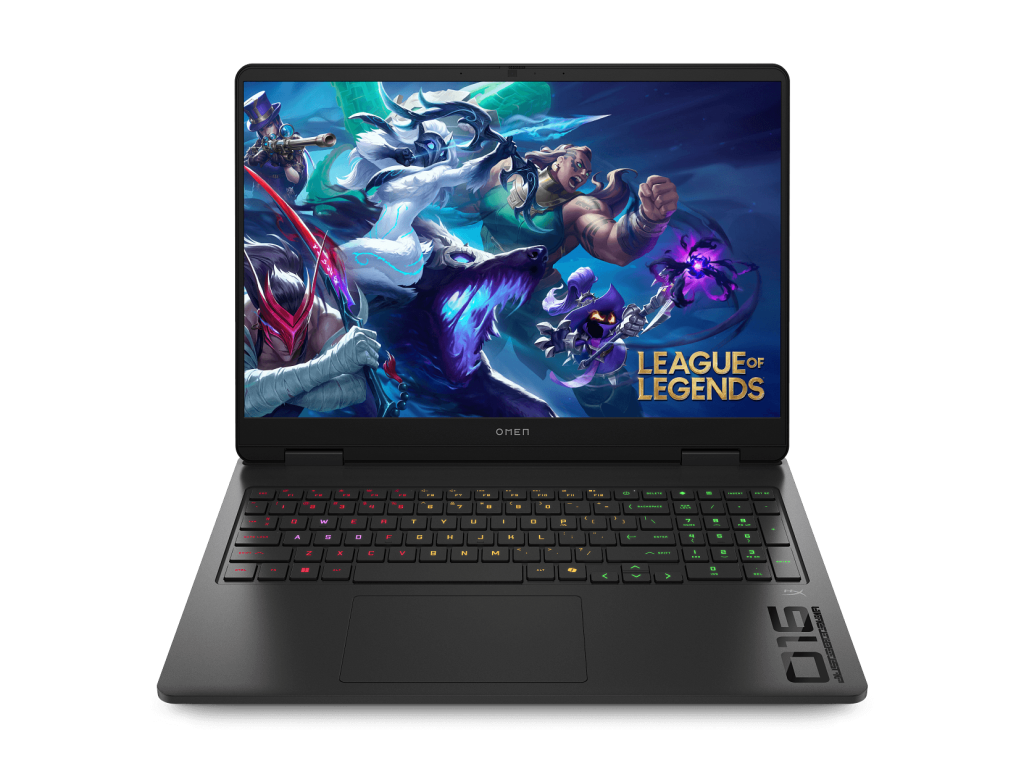
This is where the HP Omen 16-am0297TX absolutely shines, and it’s one of the best displays I’ve reviewed on any laptop.
The 16-inch WQXGA (2560 x 1600) IPS panel delivers:
- 240Hz refresh rate – buttery smooth visuals in fast-paced games where every frame counts
- 100% sRGB colour coverage – vibrant, accurate colours that make games, movies, and creative work look genuinely excellent
- 500 nits brightness – bright enough to use comfortably in well-lit environments
- 3ms response time – minimal motion blur during fast-paced gameplay
- 16:10 aspect ratio – more vertical screen space than the 16:9 panels common on gaming laptops, which is brilliant for productivity tasks between gaming sessions
- Flicker-free with Low Blue Light – easier on the eyes during long sessions
The 16:10 aspect ratio on a gaming laptop is worth highlighting specifically. It makes this machine genuinely versatile. Gaming sessions look great, but so does everything else, from documents and spreadsheets to video editing and creative work. It’s a display that justifies a significant portion of the asking price on its own.
Performance
The Intel Core Ultra 7 255H is a serious processor. With 16 cores, 16 threads, and a boost clock reaching 5.1GHz, it handles gaming workloads, streaming, content creation, and heavy multitasking without breaking a sweat. It’s one of the more capable H-series chips available in a laptop right now.
The NVIDIA GeForce RTX 5050 is the new Blackwell generation GPU with 8GB of fast GDDR7 memory. As the entry-level model in the RTX 50 series, it’s a meaningful step forward from the RTX 4050 in terms of architecture and efficiency. GDDR7 memory provides a bandwidth advantage over the GDDR6 found in previous generation equivalents.
However, and this is important: the RTX 5050’s real-world gaming performance in this configuration is being held back by the single-channel RAM. The GPU cannot access memory bandwidth at full speed, which directly limits frame rates. Once you address the RAM situation with a second stick, the performance picture improves considerably.
For gaming at the WQXGA resolution on the built-in display, the RTX 5050 is suited to mid-range titles at high settings and more demanding titles at medium to high settings. For competitive gaming at lower resolutions with frame rates pushing toward the 240Hz ceiling, it performs well.
The 1TB PCIe Gen4 NVMe SSD delivers fast load times and is genuinely appreciated for modern game installations. The two M.2 slots mean adding a second drive down the track is straightforward.
Under heavy gaming loads the fans become audible, which is expected behaviour for any gaming laptop pushing a discrete GPU. Thermal performance keeps things stable during extended sessions.
Keyboard and Trackpad
The full-size keyboard with numeric keypad is well suited to both gaming and productivity use. The 4-zone RGB backlighting is customisable and adds the gaming atmosphere most buyers in this category expect. The 26-key rollover anti-ghosting ensures simultaneous key presses register accurately during fast-paced gameplay.
Key travel and spacing are comfortable for extended gaming sessions and typing alike. The overall keyboard feel is solid and responsive.
The trackpad is smooth and handles everyday navigation reliably. For gaming, most users will use an external mouse, which is standard practice for gaming laptops regardless of trackpad quality.
The missing right Ctrl key remains an annoyance worth repeating. The Copilot key that replaced it serves a function very few gamers will ever deliberately use.
Connectivity
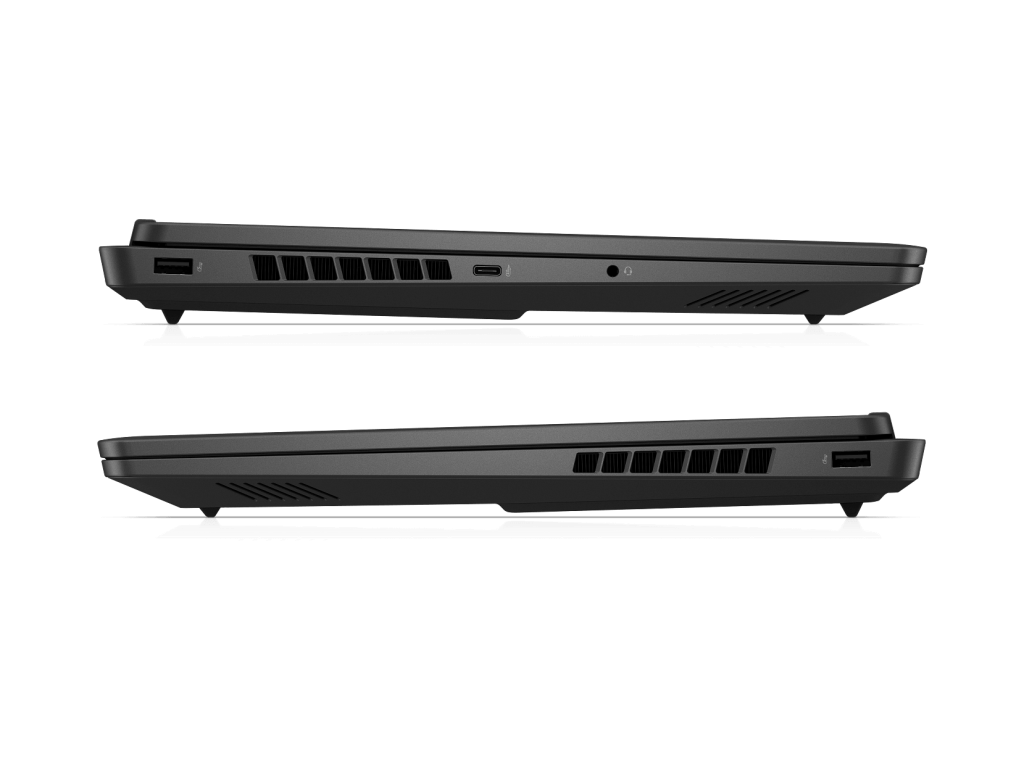
The port selection covers the basics well for a gaming laptop, with one notable limitation.
The three USB-A ports, HDMI 2.1, and RJ-45 ethernet handle the standard peripheral setup without needing adapters. Having a wired ethernet option is particularly appreciated for competitive gaming where a stable low-latency connection matters.
The single USB-C port runs at 10Gbps with DisplayPort 1.4 and Power Delivery support. It’s functional, but it’s not Thunderbolt 4. At $3,599, Thunderbolt 4 is a reasonable expectation and its absence is worth noting, particularly for users who want to connect high-end external displays or Thunderbolt docking stations.
Wi-Fi 6E is solid for wireless gaming but is a step behind the Wi-Fi 7 now appearing on some competitors at similar price points.
The 230W AC power adapter is large and heavy. If you plan to game on the move regularly, factor that into your bag setup.
Battery Life
The 83Wh battery is generous for a gaming laptop, and under light use such as web browsing, streaming, and document work, you can expect around 5 to 6 hours of real-world runtime. That’s reasonable for a machine with a discrete GPU.
During gaming, the story changes significantly. With the RTX 5050 drawing full power, expect battery life to drop to around 1 to 2 hours. Gaming laptops are best kept plugged in during serious gaming sessions regardless of battery capacity, and the Omen is no exception.
Fast charging brings the battery to 50% in around 30 minutes, which is a practical feature for topping up between sessions.
Audio
The HyperX branding and DTS:X Ultra certification sound impressive on paper, but the built-in speakers don’t quite live up to the marketing. Volume is adequate for desktop use and the audio is clear enough for casual gaming and video calls, but depth and bass are lacking. For a serious gaming audio experience, a decent headset is strongly recommended, which is how most serious gamers listen anyway.
Bloatware
Worth a mention as it’s a consistent issue across HP’s lineup. The Omen 16 ships with pre-installed software you didn’t ask for. Take some time to uninstall it after setup. It’s an unnecessary friction point on a premium gaming machine.
Pros
- Outstanding WQXGA 240Hz display with 100% sRGB and 500 nits is class-leading
- Latest RTX 5050 Blackwell GPU with GDDR7 memory
- Intel Core Ultra 7 255H handles gaming and productivity workloads with ease
- 16:10 aspect ratio makes this genuinely versatile for work and gaming
- Large 83Wh battery for a gaming laptop
- Solid build quality with a restrained design that works in any environment
- 4-zone RGB keyboard with anti-ghosting for gaming and productivity
- Two M.2 slots allow easy storage expansion
- Fast charging – 50% in 30 minutes
Cons
- Single-channel RAM (1x24GB) significantly limits GPU performance out of the box
- No Thunderbolt 4 at this price point
- Audio disappoints despite HyperX and DTS:X branding
- Fan noise under gaming load
- HP bloatware pre-installed
- Copilot key has replaced the right Ctrl key
- Wi-Fi 6E rather than Wi-Fi 7
- Bulky 230W power adapter
- JB Hi-Fi pricing at $3,599 makes value hard to justify without addressing the RAM issue
Final Verdict
The HP Omen 16-am0297TX is a gaming laptop with a genuinely exceptional display and capable hardware underneath. The WQXGA 240Hz panel with 100% sRGB at 500 nits is among the best we’ve seen on any laptop in this review series, and the combination of the RTX 5050 and Core Ultra 7 255H gives it real gaming credentials.
But HP has undermined the package with a single-channel RAM configuration that noticeably limits the GPU performance buyers are paying for. On a gaming laptop, this is not an oversight you can ignore. With RAM prices having doubled and tripled recently, adding a matching stick to fix the situation could set you back $500 to $800 on top of an already expensive machine. That’s not a realistic ask. Our advice is straightforward: if dual-channel RAM is a requirement for gaming, and it should be, look for a gaming laptop that ships correctly configured from the factory rather than trying to fix this one after purchase.
At $3,599 from JB Hi-Fi, the value proposition is reasonable only if you factor in the RAM upgrade and are comfortable with the additional outlay. If Officeworks restocks at $2,597, the equation improves considerably, and using their Price Beat Guarantee to push it lower would make it genuinely compelling.
For gamers who want a premium display, a future-proof GPU architecture, and a machine that doubles as a capable productivity tool thanks to the 16:10 screen, the Omen 16 delivers once the RAM situation is addressed. Just go in with eyes open about what needs fixing first.