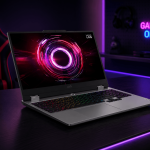
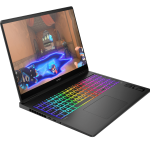
HP’s Victus lineup has carved out a space in the gaming laptop market as the brand’s affordable gaming option, sitting below the premium Omen series. It’s aimed at students and budget gamers who want decent 1080p gaming performance without the eye-watering prices of high-end machines. The Victus series has generally been well-regarded for offering reasonable specs at competitive prices.
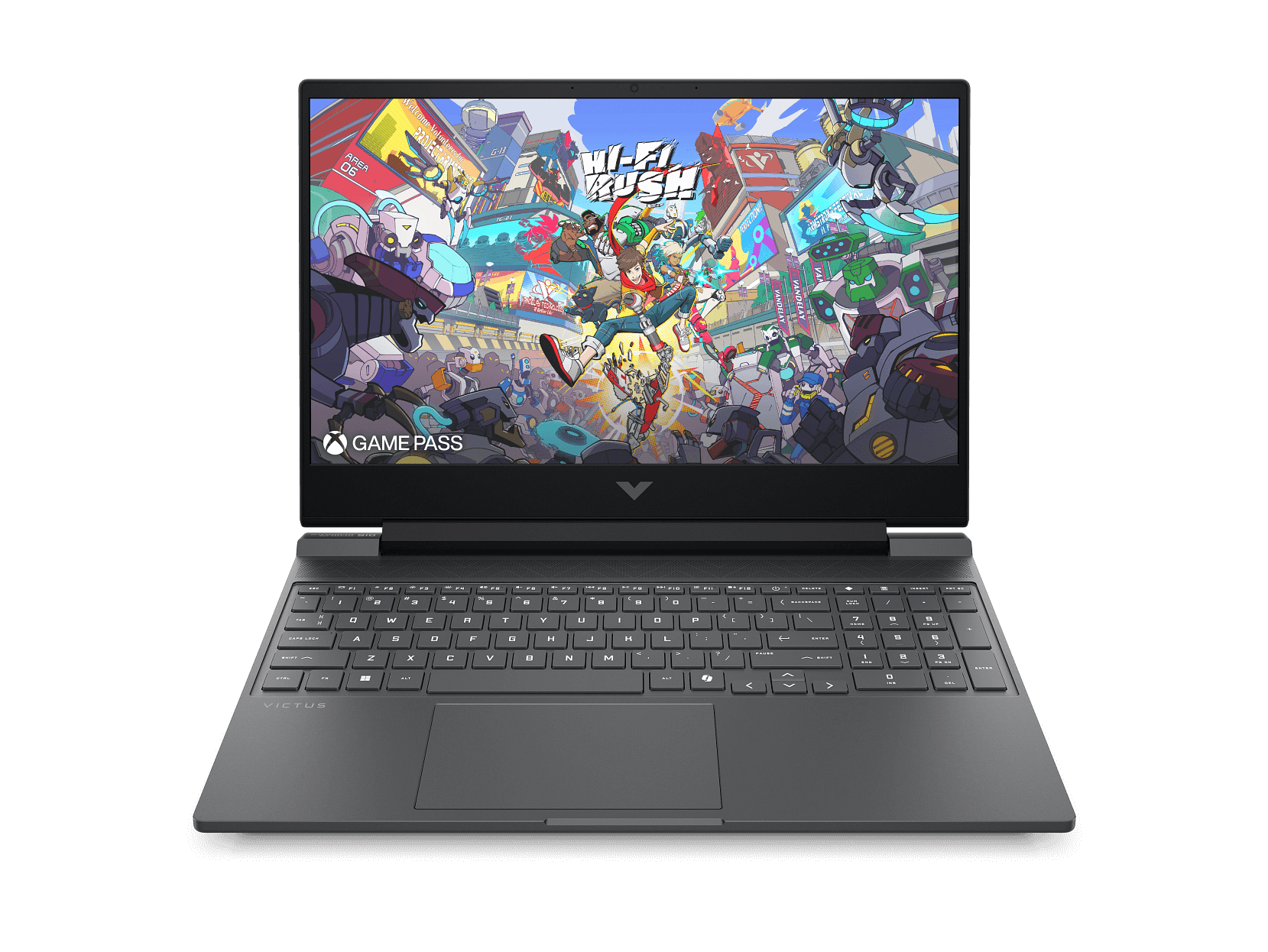
The HP Victus 15-fa2723TX packs an RTX 4050 GPU and Intel’s 13th Gen Core i5 processor into a 15.6-inch chassis with a 144Hz display. With a 70Wh battery, Gigabit Ethernet port, and DTS:X Ultra audio, it’s trying to deliver a well-rounded gaming experience. At $1,899 from JB Hi-Fi (or around $1,979 from HP direct with the BLACKFRIDAY code), it’s competing in the upper end of budget gaming territory.
However, there’s a critical specification issue that significantly impacts this laptop’s value proposition. But more on that shortly. Let’s dig in.
Pros
- 70Wh battery better than most competitors
- 144Hz display smooth for gaming
- Ethernet port for stable gaming connectivity
Cons
- Single-channel RAM configuration hurts performance
- Expensive at $1,899 vs competitors
- Released December 2024 - nearly 1 year old
Key Specifications
- Display: 15.6″ FHD (1920 x 1080), 144Hz, IPS, 300 nits, 62.5% sRGB, 16:9 aspect ratio, anti-glare, flicker-free
- Processor: Intel Core i5-13420H (13th Gen, 8 cores, 12 threads, up to 4.6 GHz, 12MB L3 cache)
- Graphics: NVIDIA GeForce RTX 4050 (6GB GDDR6 dedicated)
- Memory: 16 GB DDR4-3200 (1 x 16 GB – single-channel)
- Storage: 512 GB PCIe Gen4 NVMe SSD
- Operating System: Windows 11 Home
- Wireless: Wi-Fi 6 (Realtek 2×2), Bluetooth 5.4, Gigabit Ethernet (10/100/1000)
- Battery: 70 Wh, 4-cell Li-ion polymer
- Ports: 2x USB-A (5Gbps, one with Sleep and Charge), 1x USB-C (5Gbps, DisplayPort 1.4a, Sleep and Charge), HDMI 2.1, RJ-45 Ethernet, 3.5mm combo audio jack, AC power
- Keyboard: Full-size backlit with numeric keypad (moonstone gray)
- Camera: 720p HD with temporal noise reduction
- Audio: DTS:X Ultra, dual speakers with HP Audio Boost
- Weight: 2.29 kg
- Dimensions: 357.9 x 255 x 23.5 mm
- Power: 120W AC adapter
- Screen-to-body ratio: 82.23%
- Expansion: 2x M.2 SSD slots
- Certifications: EPEAT Gold, Energy Star
- Colour: Mica Silver
- Release: December 2024
- Price: JB Hi-Fi $1,899, HP Store $2,199 (with BLACKFRIDAY code ~$1,979)
The Single-Channel RAM Problem
Before we go further, we need to address the elephant in the room: this laptop ships with 16GB of RAM in a single-channel configuration (1 x 16GB stick). This is a significant problem that undermines the laptop’s gaming performance.
Why does this matter?
Modern processors and especially integrated graphics rely heavily on memory bandwidth. Single-channel RAM provides half the bandwidth of dual-channel configurations (like 2 x 8GB sticks). In gaming scenarios, this typically results in:
- 10-30% lower frame rates in many games
- Worse performance in CPU-intensive games and scenes
- Stuttering and frame pacing issues in some titles
- Reduced performance for integrated graphics tasks
While the RTX 4050 has its own dedicated VRAM and isn’t as affected as integrated graphics would be, the CPU still suffers from the bandwidth limitation, which bottlenecks overall gaming performance.
The fix: You can add another 16GB stick to enable dual-channel mode, but that’s an additional $100-180 cost on top of an already expensive laptop. HP should have configured this with 2 x 8GB from the factory.
This single decision significantly impacts the value proposition and performance of this laptop.
Design and Build Quality
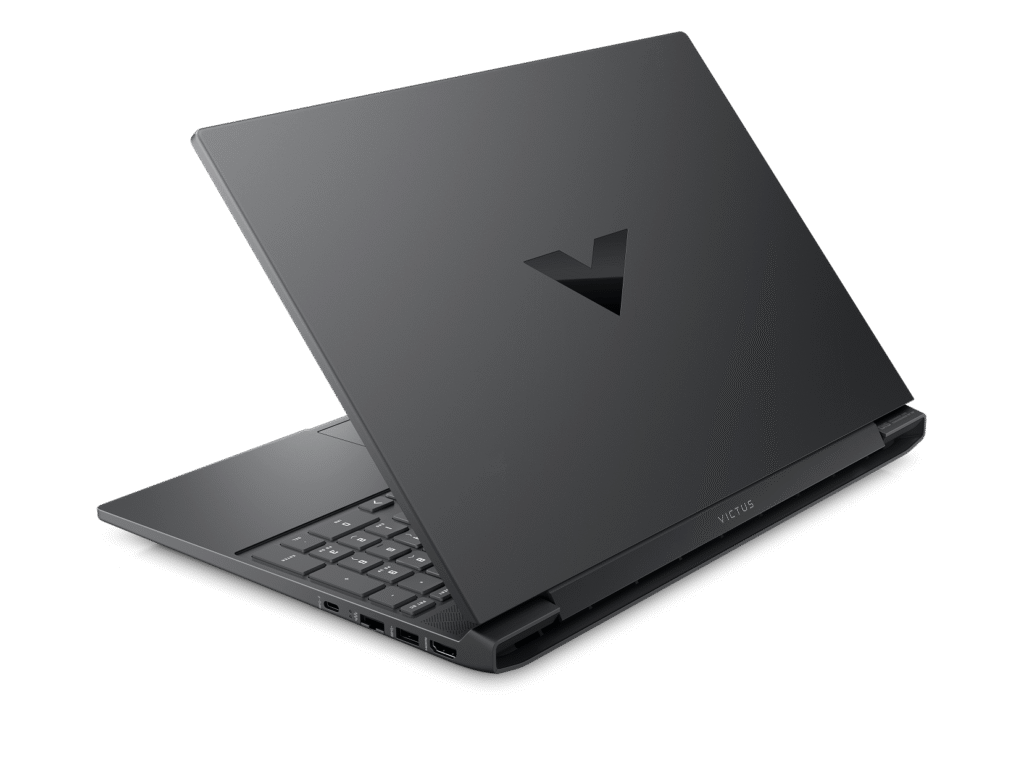
The HP Victus 15 opts for a clean, understated design in Mica Silver with a black chrome logo. It’s not as aggressively gamer-styled as some alternatives, which works well if you need a laptop that doesn’t scream “gaming” in professional or educational settings.
At 2.29kg, it’s heavier than the ASUS V16 we reviewed (1.95kg) but still manageable for a 15.6-inch gaming laptop. The 23.5mm thickness is typical for gaming laptops with decent cooling systems. You’ll notice the weight if you’re carrying it daily, but it’s not unreasonable.
The build quality feels solid with minimal flex in the chassis. The paint finish gives it a quality appearance, and HP has incorporated ocean-bound plastic in the speaker enclosures and bezel, plus post-consumer recycled plastic in the keyboard, showing environmental consideration.
The 82.23% screen-to-body ratio is decent but not exceptional – the bezels are larger than on some competitors like the ASUS V16 (89%). Still, it keeps the overall footprint reasonable.
The backlit keyboard in moonstone gray complements the Mica Silver aesthetic nicely. Build quality overall feels more substantial than cheaper gaming laptops, though it’s not premium by any means.
Display
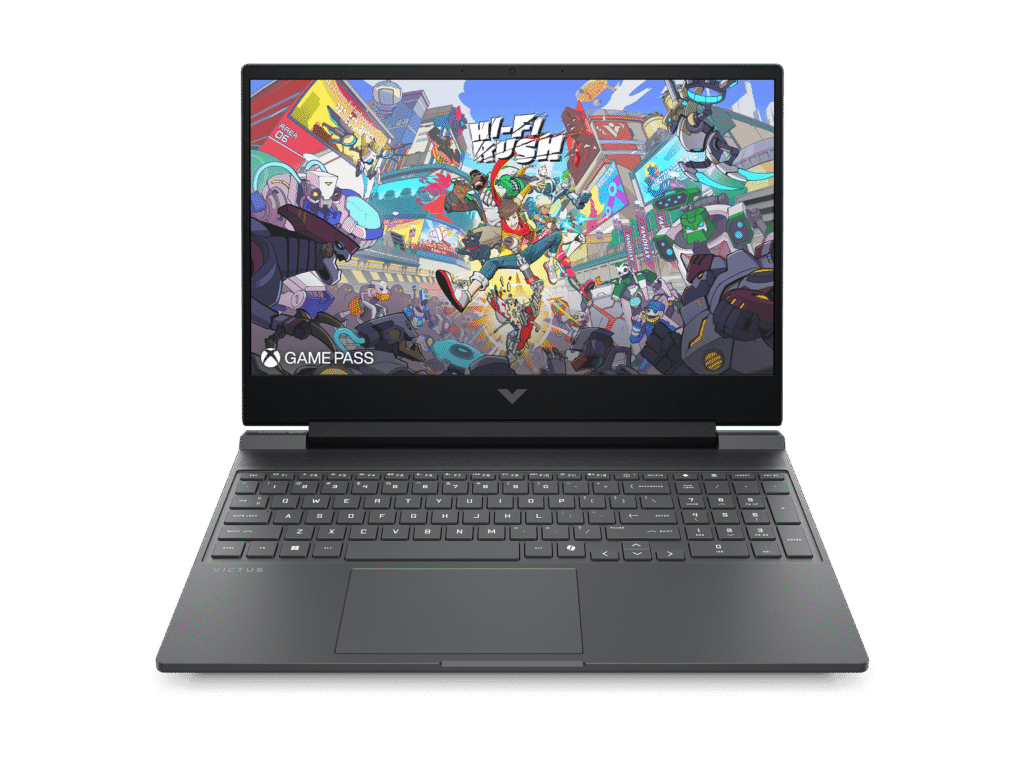
The 15.6-inch FHD (1920 x 1080) display with 144Hz refresh rate is well-suited for gaming. The high refresh rate makes fast-paced games feel noticeably smoother when frame rates allow – first-person shooters, racing games, and competitive titles all benefit.
The IPS panel provides decent viewing angles and reasonable colour reproduction for gaming and media consumption. The 300 nits brightness is adequate for indoor use but struggles in bright environments or outdoors. The anti-glare coating helps reduce reflections during gameplay.
However, the 62.5% sRGB colour coverage is limited – colours look somewhat washed out compared to better displays. This is fine for gaming but not suitable for creative work requiring colour accuracy. It’s worth noting this is the same colour gamut as the ASUS V16, so neither laptop excels in this area.
The flicker-free technology helps reduce eye strain during extended gaming sessions, which is welcome.
The 16:9 aspect ratio is standard for gaming laptops and works well for games, though it provides less vertical space for productivity work than 16:10 displays.
Overall, this display does what matters most: delivers smooth 144Hz gaming at 1080p resolution. It’s not stunning, but it’s functional.
Gaming Performance (with caveats)
The NVIDIA GeForce RTX 4050 with 6GB GDDR6 memory paired with the Intel Core i5-13420H should deliver solid 1080p gaming performance. However, the single-channel RAM configuration significantly impacts real-world performance.
Expected gaming performance (with single-channel RAM):
- Esports titles (Valorant, CS2, League of Legends): 100-144fps on high settings (should be higher with dual-channel)
- Modern AAA games (Cyberpunk 2077, Starfield): 50-70fps on medium-high settings (10-20fps lower than dual-channel)
- Slightly older AAA titles (Elden Ring, Spider-Man): 70-100fps on high settings (again, lower than it should be)
With dual-channel RAM (after adding a second stick):
- Performance improves by 10-30% in many games
- Frame pacing becomes smoother
- CPU-intensive scenarios run noticeably better
The RTX 4050 supports DLSS 3 for AI-powered upscaling in supported games, which can boost frame rates significantly. Ray tracing is supported but limited – you’ll want it off for best performance.
The Intel Core i5-13420H with 8 cores and 12 threads provides adequate CPU performance for gaming, though it’s not as powerful as the Core i7 options. It won’t bottleneck the RTX 4050 in most games, but the single-channel RAM will.
The 512GB SSD is adequate but smallish for modern gaming – AAA games regularly exceed 100GB. The good news is there are two M.2 slots, so you can add a second SSD easily.
Thermal Performance
Gaming laptops get warm and make noise, and the Victus 15 is no exception. The 120W power adapter suggests moderate power draw, and the cooling system will work to dissipate heat during gaming.
Expect the laptop to get noticeably warm during gaming sessions, particularly around the keyboard and rear vents. Fan noise will be audible but shouldn’t be as aggressive as the loudest gaming laptops we’ve tested.
Keyboard and Trackpad
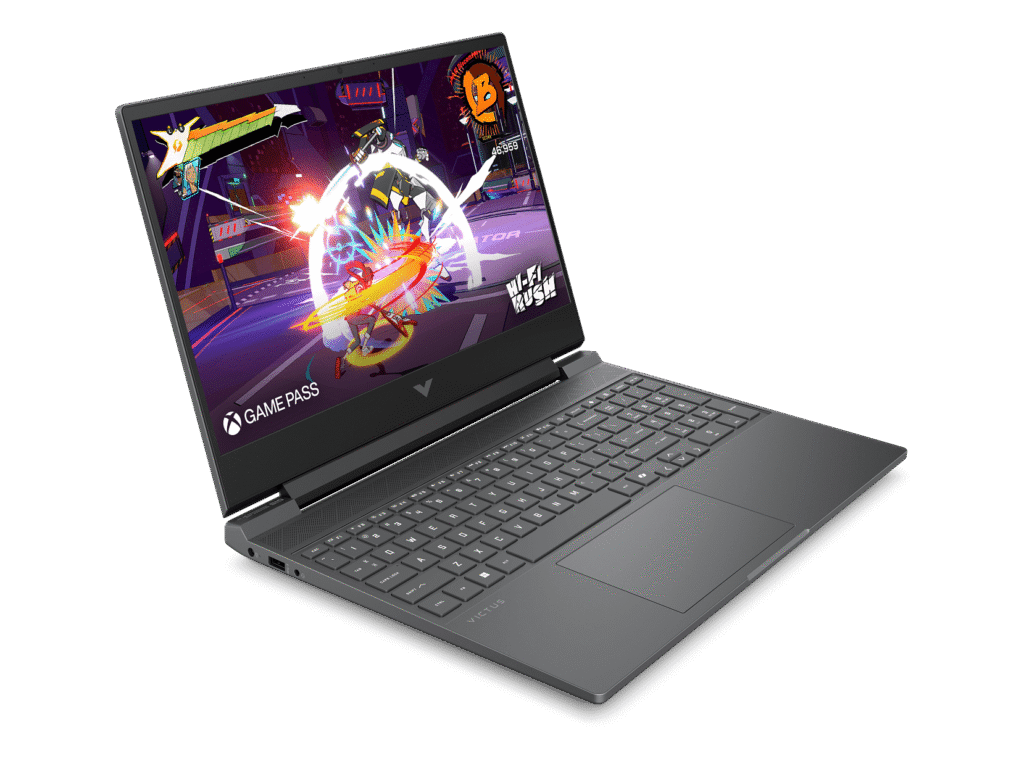
The full-size backlit keyboard with numeric keypad is well-suited for gaming. The moonstone gray keycaps complement the Mica Silver design, and the backlighting helps during late-night gaming sessions.
Key travel and tactile feedback should be reasonable for extended gaming or typing sessions. The numeric keypad is useful for certain game types and general productivity.
The precision touchpad supports multi-touch gestures for everyday navigation, though most gamers will use an external mouse for gaming anyway.
Ports and Connectivity
Here’s where the Victus 15 shines compared to some competitors. The port selection is genuinely comprehensive:
- 2x USB-A (5Gbps, one with Sleep and Charge)
- 1x USB-C (5Gbps, DisplayPort 1.4a, Sleep and Charge)
- 1x HDMI 2.1
- 1x RJ-45 Gigabit Ethernet
- 1x 3.5mm combo audio jack
- 1x AC power input
Having Gigabit Ethernet is a significant advantage for gaming – wired connections provide more stable, lower-latency connectivity than Wi-Fi, which matters for competitive online gaming. The ASUS V16 we reviewed lacked Ethernet, making the Victus 15 superior in this regard.
The HDMI 2.1 port supports high refresh rates at 4K for external displays. The USB-C port supports DisplayPort output and Sleep and Charge functionality.
Wi-Fi 6 (Realtek 2×2) provides fast wireless connectivity when Ethernet isn’t available, and Bluetooth 5.4 handles wireless peripherals.
Audio and Webcam
The dual speakers with DTS:X Ultra audio enhancement and HP Audio Boost should deliver better audio than basic gaming laptop speakers. DTS:X Ultra provides virtual surround sound effects that can help with positional audio in games.
That said, even with enhancement, laptop speakers have limitations. For serious gaming, you’ll still want a gaming headset for better audio quality and the microphone.
The 720p HD camera feels dated in 2025. Many competitors now offer 1080p cameras (like the ASUS V16), which deliver noticeably better video call quality. For a laptop released in December 2024, HP should have included a 1080p camera.
Battery Life
The 70Wh battery is larger than most gaming laptop competitors – the ASUS V16 had 63Wh, and the MSI Cyborg 15 had just 53.5Wh. This should translate to better battery life.
Expected battery life:
- Light productivity use: 5-7 hours
- Video streaming: 4-5 hours
- Gaming: 1.5-2.5 hours
Battery life could be better despite the larger capacity, but it’s reasonable for a gaming laptop. The fast charging feature (50% in 30 minutes) helps minimize downtime.
For gaming, you’ll still need to stay plugged in – the RTX 4050 and CPU draw too much power for extended battery-powered gaming. But for productivity tasks between gaming sessions, the 70Wh battery provides decent endurance.
The Age Factor
This laptop was released in December 2024, making it nearly a year old at this point. In the fast-moving laptop market, that matters:
- Newer models available: Competitors have released fresher hardware
- Price concerns: You’re paying $1,899 for year-old specifications
- Better value elsewhere: Newer laptops at similar prices may offer superior specs
For a year-old laptop, the pricing needs to be more competitive to justify purchase over newer alternatives.
Value Comparison
At $1,899 (JB Hi-Fi) or $1,979 (HP Store with code), how does this compare?
ASUS V16 (reviewed earlier): $1,399 with RTX 4050, Core 5 210H, proper dual-channel RAM, 1080p webcam, lighter weight (1.95kg), but no Ethernet. $500 cheaper and arguably better value.
MSI Cyborg 15: $999 with RTX 4050, but terrible battery and very loud fans. Much cheaper but worse experience.
HP Victus 16: Similar specs, often found for $1,500-1,700 with better configurations.
The Victus 15 is overpriced at $1,899. The single-channel RAM configuration, 720p camera, and year-old status don’t justify the premium over competitors.
Pros:
- Gigabit Ethernet port for stable gaming connectivity
- 70Wh battery larger than most competitors
- 144Hz display smooth for gaming
- DTS:X Ultra audio enhancement
- Clean, professional Mica Silver design
- Fast charging (50% in 30 minutes)
- Backlit keyboard with numeric keypad
- Two M.2 slots for storage expansion
- HDMI 2.1 for modern displays
- Solid build quality
- Flicker-free display
Cons:
- Single-channel RAM (1x16GB) significantly hurts gaming performance
- Expensive at $1,899 – poor value vs competitors
- Released December 2024 – nearly 1 year old
- 720p camera dated compared to 1080p alternatives
- Battery life could be better despite 70Wh capacity
- Only 62.5% sRGB colour coverage
- 512GB storage fills quickly with modern games
- Heavier at 2.29kg vs ASUS V16’s 1.95kg
- Larger bezels (82.23% screen-to-body) vs competitors
Final Verdict
The HP Victus 15-fa2723TX is a frustrating laptop to evaluate because it gets some things genuinely right – the Ethernet port, larger battery, clean design, and DTS:X Ultra audio are all positives. The build quality feels solid, and the 144Hz display delivers smooth gaming when frame rates allow.
However, the single-channel RAM configuration is a critical flaw that undermines gaming performance. Shipping a gaming laptop with 1x16GB instead of 2x8GB is inexcusable in 2025 – it’s a cost-cutting measure that directly impacts the core use case. You’ll need to spend another $100-180 on a second RAM stick to unlock proper performance, which adds to an already expensive laptop.
At $1,899, the Victus 15 is overpriced, especially considering it’s nearly a year old and competing against newer laptops with better specs at lower prices. The ASUS V16 at $1,399 offers similar gaming performance (with proper dual-channel RAM), weighs less, includes a 1080p webcam, and costs $500 less. The only significant advantage of the Victus 15 is the Ethernet port and slightly larger battery.
Who should buy this:
- Gamers who absolutely need Ethernet connectivity
- HP brand loyalists willing to pay premium
- Users willing to immediately upgrade to dual-channel RAM
Who should avoid this:
- Anyone seeking good value (ASUS V16 is $500 cheaper)
- Budget-conscious gamers (too expensive for what you get)
- Anyone expecting optimal performance out of the box
Better alternatives:
- ASUS V16 V3607VU: $1,399 with similar specs, proper RAM config, 1080p webcam, lighter weight
- HP Victus 16: Often better value with superior configurations
- Lenovo LOQ 15: Competitive specs around $1,400-1,500
At $1,899, I cannot recommend the HP Victus 15-fa2723TX. The single-channel RAM configuration combined with the premium pricing and year-old status make it poor value compared to competitors. If HP dropped the price to $1,400-1,500 AND configured it with dual-channel RAM from the factory, it would be competitive. As it stands, there are simply much better options available.
If you’re shopping at JB Hi-Fi and absolutely want this laptop, wait for it to go on sale for under $1,500, then immediately buy a second 16GB DDR4-3200 stick to enable dual-channel mode. Even then, you’re paying more than necessary for compromised performance.
Save your money and buy the ASUS V16 at $1,399, or wait for better deals on newer gaming laptops. The Victus 15 isn’t bad, but it’s overpriced and poorly configured for its intended purpose.