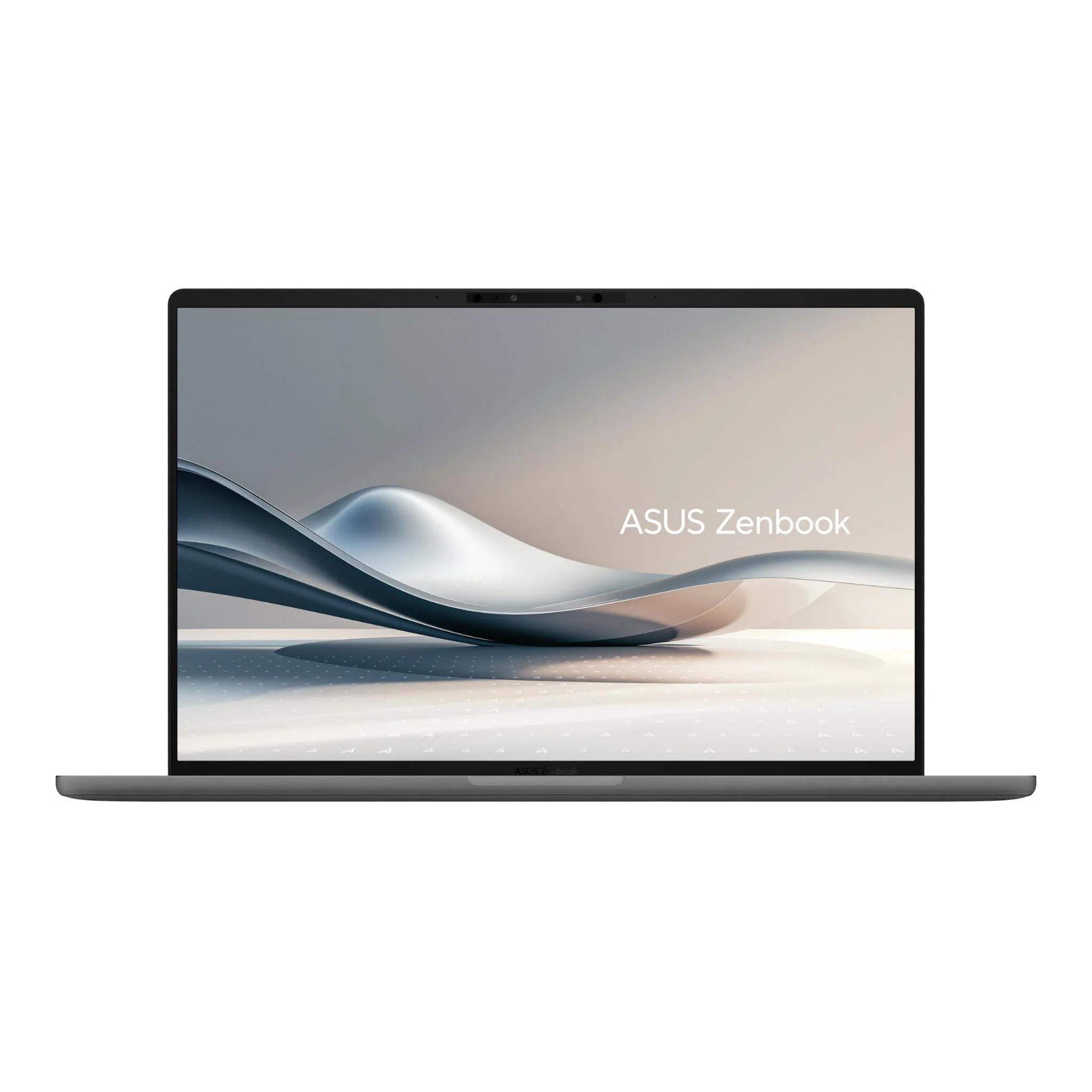
When it comes to ultraportable laptops, most buyers are chasing the same thing: something thin, light, and capable enough to handle a full day of work. ASUS has been making a strong case for itself in this space for years, and the ZenBook lineup is one of the better-known names in the premium portable category.
The ZenBook A14 takes a bold step in a different direction though. Instead of the usual Intel or AMD processor, ASUS has gone with Qualcomm’s Snapdragon X Plus chip. That’s the same ARM-based architecture you’ll find in some of Microsoft’s own Surface devices. It’s a different approach, and it comes with both real benefits and some things you’ll want to know before handing over your cash.
At under a kilogram, this is one of the lightest 14-inch laptops you can buy in Australia right now. Add a gorgeous OLED display into the mix and you’ve got a genuinely interesting machine. But is it the right machine for you? Let’s dig into the details.
Pros
- Incredibly light at under 1kg
- Stunning OLED display with 100% DCI-P3 colour coverage
- Solid real-world battery life
Cons
- Chassis flex and rigidity are disappointing
- Speakers are a letdown
- Runs hot under load
Key Specifications
- Display: 14.0″ WUXGA (1920 x 1200) OLED, 16:10, 60Hz, 400 nits (600 nits HDR peak), 100% DCI-P3, glossy
- Processor: Qualcomm Snapdragon X Plus X1P-42-100 (8 cores, up to 3.2GHz)
- Memory: 16GB LPDDR5X (soldered, not upgradable)
- Storage: 512GB M.2 NVMe PCIe 4.0 SSD
- Graphics: Qualcomm Adreno GPU (integrated)
- Operating System: Windows 11 Home
- Wireless: Wi-Fi 6E, Bluetooth 5.3
- Battery: 70Wh, 3-cell Li-ion
- Weight: 0.98kg
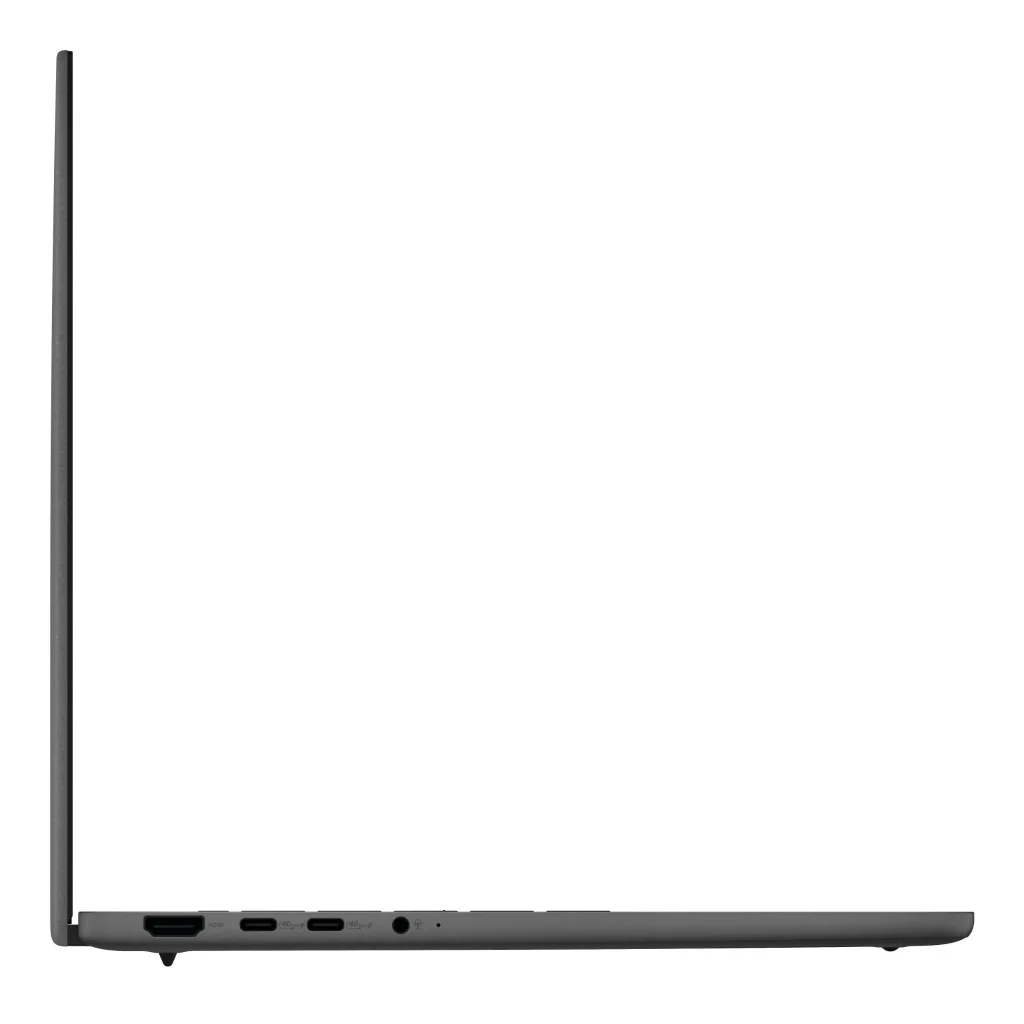
- Ports: 1x USB-A 3.2, 2x USB4 Type-C (40Gbps, display + charging), 1x HDMI 2.1, 1x 3.5mm audio
- Security: TPM, Microsoft Pluton, IR webcam, Windows Hello
- Military Grade: MIL-STD-810H certified
- Part Number: UX3407QA-QD105W
- Price: $1,588 at Harvey Norman / $1,599 (on sale, $400 off) at JB Hi-Fi
Design and Build Quality
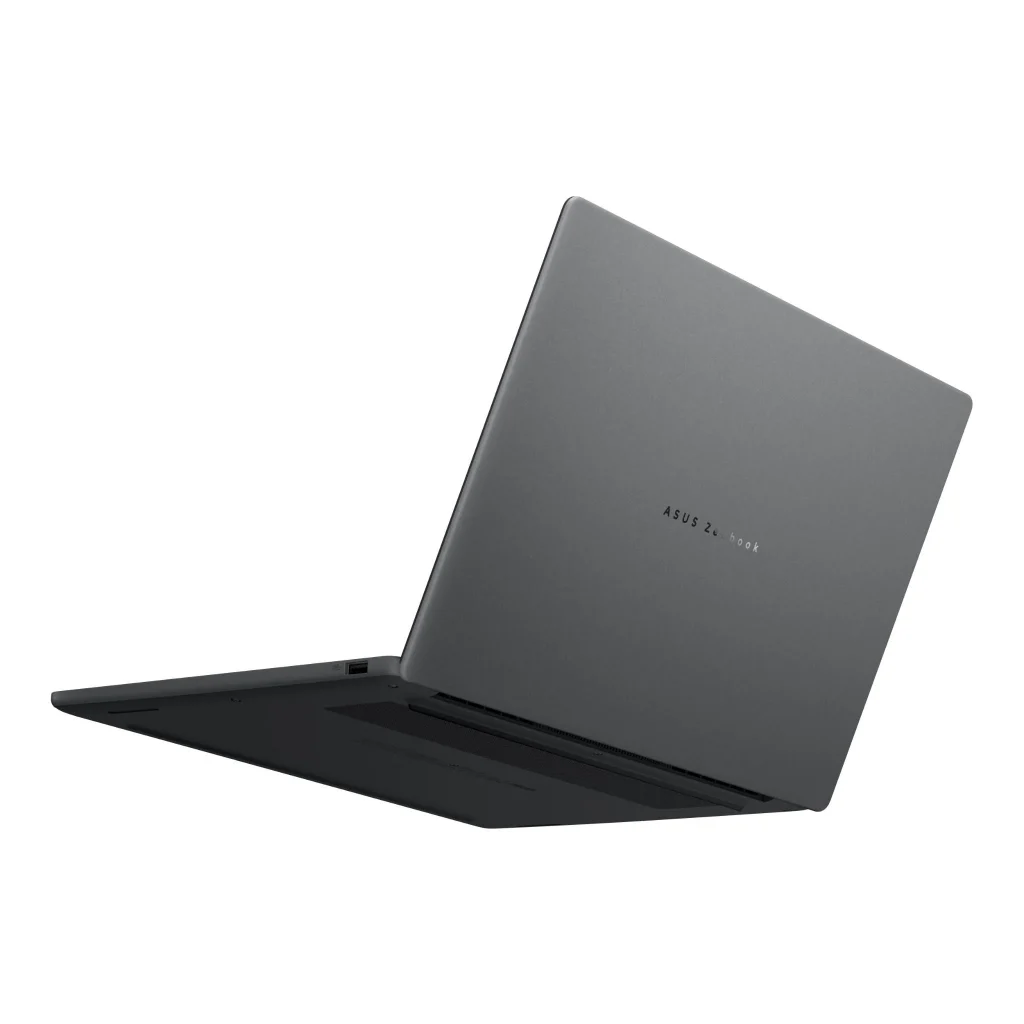
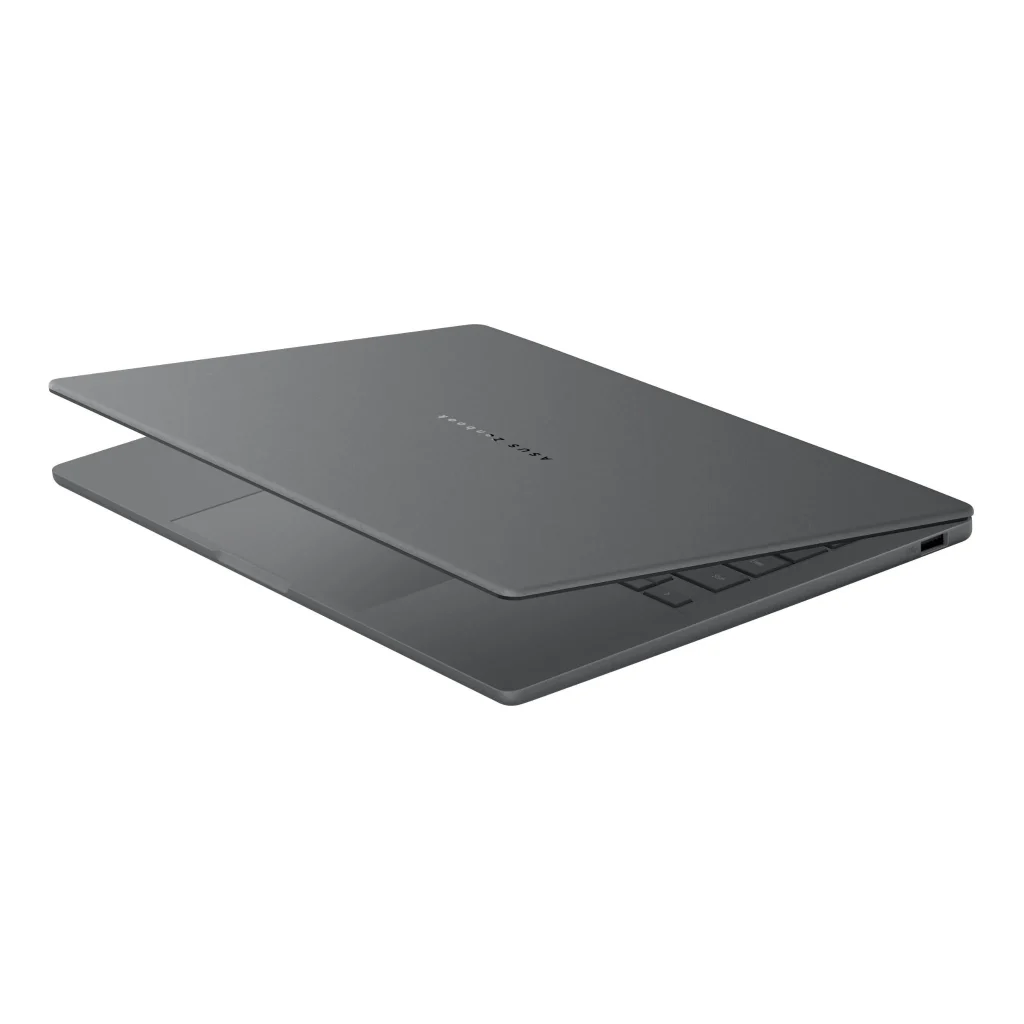
ASUS has used their proprietary Ceraluminum™ material for the ZenBook A14’s chassis. This is a patented process that transforms aluminium through plasma oxidation into a ceramic-like substance. ASUS claims it’s 30% lighter than standard aluminium and three times tougher than regular anodised aluminium, while also being scratch resistant and fully recyclable.
On paper, that sounds impressive. And the weight result speaks for itself at just 0.98kg.
In practice though, the laptop still has more flex than you’d expect at this price point. The lid in particular has noticeable give when you handle it, and the overall feel doesn’t quite live up to the premium material claims. Whether that’s down to the thinness of the chassis or the Ceraluminum™ itself is hard to say, but it’s worth knowing that real-world rigidity doesn’t fully match what the spec sheet suggests.
The slim 1.34-1.59cm profile looks great, and the 90% screen-to-body ratio is excellent. The MIL-STD-810H military-grade certification also provides some reassurance for everyday bumps and knocks. But if you’re expecting something that feels as solid as a premium aluminium MacBook or ThinkPad, temper your expectations a little.
If portability and weight are your absolute top priorities, the light build is hard to argue with. But if you’re paying $1,500+ and expecting something that feels as premium as it costs, you might be disappointed.
Display
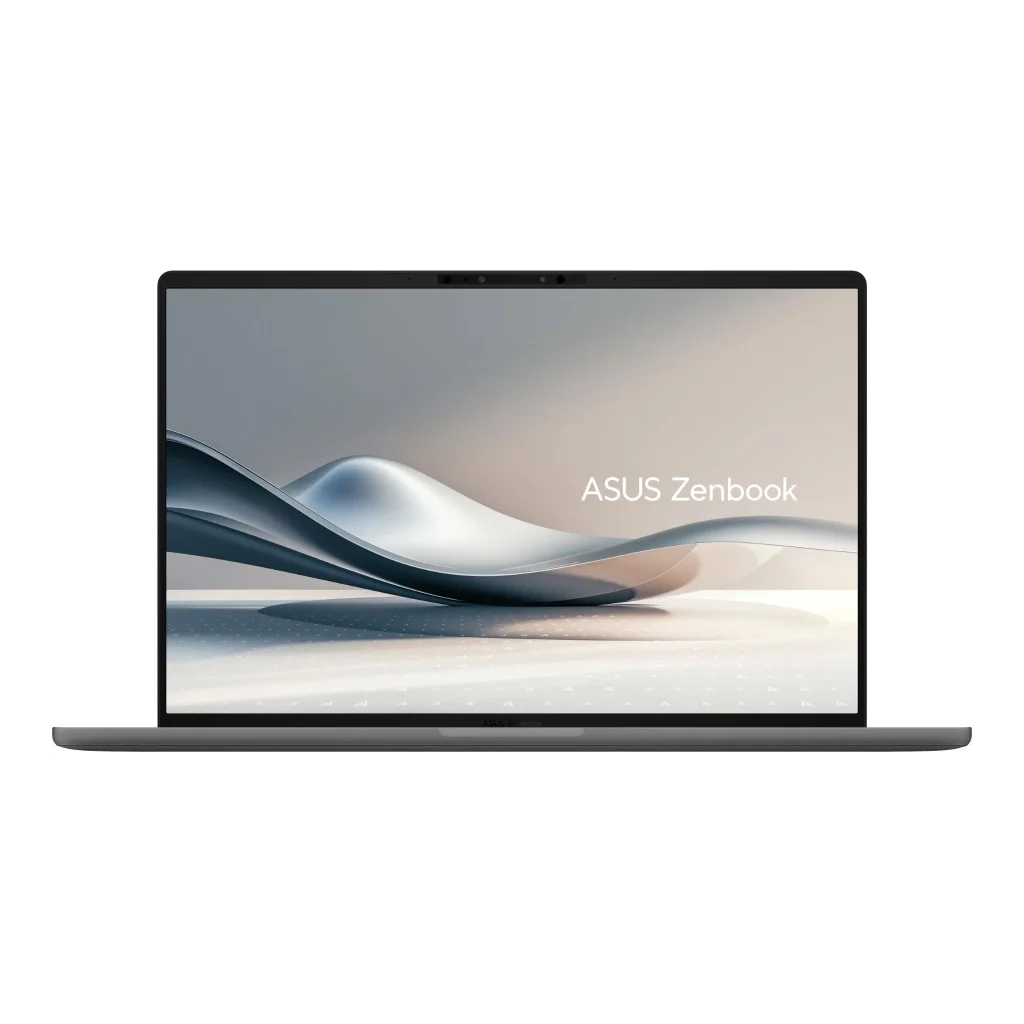
This is where the ZenBook A14 absolutely shines. The 14-inch OLED panel is one of the best displays you’ll find on any laptop in this price range, full stop.
Here’s what you’re getting:
- WUXGA (1920 x 1200) resolution with a 16:10 aspect ratio for extra vertical space
- 100% DCI-P3 colour coverage, meaning colours are rich, accurate, and vibrant
- 400 nits standard brightness, up to 600 nits peak in HDR mode
- 1,000,000:1 contrast ratio, which is what gives OLED its trademark deep blacks
- TÜV Rheinland certified for eye care, with 70% less harmful blue light
Whether you’re working on documents, editing photos, or just watching something on a long flight, this screen makes everything look brilliant. Text is crisp, dark scenes are genuinely dark (not grey like an IPS panel), and the glossy finish makes colours pop.
The one trade-off is the 60Hz refresh rate. Most laptops at this price have moved to 90Hz or 120Hz, and you do notice the difference if you’re used to a higher refresh rate display. It’s not a dealbreaker for everyday tasks, but it’s worth knowing about.
Performance
Here’s where things get a little more nuanced, and it’s important to understand what you’re buying before you commit.
The Snapdragon X Plus is an ARM-based processor, not the Intel or AMD x86 chips found in most Windows laptops. For day-to-day tasks like web browsing, email, video calls, Office apps, and streaming, it performs well. The 16GB of fast LPDDR5X RAM helps keep things running smoothly when you’ve got multiple apps open.
Battery efficiency is genuinely excellent in light use scenarios, and the chip handles AI-assisted features well thanks to the 45 TOPS Qualcomm Hexagon NPU.
However, there’s a catch you need to know about:
- Some older Windows software doesn’t run natively on ARM. It either runs through emulation (which is slower), or it doesn’t run at all.
- If you rely on specific business or creative software, check compatibility before buying.
- Gaming is very limited. This isn’t a gaming laptop by any stretch.
- The Adreno integrated GPU handles light tasks fine but struggles with anything graphically demanding.
The laptop also runs noticeably warm under sustained load. It won’t burn your lap, but you’ll feel the heat if you’re pushing it hard, and the fans kick in more than you’d hope for a machine this slim.
For general productivity, web work, and study, it handles the workload comfortably. For specialised or legacy software, do your homework first.
Keyboard and Trackpad
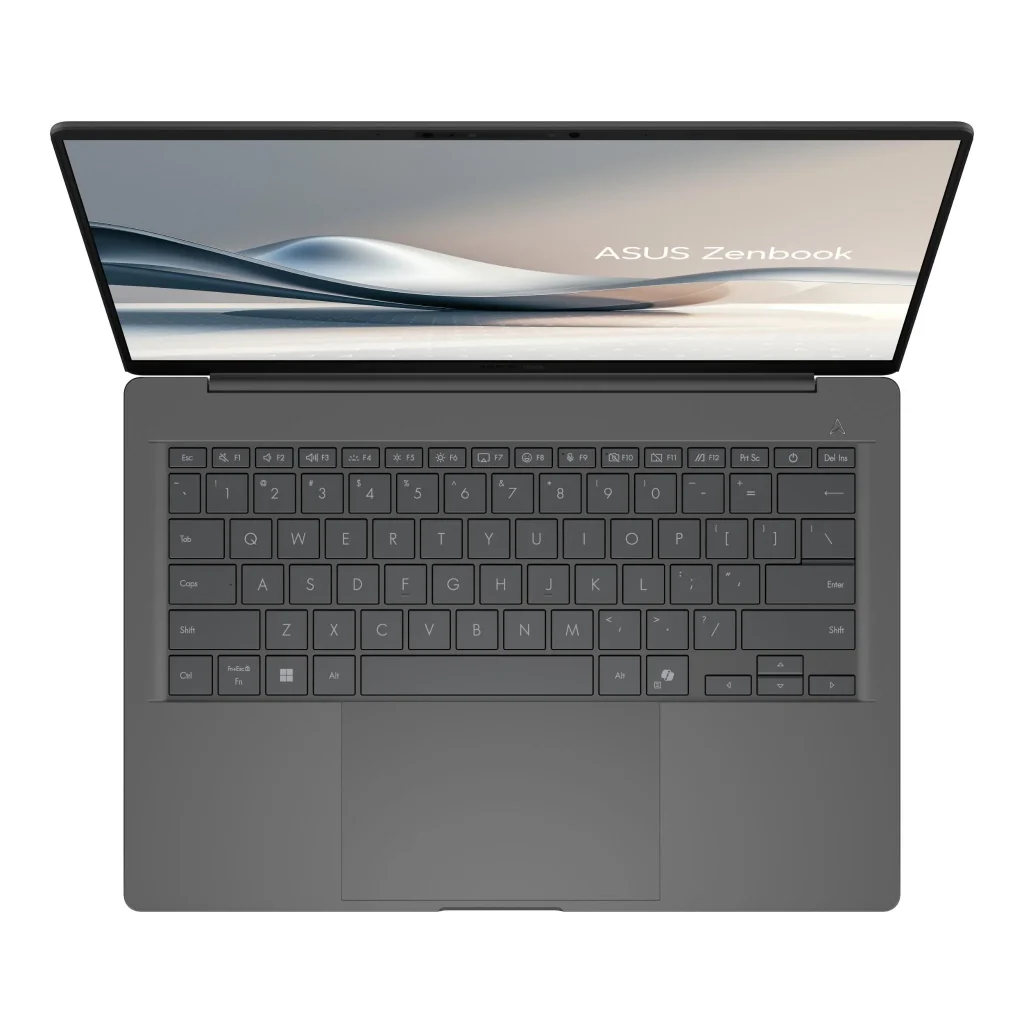
The keyboard is comfortable enough for extended typing sessions. The 1.3mm key travel is a touch on the shallow side, but it’s not unusual for an ultraportable this thin. Keys are well-spaced, backlit, and the layout is sensible. The inclusion of a Copilot key is a sign of the times, giving you quick access to Microsoft’s AI assistant.
The precision touchpad is smooth and responsive. Multi-finger gestures work as expected and navigation feels natural. No major complaints here.
One thing worth mentioning: the FHD IR webcam with Windows Hello is a genuine convenience. Face unlock is fast and works well in varying light conditions, which is handy if you’re logging in and out frequently during the day.
Battery Life
ASUS claims up to 32 hours of battery life. In the real world, you’ll get somewhere between 10 and 14 hours with typical use. That’s still very good by any reasonable measure, and for most people it means a full day of work without reaching for the charger.
The gap between claimed and actual is enormous though, and it’s worth calling out. ASUS tests under conditions that bear little resemblance to how people actually use their laptops. Screen brightness, the apps you’re running, and whether you’re on Wi-Fi all make a big difference.
That said, 10-14 hours is really impressive for a thin and light laptop. You’re unlikely to be hunting for a power point during the school or work day.
The 65W USB-C charger is compact and charges reasonably quickly. The fact that both USB-C ports support power delivery means you’ve got flexibility in how you charge it.
Speakers
Unfortunately, the speakers are a real weak point. For a $1,500+ laptop, you’d hope for something that fills a room, or at least sounds reasonably full. The ZenBook A14 doesn’t deliver that. The audio is tinny and lacks any real depth or volume. You’ll want headphones or an external Bluetooth speaker if audio quality matters to you.
Pros:
- Outstanding OLED display with exceptional colour accuracy
- Remarkably light at under 1kg
- Excellent port selection for an ultraportable (including two USB4 ports)
- Real-world battery life of 10-14 hours is genuinely useful
- MIL-STD-810H certified
- Fast IR webcam with Windows Hello
Cons:
- Chassis flex and rigidity are disappointing despite the Ceraluminum™ material claims
- Snapdragon ARM chip has software compatibility limitations
- Runs warm under load
- Speakers are underwhelming
- 16GB RAM is soldered in and cannot be upgraded
- 60Hz display refresh rate is behind the competition
- Huge gap between claimed and real-world battery life
Final Verdict
The ASUS ZenBook A14 is a laptop that does some things brilliantly and a few things not so well.
If ultra-light portability and a stunning display are your top priorities, this is one of the most compelling options you’ll find under $1,600 right now. Sub-1kg weight combined with a proper OLED screen is a rare combination, and the solid real-world battery life genuinely supports the all-day use case.
But there are real trade-offs. Despite ASUS’s Ceraluminum™ material claims, the chassis has more flex than you’d expect at this price, and the real-world feel doesn’t quite live up to the marketing. The Snapdragon ARM processor, while efficient, can create headaches if you rely on older or specialised Windows software. And the speakers are frankly disappointing.
The JB Hi-Fi sale price of $1,599 (down $400) makes it better value than its Harvey Norman sticker price, and if you’re shopping now, that’s the deal worth grabbing.
Who’s it best for? Students, frequent travellers, and remote workers who live in a browser and Office apps, and who want the lightest possible laptop with a gorgeous screen. If you need x86 software compatibility, a premium metal build, or anything resembling decent speakers, you’ll want to look elsewhere.
For an alternative with a metal build and solid performance, the HP ProBook 440 G11 is worth a look, though you do give up the OLED display.