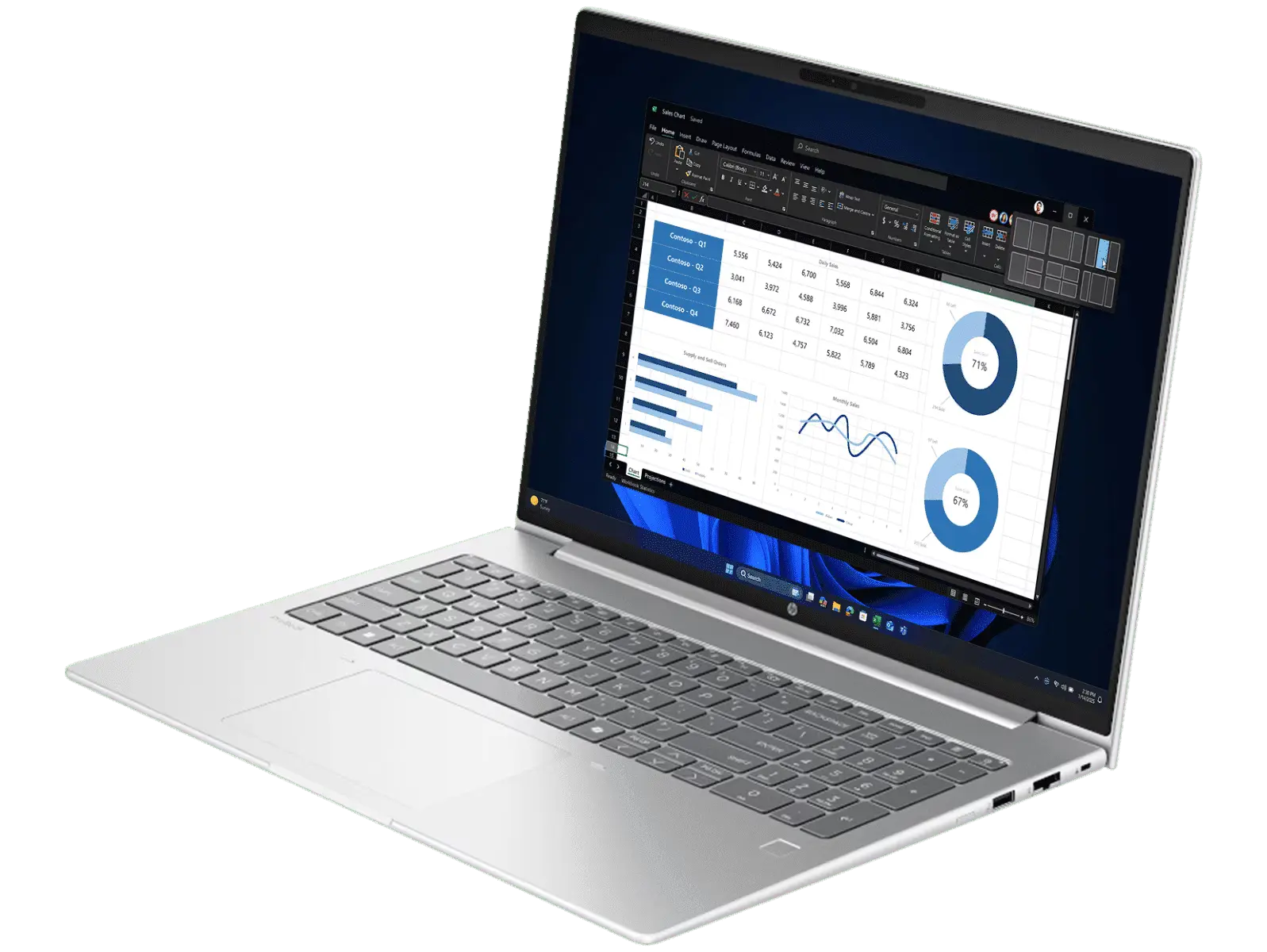
HP has quietly retired the ProBook 460 name and replaced it with the ProBook 4 G1i 16 series. If you’ve been following the ProBook lineup for a while, think of this as the direct successor to the HP ProBook 460 G11 I’ve reviewed previously. Same target audience, same general concept, updated internals and a new but confusing name.
The ProBook series has always been aimed squarely at small business users and professionals who need a dependable work machine without paying enterprise prices. The ProBook 4 G1i 16 continues that tradition, bringing some genuinely impressive upgrades to the table alongside a few frustrations that stop it from being a clean recommendation.
One thing I need to address upfront: the price you pay for this laptop depends enormously on where you buy it. More on that shortly.
Pros
- Dual-channel RAM
- Wi-Fi 7
- Fast charging - 50% in just 30 minutes
Cons
- Battery life could be a lot better
- 300 nits brightness is still underwhelming
- Touchpad is noisy when clicking
Key Specifications
- Display: 16″ WUXGA (1920 x 1200), IPS, 16:10, 300 nits, 62.5% sRGB, anti-glare
- Processor: Intel Core Ultra 5 225U (12 cores, 14 threads, up to 4.8GHz, 12MB L3 cache)
- Memory: 16GB DDR5-5600 (2x8GB dual channel, 2x SODIMM slots)
- Storage: 512GB M.2 NVMe PCIe SSD
- Graphics: Intel Graphics (integrated)
- Operating System: Windows 11 Pro
- Wireless: Intel Wi-Fi 7 BE201 (2×2), Bluetooth 5.4
- Battery: 56Wh, 3-cell Li-ion, fast charge 50% in 30 minutes
- Weight: 1.74kg
- Ports: 2x USB-A 5Gbps, 2x USB-C 20Gbps (Power Delivery 3.0, DisplayPort 1.4, HP Sleep and Charge), 1x HDMI 2.1, 1x RJ-45, 1x headphone/mic combo
- Webcam: 1080p FHD
- Keyboard: Spill-resistant, backlit, with numeric keypad
- Security: Fingerprint reader, security lock slot, HP Sure Platform, HP Tamper Lock
- NPU: Intel AI Boost (12 TOPS)
- Warranty: 1 year
- Part Number: BP9C7PT
- Price: $1,499 at Landmark Computers / $2,614 at HP Store
Where to Buy – Read This First
Before getting into the review, this needs to be said upfront because it directly affects whether this laptop is good value or not.
The HP ProBook 4 G1i 16 (BP9C7PT) is the exact same model regardless of where you buy it. Yet the price gap between retailers is extraordinary:
- Landmark Computers: $1,499
- Centrecom: $1737
- HP Store: $2,614
That is a $1,115 difference on an identical product. There is no justification for paying HP Store pricing on this machine. Buy it from Landmark Computers and you’re getting a genuinely well-specced business laptop at a fair price. Buy it from the HP Store and you’re simply overpaying by a significant margin.
Always check Landmark Computers, CentreCom, Computer Alliance, and other specialist retailers before buying directly from a manufacturer’s website. The savings can be substantial, and this is a perfect example of why.
Also, laptop prices have risen sharply over the last few months – as I have warned back in December. So when you find a good deal today it may not last long, as wholesale prices have risen and any new stock is priced much higher.
Design and Build Quality
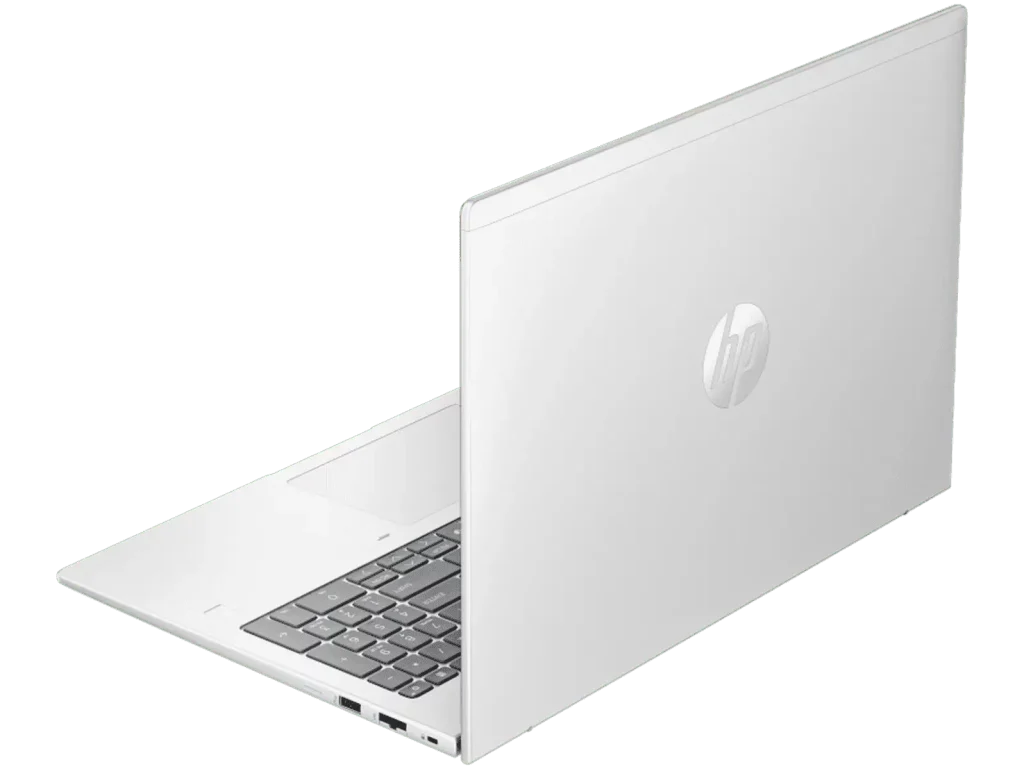
The ProBook 4 G1i 16 carries forward the clean, professional aesthetic the ProBook series is known for. The Pike silver finish is understated and office-appropriate, and the overall build feels solid and business-ready.
At 1.74kg it’s not the lightest 16-inch laptop around, but it’s manageable for daily commuting and moving between meetings. The 16-inch form factor gives you a generous working surface without the bulk of older 15.6-inch designs, and the 16:10 aspect ratio means more vertical screen space for documents and spreadsheets.
The spill-resistant keyboard with backlight is a practical inclusion for a business machine, and the inclusion of a numeric keypad will be appreciated by anyone who works with numbers regularly.
One physical complaint worth flagging: the touchpad is noisy when clicking. It’s not a deal-breaker but it’s the kind of thing that stands out in quiet meeting rooms or open plan offices. It’s a minor but noticeable issue on a laptop at this price.
For professionals who aren’t sure what to prioritise in a business laptop, my Business Laptop Buying Guide breaks down what actually matters.
Display
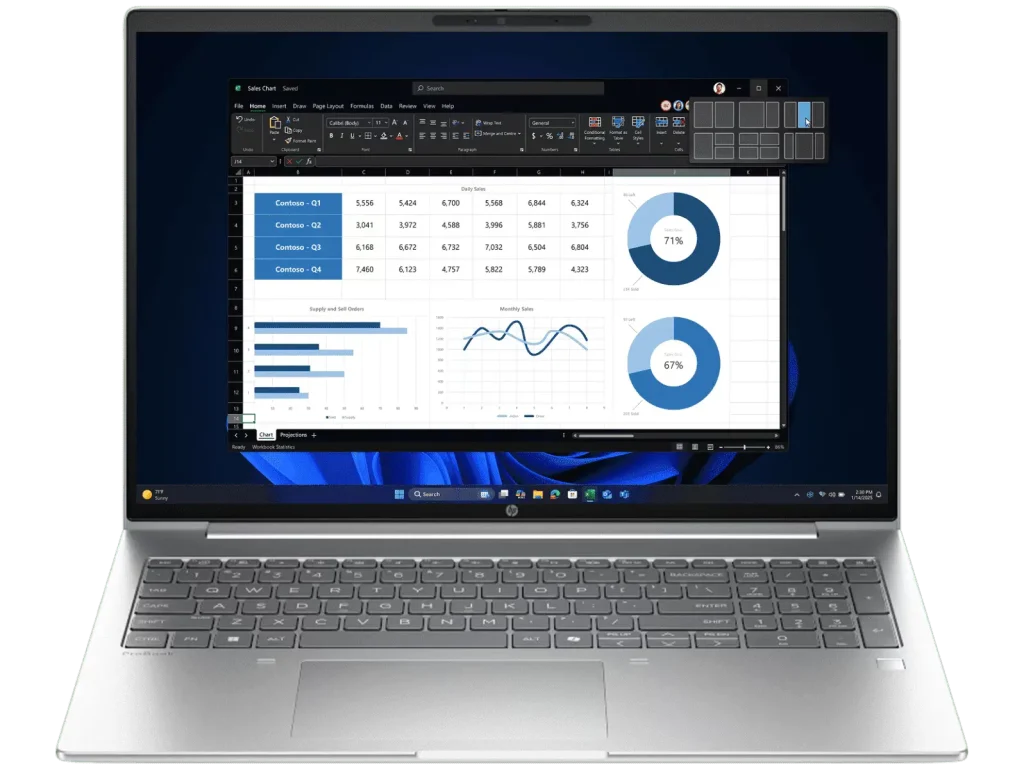
This is the area that needs the most honest discussion, and it’s a familiar story if you’ve read my other HP reviews.
The 16-inch WUXGA (1920 x 1200) IPS panel gives you a sharp image and the 16:10 aspect ratio is genuinely useful for productivity. But two numbers undermine the overall picture:
- 300 nits brightness is a marginal improvement over budget HP models but still falls short of what you’d want for a good business laptop. Near a window or in a bright meeting room, it can feel dim.
- 62.5% sRGB colour gamut means colours are noticeably flat compared to any laptop with a proper full sRGB or DCI-P3 panel. For most business tasks this is liveable, but if you’re presenting to clients or doing any creative work, it shows.
For a laptop positioned as a professional business machine, the display is the weakest link. It handles documents, spreadsheets, and video calls adequately, but HP could and should be offering better colour accuracy at this price point.
The anti-glare coating does a reasonable job of managing reflections in office environments, which helps.
Performance
The Intel Core Ultra 5 225U is a current-generation Arrow Lake processor, and it’s a meaningful step forward from the Core Ultra 5 125U found in the ProBook 460 G11. With 12 cores, 14 threads, and a boost clock reaching 4.8GHz, it handles the full range of everyday business workloads with ease.
Multitasking across video calls, large spreadsheets, multiple browser tabs, and Office applications all feel smooth and responsive. The 16GB of DDR5-5600 in dual channel configuration gives the integrated Intel graphics a solid performance base, and day-to-day responsiveness is quick throughout.
The 512GB NVMe SSD is fast enough for business use, with snappy boot times and quick application loading. The only note here is that 512GB fills up faster than most people expect, particularly if you store large files locally. An upgrade to 1TB at the time of purchase is worth considering if your work involves large documents, presentations, or media files.
The Intel AI Boost NPU at 12 TOPS enables AI-assisted features in Windows 11 Pro, including Copilot integration. For most business users this is a background feature rather than a daily driver, but it’s good to have as AI tools become more embedded in productivity software.
Keyboard and Trackpad
The backlit, spill-resistant keyboard is one of the ProBook’s traditional strengths and it delivers here. Key travel and spacing are comfortable for extended typing sessions, and the backlight is genuinely useful in dim environments. The inclusion of a numeric keypad makes this a practical choice for finance, accounting, and data-heavy roles.
The trackpad supports multi-touch gestures and is smooth to navigate. The main criticism is the noise when clicking. The physical click mechanism is louder than you’d expect on a business laptop, and in quiet environments it becomes noticeable. It’s not something that affects functionality, but it’s a fit-and-finish issue that HP should address on a machine at this price.
Connectivity
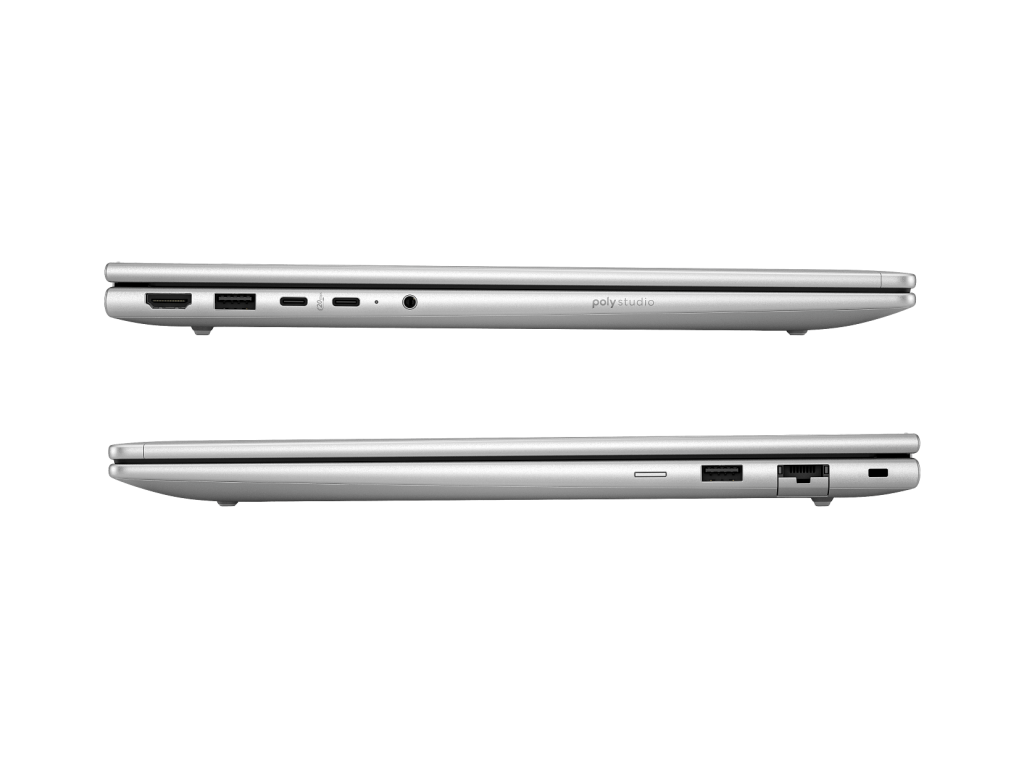
This is where the ProBook 4 G1i 16 genuinely impresses and where HP has done an amazing job.
Wi-Fi 7 is the headline feature here. Most laptops at this price are still shipping with Wi-Fi 6 or Wi-Fi 6E. Wi-Fi 7 delivers significantly faster speeds and better performance in congested network environments, which matters in busy offices and co-working spaces. It’s a forward-looking inclusion that will serve business users well for years.
The dual USB-C ports running at 20Gbps with Power Delivery 3.0 and DisplayPort 1.4 give you genuine flexibility. You can charge via either USB-C port and connect external monitors without needing a separate adapter. The two USB-A ports cover legacy peripherals, HDMI 2.1 handles large external displays, and the RJ-45 ethernet port is a practical necessity for business users who need a wired connection in offices or on-site visits.
Overall this is one of the strongest port setups I’ve seen on a business laptop at this price point.
Battery Life
The 56Wh battery is one of the more common complaints about the ProBook 4 G1i 16, and it’s easy to see why. HP’s official figures suggest considerably longer runtime, but real-world use tell a different story. You should expect to get 4 to 5 hours of actual use in typical office conditions covering emails, documents, and video calls. That’s a significant shortfall for a business laptop, and if you’re away from your desk for most of the day, you’ll be hunting for a power point well before the afternoon is done.
For a professional machine at this price points, that’s a genuine disappointment and one of the biggest weaknesses on this laptop.
The one saving grace is the fast charging. Getting to 50% in just 30 minutes is genuinely useful, and a quick top-up during a lunch break helps take the edge off. But it shouldn’t be necessary to manage your charging this carefully on a modern business laptop.
Bloatware
Worth a specific mention. Shipping a Windows 11 Pro business laptop with pre-installed bloatware is poor form. Business buyers expect a clean, professional out-of-box experience. Taking time to uninstall software you didn’t ask for is an annoying first step that HP should not be putting its business customers through.
Security and Business Features
The ProBook 4 G1i 16 brings a solid set of business security features:
- Fingerprint reader for fast, secure login
- HP Sure Platform for firmware-level security
- HP Tamper Lock to detect physical interference
- Hall effect sensor
- Security lock slot for physical desk security
- Windows 11 Pro with full enterprise management capability
For small business owners and IT administrators managing a fleet of machines, the Pro OS and security suite make this a straightforward choice over consumer-grade alternatives.
Pros
- Wi-Fi 7 is a standout feature that puts this ahead of most competitors at the price
- Dual USB-C 20Gbps ports with Power Delivery and DisplayPort give excellent connectivity flexibility
- Dual-channel DDR5-5600 RAM delivers strong everyday performance
- 1080p FHD webcam is a meaningful upgrade over the 720p cameras on budget HP models
- Fast charging reaches 50% in just 30 minutes
- Backlit spill-resistant keyboard with numeric keypad
- Windows 11 Pro included as standard
- RJ-45 ethernet port is a practical necessity for business use
- Strong security feature set
Cons
- 62.5% sRGB colour gamut is below what a business laptop at this price should deliver
- 300 nits brightness is underwhelming for a professional machine
- Touchpad clicks are noisy, which stands out in quiet environments
- Battery life is a common complaint. HP should have done better here
- HP bloatware pre-installed on a business machine is disappointing
- Massive price variation between retailers means uninformed buyers can drastically overpay
Final Verdict
The HP ProBook 4 G1i 16 is a well-rounded business laptop that gets more right than it gets wrong. Wi-Fi 7, dual USB-C with full Power Delivery and DisplayPort support, a proper 1080p webcam, and a current-generation Intel processor make for a genuinely capable professional machine. At $1,499 from Landmark Computers, it represents solid value for small business users and professionals who need a reliable everyday work machine.
The display and battery life are the two most significant frustrations. Real-world battery is at just 4 to 5 hours, which is below what you’d expect from a business laptop designed for professionals working away from their desks. Combined with a 62.5% sRGB panel that falls short of what a business machine at this price should deliver, these are two daily compromises that are hard to overlook.
The elephant in the room is the pricing disparity. The HP Store’s $2,614 price tag for the exact same laptop is not justifiable under any circumstances. Do your homework, buy from Landmark Computers or another specialist retailer, and you’ll be getting a much better deal.
As the direct successor to the ProBook 460 series, the ProBook 4 G1i 16 is a meaningful step forward in connectivity and processing capability. If you’re coming from an older generation ProBook 460 or a similar vintage business laptop, the upgrade makes sense at the right price.