The ThinkPad name carries serious weight in business laptop circles. For decades, Lenovo’s ThinkPad series has been synonymous with reliability, excellent keyboards, and no-nonsense professional design. The E series sits at the more accessible end of that lineup, historically aimed at small businesses and professionals who want the ThinkPad experience without the enterprise price tag.
The ThinkPad E14 has long been Lenovo’s answer to HP’s popular ProBook 440 series, and with HP transitioning to the ProBook 4 G1i lineup, the competitive landscape remains much the same. The question is whether the E14 Gen 7 Intel can hold its own.
At first glance the specs look solid. But dig deeper and there’s something genuinely interesting going on under the hood that sets this laptop apart from most of its competitors at this price point.
Pros
- 32GB RAM at this price is exceptional
- Intel Arc 130V Graphics
- 1.32kg is genuinely lightweight in this category
Cons
- Ships with Windows 11 Home
- 45% NTSC colour gamut
- Warranty is courier/carry-in
Key Specifications
- Display: 14″ WUXGA (1920 x 1200), IPS, 16:10, 300 nits, 45% NTSC, anti-glare, 60Hz
- Processor: Intel Core Ultra 5 228V (8 cores, 8 threads, up to 4.5GHz, 8MB cache) – Lunar Lake
- Memory: 32GB LPDDR5X-8533 (soldered, dual channel, not upgradable)
- Storage: 512GB M.2 PCIe 4.0 NVMe SSD (one slot, supports up to 1TB)
- Graphics: Intel Arc 130V (integrated)
- Operating System: Windows 11 Home
- Wireless: Intel Wi-Fi 6E (2×2), Bluetooth 5.3
- Battery: 48Wh, 65W USB-C charging
- Weight: From 1.32kg
- Ports: 1x USB-A 5Gbps, 1x USB-A 10Gbps (Always On), 1x Thunderbolt 4 USB-C 40Gbps (USB PD, DisplayPort 2.1), 1x optional Thunderbolt 4 USB-C (configured), 1x HDMI 2.1, 1x RJ-45, 1x headphone/mic combo
- Webcam: 1080p FHD + IR, privacy shutter
- Keyboard: Backlit (no numeric keypad)
- Security: Fingerprint reader in power button, discrete TPM 2.0, Kensington Nano lock slot, IR webcam, Windows Hello
- NPU: Intel AI Boost up to 40 TOPS (Copilot+ PC certified)
- Certification: MIL-STD-810H, TCO Gen 10, EPEAT Gold, Energy Star 9.0
- Warranty: 1 year courier/carry-in with Premier Support upgrade
- MPN: 21U2CTO1WWAU4
- Price: $1,271.76 at Lenovo direct (24% off RRP of $1,679)
- Other options: A touchscreen variant is available from Centrecom for $1,499
A Note on Availability
The ThinkPad E14 Gen 7 reviewed here is a Lenovo CTO (Configure to Order) model, meaning it’s primarily sold direct through Lenovo’s website rather than through a wide network of retailers. There aren’t many IT stores carrying the E range these days, which is worth knowing if you prefer buying from a physical store or want to compare prices across multiple retailers.
Centrecom stocks a similar ThinkPad E14 Gen 7 with a touchscreen for $1,499 if that’s of interest. You can check that model out here. Note that Centrecom’s model comes with 16GB of RAM rather than the 32GB in this configuration, so they’re not identical machines.
What Makes This Chip Different
Before getting into the review, it’s worth taking a moment to explain the processor, because the Intel Core Ultra 5 228V is not the same kind of chip you’ll find in most other laptops at this price point.
The 228V is built on Intel’s Lunar Lake architecture, which is a significant departure from the more common Arrow Lake platform. A few things stand out:
- Memory is built directly onto the processor package rather than sitting in separate slots. This is why the RAM is soldered and not upgradable, but it also means extremely fast memory access.
- The integrated Arc 130V GPU is substantially more capable than the Intel Graphics found in standard Intel laptops. Light gaming, creative applications, and AI workloads all benefit noticeably.
- The NPU hits 40 TOPS, which qualifies this as a Copilot+ PC. Most competing laptops at this price don’t reach that threshold.
- Power efficiency is a strength of the Lunar Lake design, which helps offset the smaller 48Wh battery.
In short, this is a more sophisticated chip than the spec sheet might suggest at first glance.
Design and Build Quality
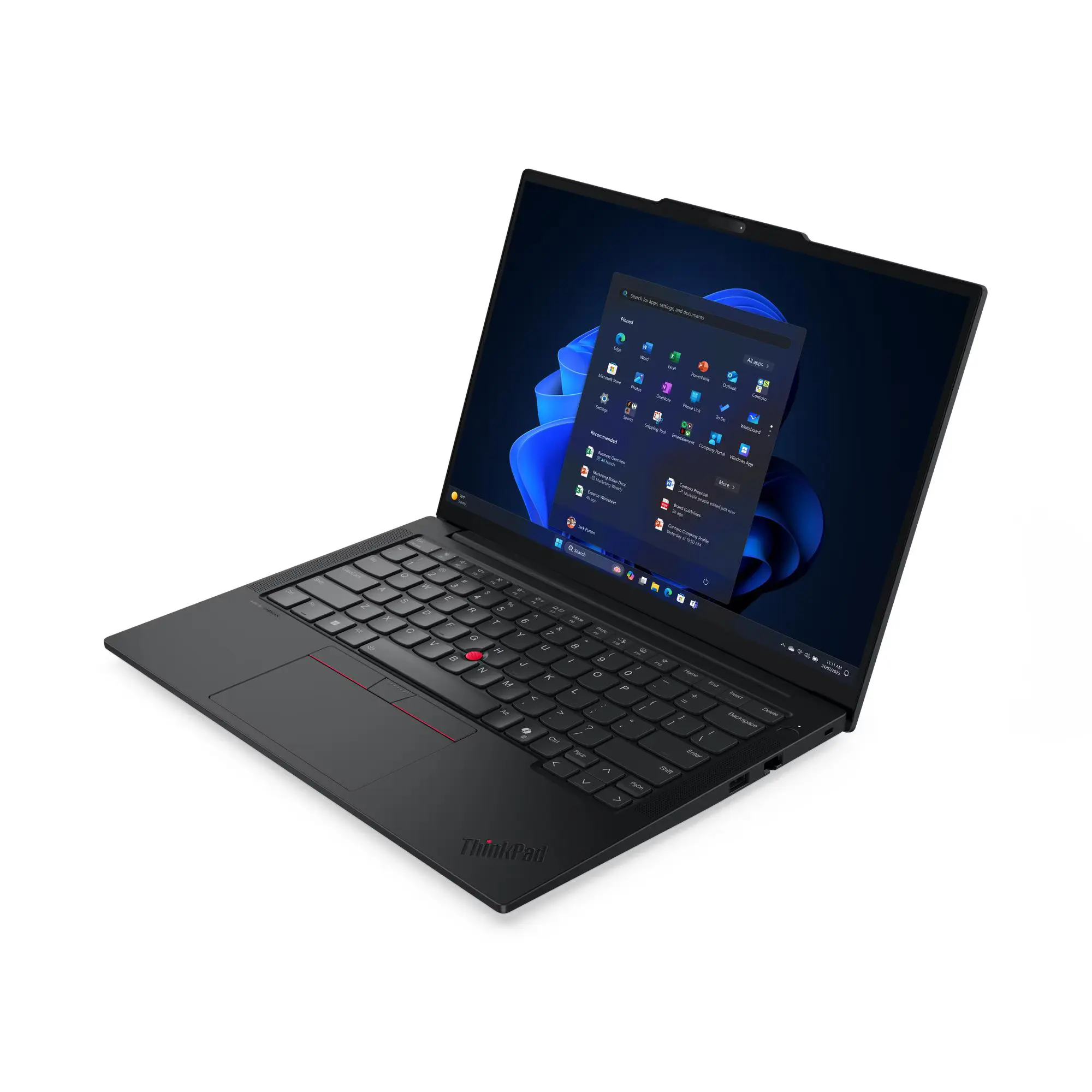
The ThinkPad E14 Gen 7 arrives in classic ThinkPad black, which is exactly what most buyers in this category expect. It’s professional, understated, and looks at home in any business environment.
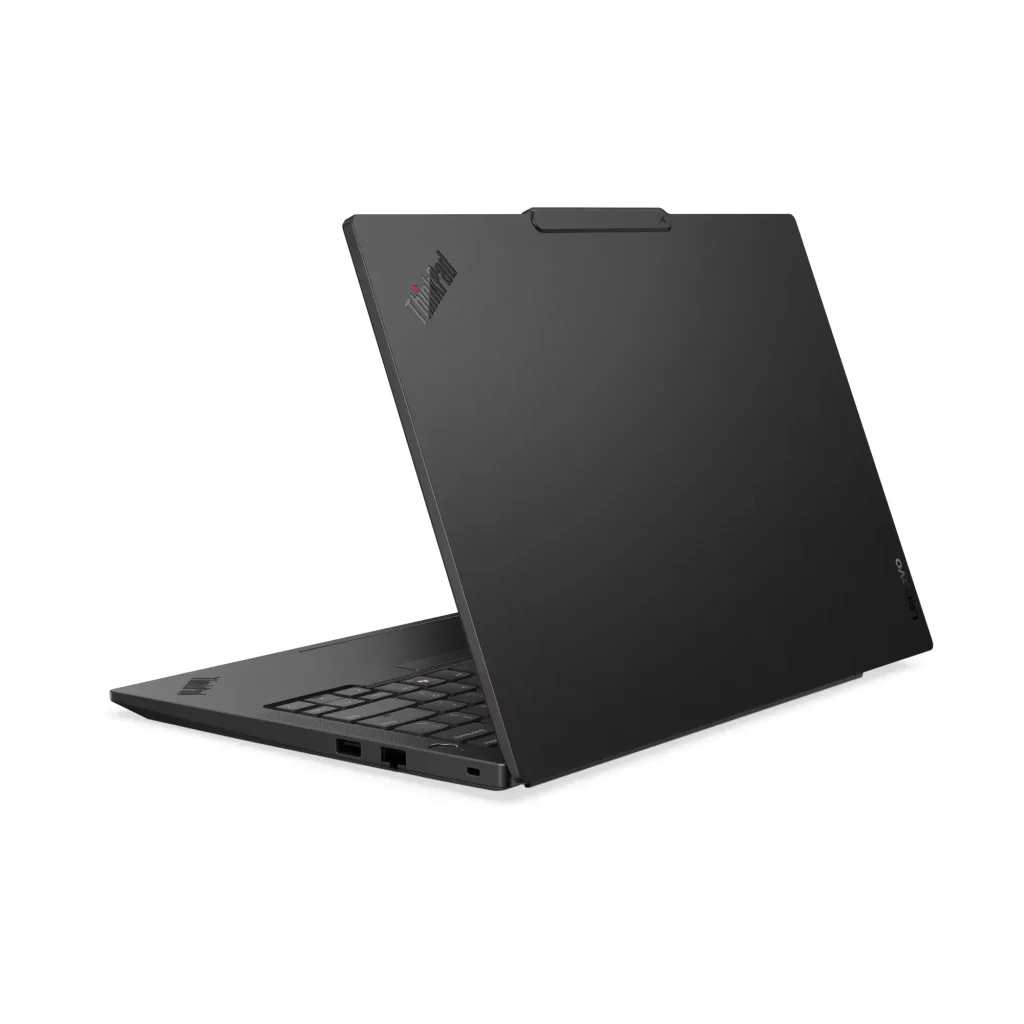
At 1.32kg it’s genuinely lightweight for a fully-featured 14-inch business laptop, and the slim profile makes it easy to slip into a bag. The aluminium top cover gives the lid a premium feel, though the PC-ABS plastic base is a reminder that this is a business-accessible rather than premium-tier ThinkPad. It’s a mixed materials approach that keeps costs down without the machine feeling entirely cheap.
MIL-STD-810H certification provides reassurance for everyday bumps, drops, and environmental stresses.
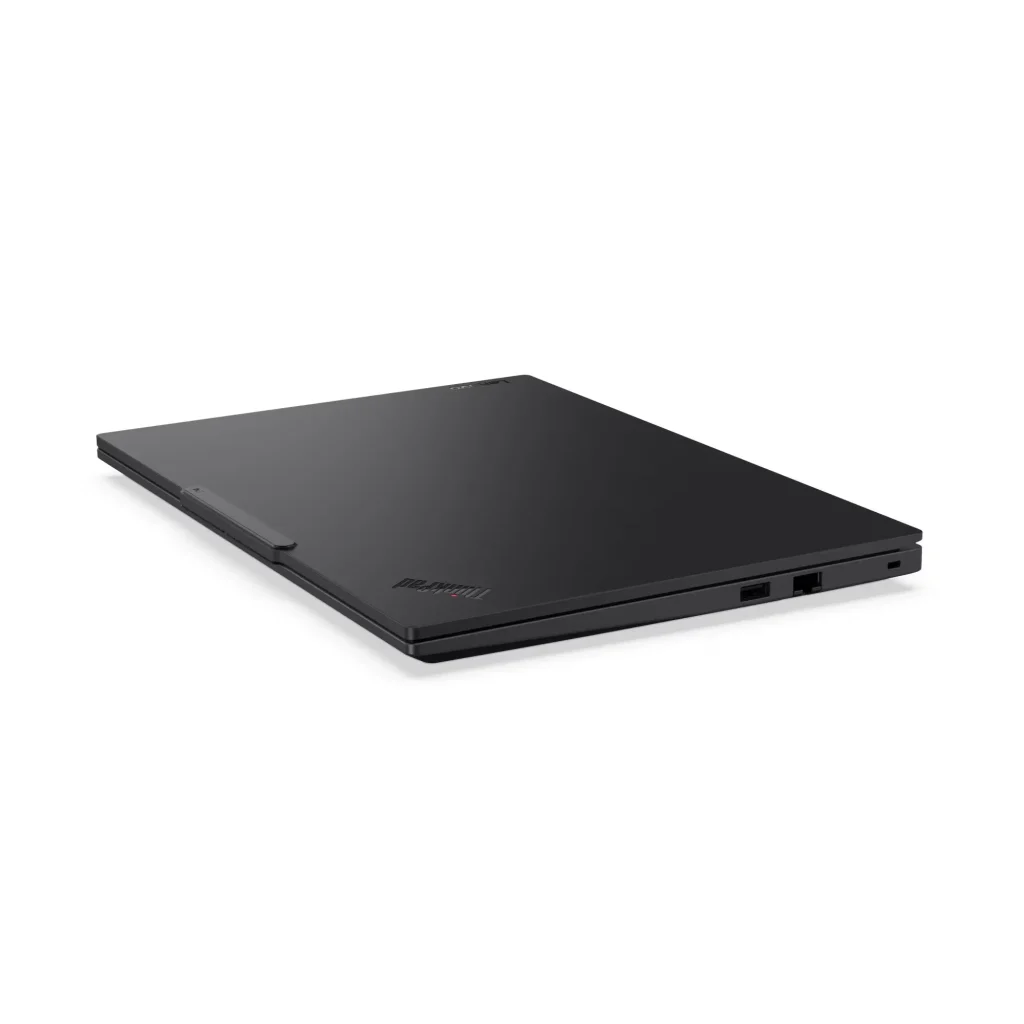
One thing worth flagging: the build feels a little less solid than you might expect from the ThinkPad name, particularly around the base. It’s not a flimsy machine, but long-time ThinkPad users coming from the T or X series will notice the difference in rigidity.
Display
The display is the most disappointing aspect of the ThinkPad E14 Gen 7, and it needs to be called out plainly.
The 14-inch WUXGA (1920 x 1200) IPS panel delivers a sharp image and the 16:10 aspect ratio is useful for productivity. But:
- 45% NTSC colour gamut is poor. This is the same low colour coverage I’ve flagged on budget HP models, and it produces flat, washed-out colours that fall well short of what modern displays should deliver.
- 300 nits brightness is manageable in typical indoor conditions but struggles near windows or in brighter environments.
For a laptop positioned as a business machine and priced at over $1,200, better colour accuracy is a reasonable expectation. Everyday document work, spreadsheets, and video calls are handled fine, but anything colour-sensitive will expose the panel’s limitations immediately. It’s genuinely the weakest part of this package.
Performance
This is where the ThinkPad E14 Gen 7 surprises.
The combination of the Lunar Lake Core Ultra 5 228V and 32GB of fast LPDDR5X-8533 memory makes for a noticeably responsive machine. Multitasking across video calls, large spreadsheets, multiple browser tabs, and Office applications all feel fluid and snappy. The 32GB RAM at this price point is exceptional and will be appreciated by anyone who regularly has a lot on the go simultaneously.
The Intel Arc 130V integrated graphics deserves specific mention. Unlike the generic Intel integrated graphics found in most business laptops at this price, the Arc 130V is a proper GPU capable of handling light creative work, casual gaming, and AI-accelerated tasks meaningfully better than standard Intel alternatives. It’s not a dedicated GPU, but it’s a genuine step up.
The 40 TOPS NPU also qualifies this as a Copilot+ PC, enabling the full suite of AI features in Windows 11 including live captions, image generation, and enhanced Recall functionality.
The 512GB NVMe SSD is fast and reliable for everyday use. One thing to note: the storage slot supports up to 1TB, so upgrading down the track is possible. The RAM, however, is soldered to the processor package and cannot be upgraded under any circumstances. The 32GB you get at purchase is what you’ll have for the life of the laptop.
Keyboard and Trackpad
Here’s where things get a little uncomfortable for a ThinkPad review.
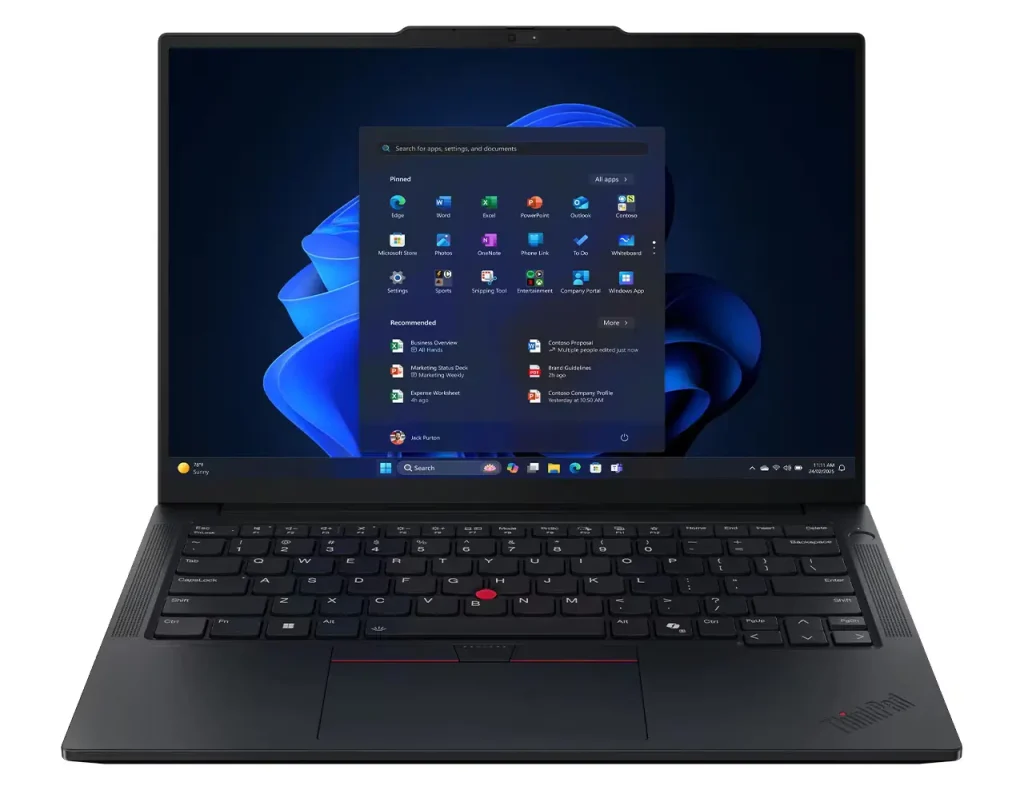
ThinkPad keyboards have historically been the gold standard for business laptop typing. The E14 Gen 7’s keyboard is functional and gets the basics right, including backlit keys and a sensible layout. But the feel is softer and less satisfying than what ThinkPad users expect. It has a slightly cheap quality to it that doesn’t quite match the brand’s reputation.
It’s not a bad keyboard by general laptop standards. Compared to what the ThinkPad name promises, it’s a mild disappointment.
There is no numeric keypad on this model. For professionals in finance or data-heavy roles who rely on a numpad regularly, an external USB numpad is an inexpensive workaround.
The trackpad is smooth and supports Windows Precision gestures reliably. Navigation feels natural and multi-finger scrolling and zooming work well. The fingerprint reader is integrated into the power button, which is a neat design choice that keeps the palm rest clean.
Connectivity
The connectivity picture is solid, with one area that stands out positively and one that’s slightly behind the times.
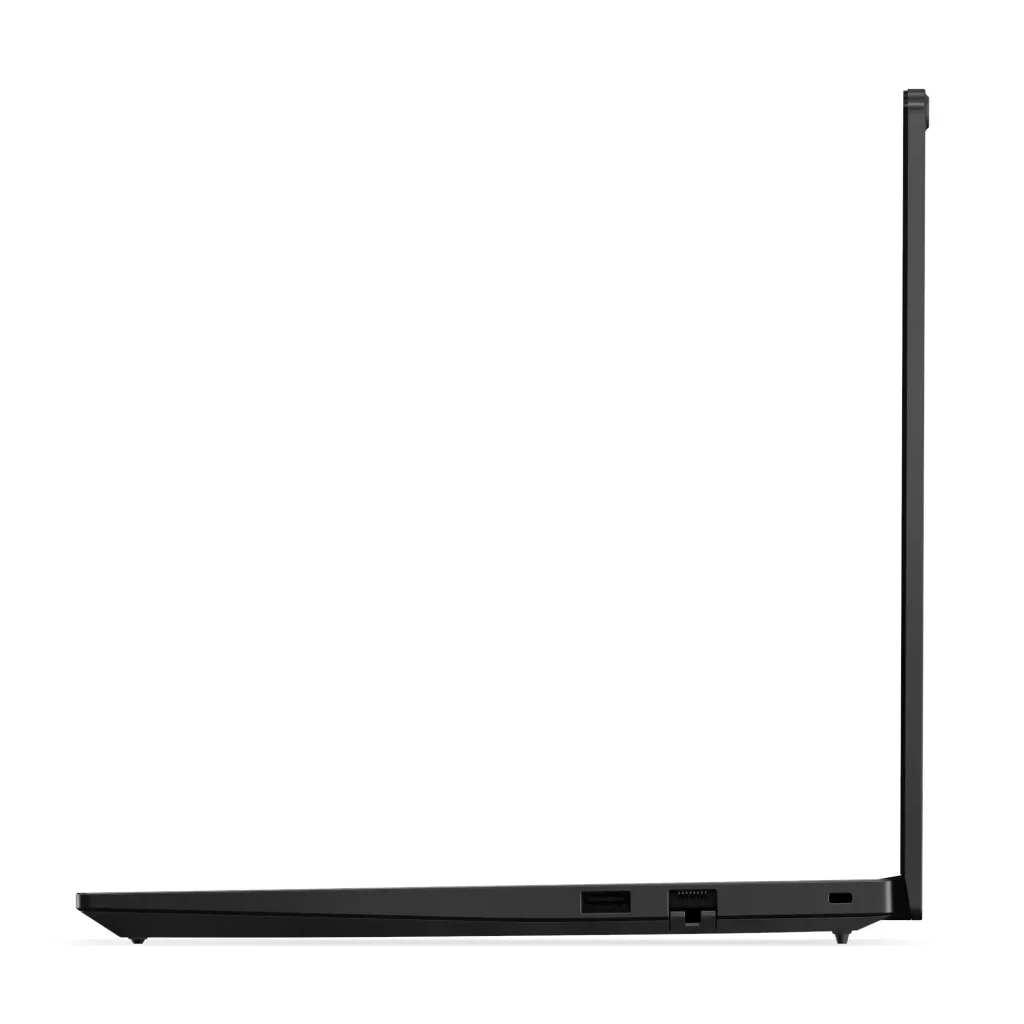
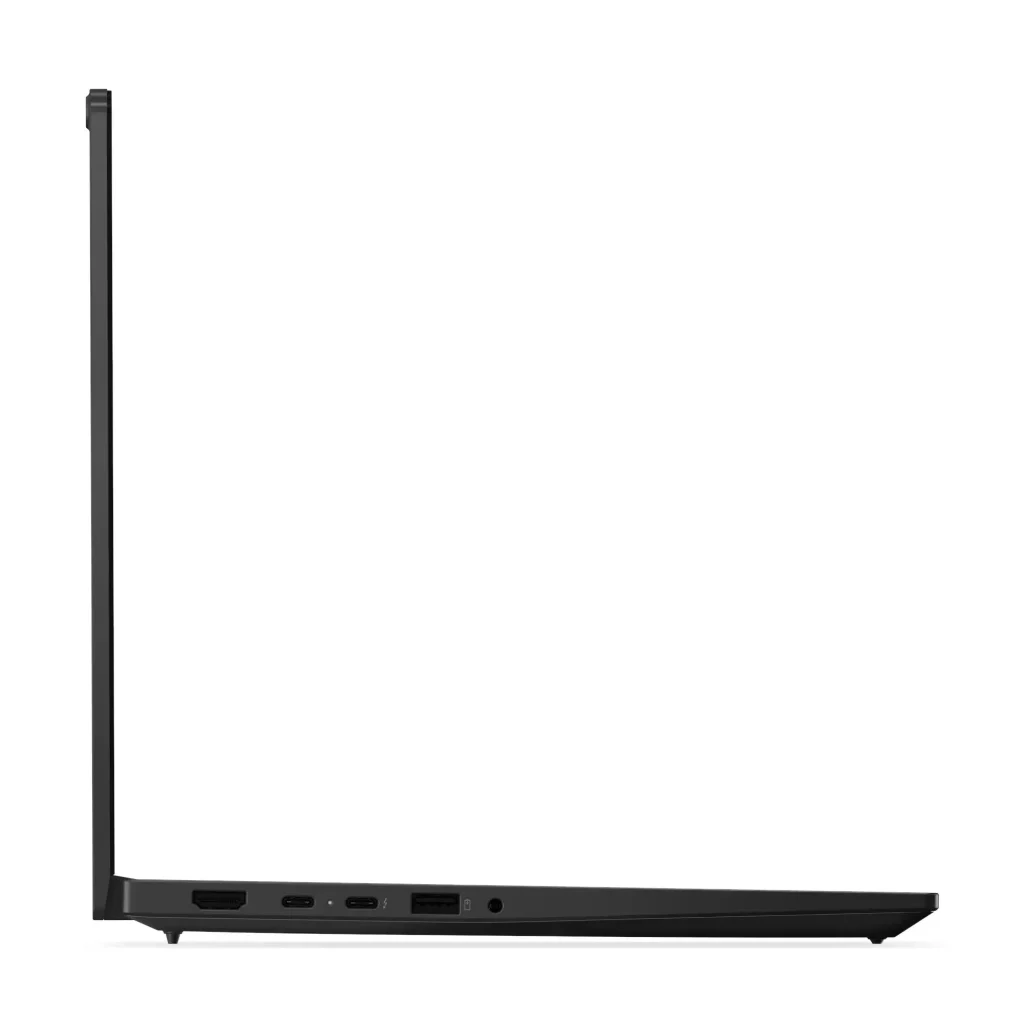
Thunderbolt 4 on at least one USB-C port is a genuine strength. At 40Gbps with DisplayPort 2.1 support, it enables fast external drive transfers, high-resolution monitor connections, and compatibility with modern Thunderbolt docking stations. A second Thunderbolt 4 port is available on configured models.
The two USB-A ports cover legacy peripherals, HDMI 2.1 handles external displays up to 4K/60Hz, and the RJ-45 ethernet port provides reliable wired connectivity.
The one connectivity step down compared to some competitors is Wi-Fi 6E rather than Wi-Fi 7. For most users in 2026 this won’t be noticeable day-to-day, but it’s worth knowing if you’re in a Wi-Fi 7 environment and want to take full advantage of it.
There is no SD card reader on this model, which may be a consideration for photographers or content creators who regularly transfer files from camera cards.
Battery Life
The 48Wh battery is smaller than what you’ll find on many competing business laptops. However, the Lunar Lake architecture is notably power efficient, which helps offset the smaller capacity.
Real-world battery life sits at around 7 to 8 hours of typical office use covering emails, documents, and video calls. That’s a reasonable result given the battery size and reflects the efficiency advantage of the Lunar Lake platform. Heavier workloads involving the Arc GPU will bring that number down.
For most professionals working a standard office day, it should be enough to get through without a top-up. But if you regularly work long days away from power, it’s worth having the charger handy.
Audio
The speaker situation is a little disappointing given the branding. Harman audio and Dolby Atmos sound impressive on paper, but in practice the speakers lack depth and volume for a premium experience. They’re adequate for video calls and private desk use, but don’t expect much beyond that. Headphones are recommended for anything more serious.
Windows Home on a Business Laptop
This needs a specific mention. The ThinkPad E14 Gen 7 Intel ships with Windows 11 Home rather than Windows 11 Pro. For a laptop positioned as a small business machine, that’s a notable omission (or a cost cutting measure by Lenovo).
Windows 11 Home lacks several features that business users often need, including:
- BitLocker drive encryption
- Remote Desktop hosting
- Group Policy management
- Domain join capability
Lenovo offers a Windows 11 Pro upgrade for approximately $100 at the time of purchase. If any of those features matter to your business, factor that cost in upfront. At $1,271.76 plus $100 for Pro, you’re at $1,371.76 for a fully business-ready configuration.
Warranty
The base warranty on this model is one year courier or carry-in, meaning if something goes wrong you’ll need to send the laptop away for repair rather than having a technician come to you. An included Premier Support upgrade provides better access to Lenovo’s support team, but doesn’t change the carry-in service model.
For small business buyers who need on-site repair coverage, extended warranty options through Lenovo are worth exploring at the time of purchase.
Pros
- 32GB RAM is exceptional at this price point and rare among competitors
- Intel Arc 130V integrated graphics significantly outperforms standard Intel alternatives
- Qualifies as a Copilot+ PC with a 40 TOPS NPU
- Thunderbolt 4 with DisplayPort 2.1 for fast docking and external display support
- MIL-STD-810H military-grade certification
- Genuinely lightweight at 1.32kg
- 1080p FHD webcam with IR and privacy shutter
- Strong pricing at $1,271.76 direct from Lenovo
Cons
- 45% NTSC colour gamut is poor for a business laptop at this price
- 300 nits brightness is underwhelming
- Ships with Windows 11 Home, not Pro – add $100 to get the business-ready OS
- Keyboard feel is below ThinkPad’s usual standard
- Audio disappoints despite Harman and Dolby Atmos branding
- Memory is soldered and cannot be upgraded
- 48Wh battery is on the small side
- Warranty is courier/carry-in, not on-site
- Wi-Fi 6E rather than Wi-Fi 7
- No SD card reader
- Limited retail availability as a Lenovo CTO model
Final Verdict
The Lenovo ThinkPad E14 Gen 7 is a genuinely interesting laptop that does some things remarkably well for its price. The 32GB of fast memory, Intel Arc 130V integrated graphics, and Copilot+ PC certification make it a more capable machine under the hood than most of its competitors at this price point. At $1,271.76 from Lenovo direct, the value story is compelling when you factor in the specs on offer.
But it comes with some real compromises. The 45% NTSC display is hard to overlook on a machine positioned as a professional tool. The keyboard falls short of what the ThinkPad name has trained buyers to expect. Shipping with Windows Home rather than Pro adds a hidden cost for business buyers who need the full feature set. And the courier/carry-in warranty means downtime if something goes wrong.
If you’re shopping for a business laptop and raw performance and memory headroom are the top priorities, the E14 Gen 7 makes a strong case at this price. If display quality, on-site warranty support, or a premium keyboard feel are higher on your list, it’s worth considering alternatives.
For anyone researching business laptops more broadly, my Business Laptop Buying Guide is worth a read before committing. And with laptop prices continuing to shift across the market, my Warning: Laptop Prices Are About to Jump 10-20% post from December 2025 is useful context for timing your purchase.
SEO Metadata
Meta Title: Lenovo ThinkPad E14 Gen 7 Review: 32GB RAM, But Is It Enough?
Meta Description: ThinkPad E14 Gen 7 review: 32GB RAM & Intel Arc graphics impress, but poor display, Windows Home & carry-in warranty disappoint. Available from $1,271 at Lenovo direct.
URL Slug: /lenovo-thinkpad-e14-gen-7-review