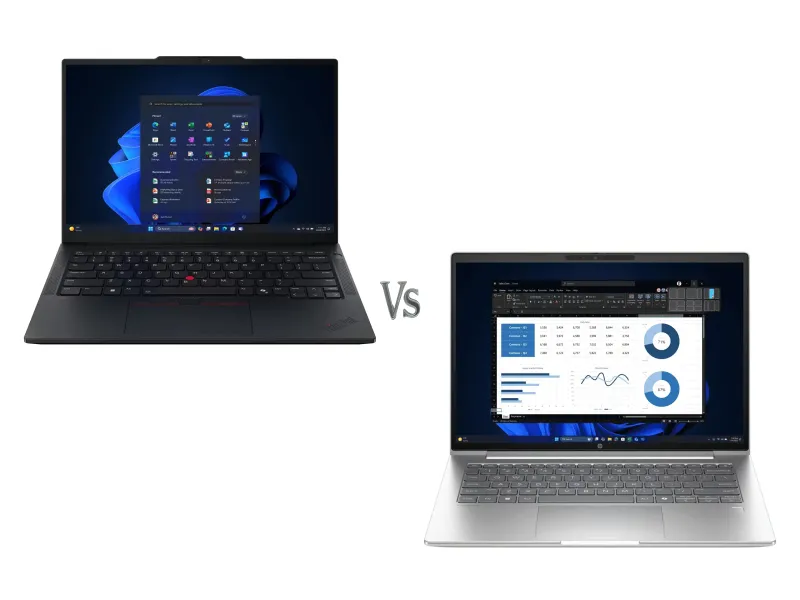
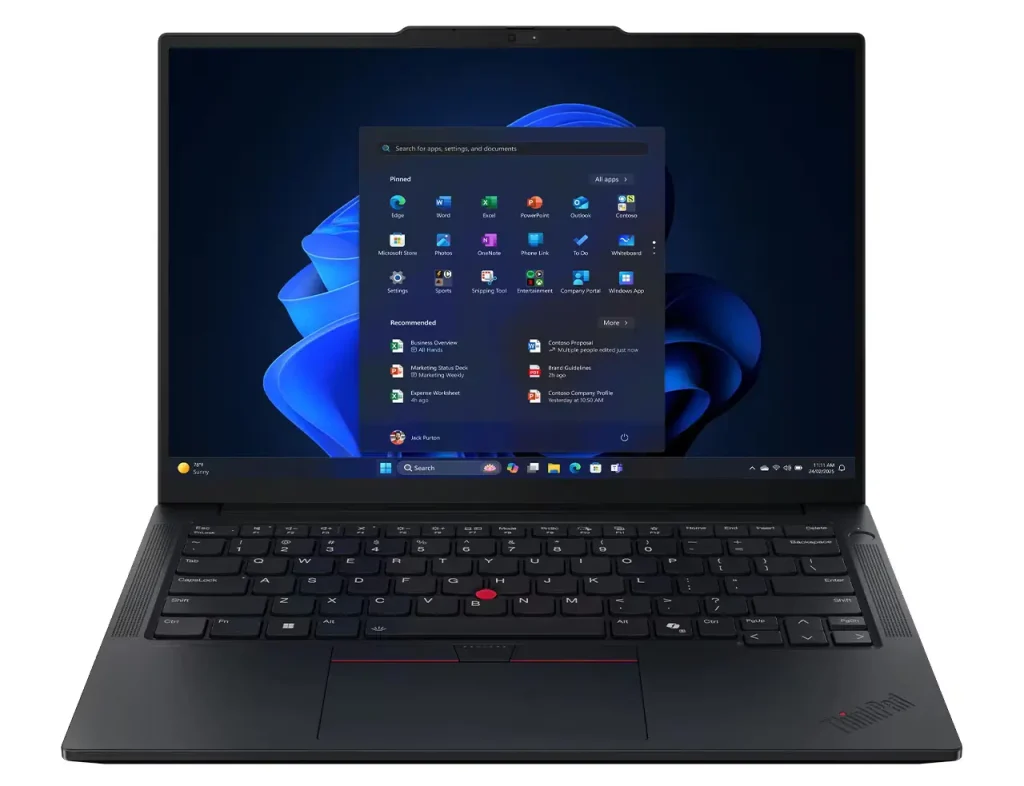
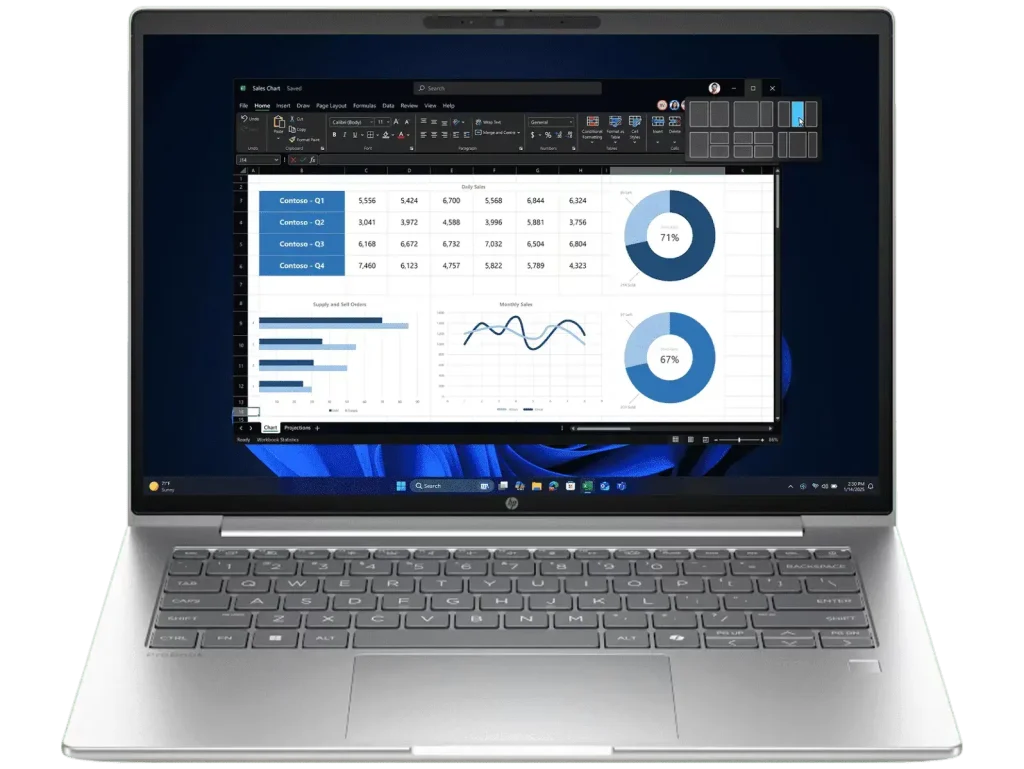
Two of the most capable compact business laptops available in Australia right now sit in the same general price bracket and target the same kind of buyer. The Lenovo ThinkPad E14 Gen 7 and the HP ProBook 4 G1i 14 are both 14-inch business machines with current-generation Intel processors, solid connectivity, and professional feature sets.
But they take meaningfully different approaches, and choosing the wrong one for your situation could leave you frustrated. This Lenovo ThinkPad E14 Gen 7 vs HP ProBook 4 G1I 14 comparison breaks down what actually matters so you can make an informed decision.
I’ve reviewed both laptops in full detail. You can read the Lenovo ThinkPad E14 Gen 7 review and the HP ProBook 4 G1i 14 review for the complete picture on each machine. This article focuses on how they stack up against each other. If you’re still working out what to look for in a business laptop more broadly, my Small Business Laptop Buying Guide is worth a read before committing.
Quick Verdict
Choose the ThinkPad E14 Gen 7 if: You want more RAM and better integrated graphics at a lower entry price, and you’re comfortable buying direct from Lenovo online.
Choose the HP ProBook 4 G1i 14 if: You need Windows 11 Pro out of the box, Wi-Fi 7, on-site warranty support, and want to buy from a specialist retailer.
A Note on Configurations
Both laptops are available in various configurations beyond what’s compared here. This comparison focuses on the Core Ultra 5, 512GB SSD models of each, which represent the most commonly available configurations in the Australian market.
Side-by-Side Specs
| ThinkPad E14 Gen 7 | ProBook 4 G1i 14 | |
|---|---|---|
| Processor | Intel Core Ultra 5 228V (Lunar Lake) | Intel Core Ultra 5 225U (Arrow Lake) |
| RAM | 32GB LPDDR5X-8533 (soldered) | 16GB DDR5-5600 (2x8GB, 2 slots) |
| Storage | 512GB NVMe PCIe 4.0 | 512GB NVMe PCIe 4.0 |
| Display | 14″ WUXGA, 300 nits, 45% NTSC | 14″ WUXGA, 300 nits, 62.5% sRGB |
| Graphics | Intel Arc 130V | Intel Graphics |
| NPU | 40 TOPS (Copilot+ PC) | 12 TOPS |
| USB-C | 1x Thunderbolt 4 (40Gbps, DP 2.1) | 2x USB-C 20Gbps (DP 1.4) |
| Wi-Fi | Wi-Fi 6E | Wi-Fi 7 |
| Battery | 48Wh | 56Wh |
| Weight | From 1.32kg | From 1.39kg |
| Webcam | 1080p FHD + IR | 1080p FHD |
| Numeric Keypad | No | No |
| OS | Windows 11 Home | Windows 11 Pro |
| Warranty | 1 year courier/carry-in | 1 year on-site repair |
| MIL-STD-810H | Yes | No |
| Smart Card Reader | No | No |
| Price | $1,271.76 (Lenovo direct) | $1,549 (Landmark Computers) |
Where They Actually Differ
RAM: A Big Advantage for the ThinkPad
This is the most striking difference between these two laptops. The ThinkPad E14 Gen 7 comes with 32GB of fast LPDDR5X-8533 memory as standard. The ProBook 4 G1i 14 ships with 16GB.
For most everyday business tasks, 16GB is adequate. But if you regularly run multiple applications simultaneously, work with large files, or simply want headroom to grow into over several years of ownership, 32GB is a meaningful advantage.
The catch is that the ThinkPad’s RAM is soldered directly onto the processor package and cannot be upgraded. Ever. The ProBook’s 16GB sits in two SODIMM slots, which sounds like a flexibility advantage, but upgrading RAM in 2026 is more expensive than most people expect. Adding another 16GB to reach 32GB will cost you over $300 in parts alone, plus an installation fee if you’re not doing it yourself. You can also run into compatibility issues if the new stick doesn’t match the original.
It’s also worth noting that HP doesn’t currently offer a 32GB ProBook 4 G1i 14 configuration in Australia, most likely due to the high cost of RAM at the moment. So if 32GB is a requirement, the ThinkPad is currently your only option between these two without paying a significant premium to upgrade the ProBook after purchase.
Processor Architecture: Two Different Approaches
Both laptops carry Intel Core Ultra 5 processors, but they’re built on different architectures and it’s worth understanding the difference.
The ThinkPad uses the Lunar Lake Core Ultra 5 228V, a more efficiency-focused design where memory sits on the processor package itself. It’s a newer and more integrated approach that delivers strong performance per watt.
The ProBook uses the Arrow Lake Core Ultra 5 225U, a more conventional design with separate memory slots. Both handle everyday business workloads comfortably, but the Lunar Lake chip has an edge in power efficiency and integrated graphics capability.
Graphics: ThinkPad Pulls Ahead
The ThinkPad’s Intel Arc 130V is a genuinely capable integrated GPU that significantly outperforms the standard Intel Graphics in the ProBook. For light creative work, casual gaming, AI-accelerated tasks, and anything visually demanding, the Arc 130V handles it noticeably better.
For pure business tasks like documents, spreadsheets, and video calls, the difference is irrelevant. But if you occasionally push beyond standard office work, the ThinkPad has a clear advantage here.
NPU and AI Features
The ThinkPad’s 40 TOPS NPU qualifies it as a Copilot+ PC, enabling the full suite of Microsoft’s AI features in Windows 11. The ProBook’s 12 TOPS NPU does not reach the Copilot+ threshold.
For most users in 2026 this is still a background feature rather than a daily driver. But as AI tools become more embedded in productivity software over the coming years, the ThinkPad’s advantage here will become more relevant.
Wi-Fi: ProBook Takes the Lead
The ProBook 4 G1i 14-inch ships with Wi-Fi 7, the latest wireless standard delivering faster speeds and better performance in congested environments. The ThinkPad comes with Wi-Fi 6E, which is still a solid standard but a step behind.
That said, it’s worth keeping things in perspective. Wi-Fi 7 routers and access points are still far from common in most Australian homes and small business environments. The majority of workplaces and homes are still running Wi-Fi 6 (or even Wi-Fi 5) equipment. So while the ProBook’s Wi-Fi 7 is a genuine future-proofing advantage, most users won’t notice any real-world difference for some time yet. Wi-Fi 6E on the ThinkPad is more than capable for today’s networks.
USB-C and Thunderbolt
The ThinkPad offers one Thunderbolt 4 port at 40Gbps with DisplayPort 2.1. The ProBook offers two USB-C ports at 20Gbps with DisplayPort 1.4.
If you use a Thunderbolt docking station or need to connect high-resolution external displays via a single cable, the ThinkPad’s Thunderbolt 4 is the better option. If you simply need two USB-C ports for charging and display output, the ProBook’s dual 20Gbps ports cover that comfortably.
Battery
The ProBook’s 56Wh battery has a capacity advantage over the ThinkPad’s 48Wh. However, the Lunar Lake chip in the ThinkPad is notably more power efficient, which helps offset the smaller battery. Real-world battery life on both laptops sits in a similar range for typical office use.
Operating System: An Important Consideration
The ProBook 4 G1i 14 ships with Windows 11 Pro as standard. The ThinkPad E14 Gen 7 ships with Windows 11 Home.
For small business users who need BitLocker encryption, Remote Desktop, domain join, or Group Policy management, Windows 11 Pro is a requirement. Lenovo offers a Pro upgrade for approximately $100, bringing the ThinkPad’s effective price to around $1,371.76 for a business-ready configuration.
Factor this in when comparing prices.
Warranty: ProBook Has the Edge
The ProBook 4 G1i 14 includes one-year on-site repair warranty, meaning HP sends a technician to you if something goes wrong. The ThinkPad’s warranty is courier/carry-in, meaning you’ll need to send the laptop away for repair.
For business users where laptop downtime means lost productivity, on-site support is a genuine advantage. Both can be extended with additional coverage purchased at the time of buying.
Price
- ThinkPad E14 Gen 7: $1,271.76 at Lenovo direct
- ThinkPad E14 Gen 7 with Windows 11 Pro: approximately $1,371.76
- ProBook 4 G1i 14: $1,549 at Landmark Computers
Even with the Windows Pro upgrade, the ThinkPad comes in around $177 cheaper than the ProBook. That gap narrows if you factor in the value of the ProBook’s on-site warranty and Wi-Fi 7.
ThinkPad E14 Gen 7 vs ProBook 4 G1i 14: The Real Differences That Matter
When you strip it back, here’s what you’re actually choosing between:
The ThinkPad E14 Gen 7 gives you more RAM, better integrated graphics, Thunderbolt 4, Copilot+ PC certification, and a lower price. It’s the stronger performer on paper and better value if you’re focused on specs per dollar.
The HP ProBook 4 G1i 14 gives you Windows 11 Pro out of the box, Wi-Fi 7, on-site warranty support, upgradable RAM slots, and broader retail availability. It’s the more complete business package from a support and software perspective.
Who Should Buy the ThinkPad E14 Gen 7
- Users who need maximum RAM headroom at the lowest possible price
- Professionals who occasionally push beyond standard office tasks into creative or AI workloads
- Buyers comfortable purchasing direct from Lenovo online
- Those who don’t need Windows Pro features and are happy with Home
- Anyone who wants Thunderbolt 4 docking capability
Who Should Buy the HP ProBook 4 G1i 14
- Small business owners who need Windows 11 Pro features from day one
- IT managers who value on-site warranty support
- Users who want the latest Wi-Fi 7 connectivity
- Professionals who may want to move to a higher-spec 32GB configuration down the track by buying a new model rather than upgrading
- Buyers who prefer purchasing from a physical specialist retailer
My Recommendation
There’s no clear-cut winner here, and honestly that’s a sign both laptops are well-matched for their target audience.
If budget is a priority and you want the most capable machine for the money, the ThinkPad E14 Gen 7 with a Windows Pro upgrade at around $1,372 is hard to argue with. The 32GB RAM and Arc graphics make it a more capable machine on paper, and the price is right.
If you run a small business and value having everything sorted out of the box, the ProBook 4 G1i 14 at $1,549 gives you Windows Pro, Wi-Fi 7, on-site warranty support, and upgradable RAM without any additional steps or purchases. It’s the more complete business package from day one.
Both are solid laptops. Know your priorities and you’ll make the right call.