Gaming laptops at the budget end of the market face a constant challenge: deliver enough performance for modern games without the premium price tags of high-end rigs. You’re always compromising somewhere – build quality, display, battery life, or raw performance. The key is finding which compromises you can live with.
ASUS’s V16 series represents the brand’s entry into affordable gaming, sitting below the TUF and ROG lineups that command higher prices. It’s aimed at students, casual gamers, and budget-conscious buyers who want dedicated GPU gaming without spending $2,000+.
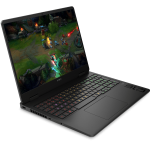
The ASUS V16 V3607VU-RP302W packs an RTX 4050 GPU and Intel’s newer Core 5 210H processor into a 16-inch chassis, promising 1080p gaming at 144Hz. With MIL-STD 810H military-grade certification, upgradable RAM, and a 1080p webcam, it’s trying to offer more than just gaming performance. At $1,399 on sale at JB Hi-Fi (down from $1,999), or $1,499 at the ASUS store, it’s competing in the crowded $1,400-1,500 gaming laptop space.
But does it deliver enough performance and features to justify the price, or would you be better off with competitors? Let’s dig in.

Pros
- Good sale price at $1,399
- RTX 4050 delivers solid 1080p gaming
- 144Hz display smooth for gaming
Cons
- Mediocre battery life (63Wh)
- Average sound quality
- USB-C limited to 5Gbps (Gen 1)
- Build quality feels budget-grade
Key Specifications
- Display: 16″ WUXGA (1920 x 1200), 144Hz, 300 nits, 16:10 aspect ratio, anti-glare, LED backlit
- Processor: Intel Core 5 210H (8 cores, 12 threads, up to 4.8 GHz, 12MB cache)
- Graphics: NVIDIA GeForce RTX 4050 (6GB GDDR6, 194 AI TOPS) + Intel integrated graphics
- Memory: 16 GB DDR5-5600 (2x SO-DIMM slots, upgradable to 32GB)
- Storage: 512 GB PCIe 4.0 NVMe SSD
- Operating System: Windows 11 Home
- Wireless: Wi-Fi 6 (802.11ax dual-band 2×2), Bluetooth 5.3
- Battery: 63 Wh, 3-cell Li-ion
- Ports: 1x USB-C 3.2 Gen 1 (5Gbps, DisplayPort, Power Delivery), 2x USB-A 3.2 Gen 1 (5Gbps), HDMI 2.1 FRL, 3.5mm combo audio jack, DC-in
- Keyboard: Backlit chiclet with numeric keypad, 1.5mm key travel
- Camera: 1080p FHD with privacy shutter
- Audio: SonicMaster, built-in speakers and microphone
- Weight: 1.95 kg
- Dimensions: 357 x 250.7 x 18-22 mm
- Power: 150W AC adapter
- Durability: MIL-STD 810H certified
- Screen-to-body ratio: 89%
- Certifications: EPEAT Silver, Energy Star 8.0
- Colour: Black
- Price: JB Hi-Fi $1,399 (on sale, $600 off), ASUS Store $1,499
Design and Build Quality
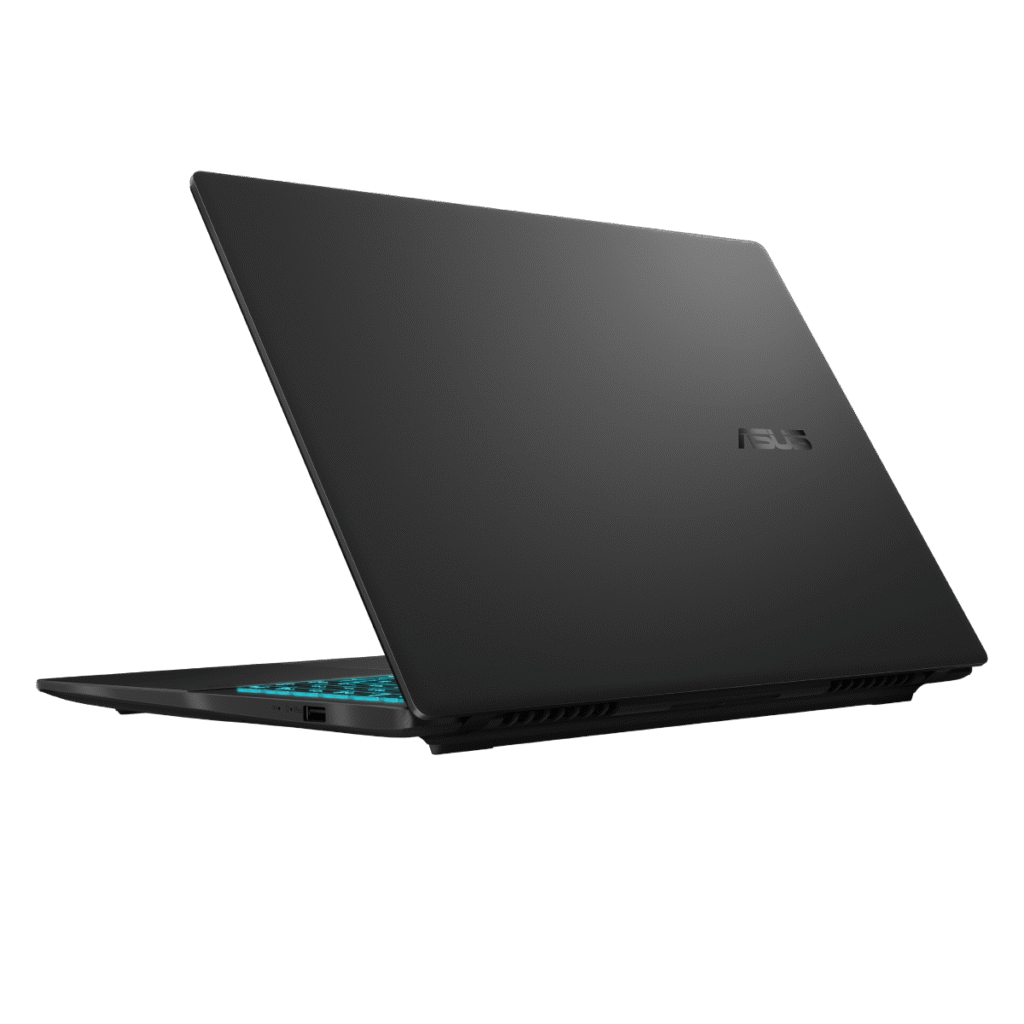
The ASUS V16 follows a conservative design approach with a plain black chassis that won’t draw attention in professional or educational settings. There’s no aggressive gamer aesthetic here – no RGB lightbars, no angular styling, just a straightforward laptop design. Whether that’s boring or refreshingly subtle depends on your perspective.
At 1.95kg, it’s reasonably lightweight for a 16-inch gaming laptop with dedicated graphics. It’s not ultraportable, but it’s manageable for carrying between home, uni, or a mate’s place for gaming sessions. The 18-22mm thickness is typical for gaming laptops in this category.
However, the build quality could be better. The plastic construction feels budget-grade, and you’ll notice some flex in the chassis and keyboard deck when handling it. It won’t feel as solid or premium as more expensive gaming laptops or business machines.
That said, ASUS has put this laptop through MIL-STD 810H military-grade testing, which covers various scenarios including drops, vibration, extreme temperatures, and humidity. This certification suggests the V16 can handle the rigours of daily student life – being tossed in backpacks, used in various environments, and generally knocked about. The certification adds genuine value for durability-conscious buyers.
The 89% screen-to-body ratio means ASUS has kept bezels reasonably thin, giving it a more modern appearance than older gaming laptops with chunky bezels.
Display
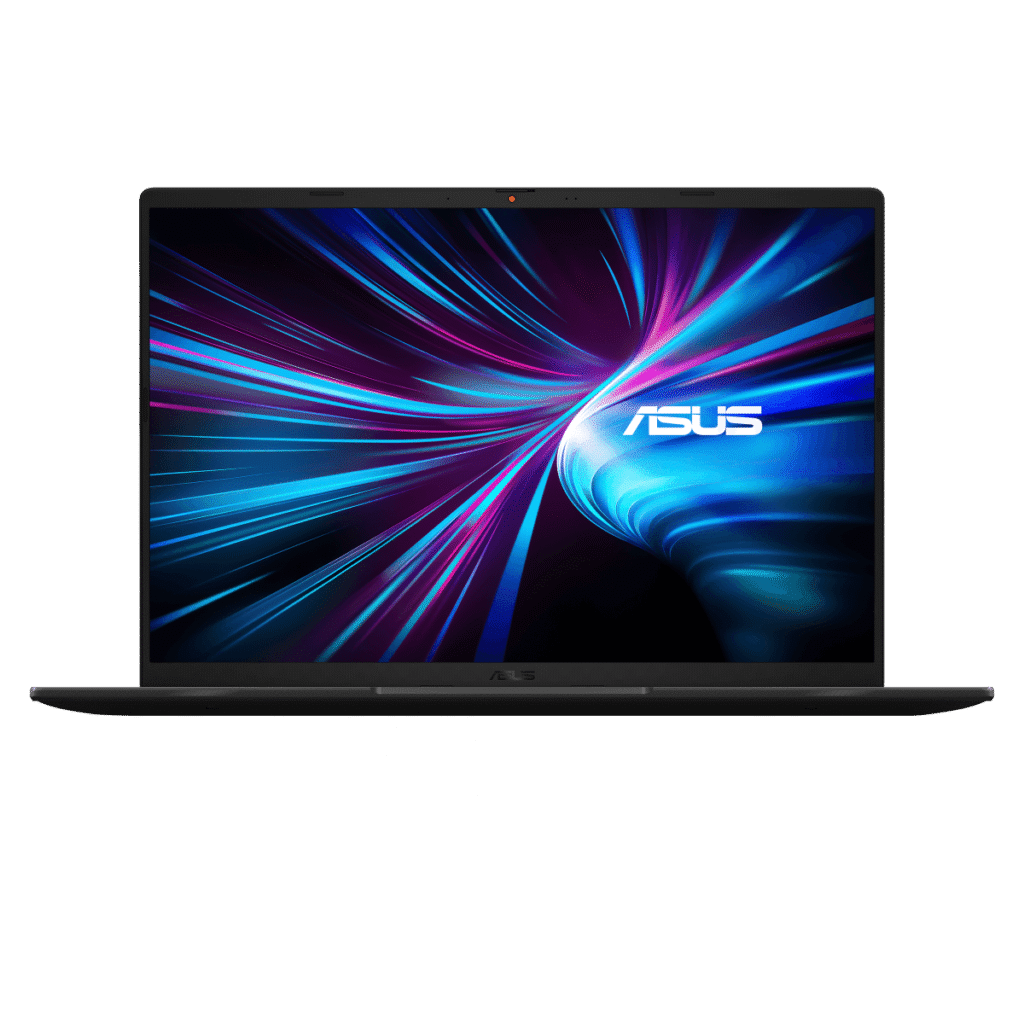
The 16-inch WUXGA display (1920 x 1200) in a 16:10 aspect ratio is well-suited for both gaming and productivity. The extra vertical space compared to 16:9 displays helps with document work and web browsing when you’re not gaming.
The 144Hz refresh rate is the key feature for gaming. High refresh rates make fast-paced games feel dramatically smoother – first-person shooters, racing games, and competitive titles all benefit significantly. If your games can push frame rates above 60fps, you’ll see and feel the difference.
The 1920 x 1200 resolution is the sweet spot for the RTX 4050 GPU – you can achieve good frame rates in modern games without needing a more powerful (and expensive) graphics card. Trying to game at higher resolutions would compromise performance.
The 300 nits brightness is adequate for indoor gaming but will struggle in bright environments or outdoors. The anti-glare coating helps reduce reflections during gameplay.
Colour accuracy isn’t specified, but gaming laptops at this price typically cover around 60-70% sRGB, which is fine for gaming and media consumption but not suitable for professional creative work requiring colour precision.
The LED backlighting and 16:10 aspect ratio make this a versatile display for both gaming and everyday computing. It’s not the most vibrant or colour-accurate panel, but it does what matters most: delivers smooth 144Hz gaming at a resolution the RTX 4050 can handle well.
Gaming Performance
The NVIDIA GeForce RTX 4050 with 6GB GDDR6 memory is NVIDIA’s entry-level GPU in the RTX 40-series. Paired with the Intel Core 5 210H processor, it delivers solid 1080p gaming performance:
Expected gaming performance:
- Esports titles (Valorant, CS2, League of Legends, Fortnite): 144fps+ on high settings, fully utilizing the 144Hz display
- Modern AAA games (Cyberpunk 2077, Starfield, Modern Warfare III): 60-90fps on medium-to-high settings at 1080p
- Slightly older AAA titles (Elden Ring, Spider-Man, Resident Evil 4): 80-120fps on high settings
The RTX 4050 supports DLSS 3 (Deep Learning Super Sampling), NVIDIA’s AI-powered upscaling that can significantly boost frame rates in supported games. This technology helps extend the laptop’s gaming viability, allowing higher settings or better frame rates than the GPU could manage natively.
Ray tracing is supported but limited – the RTX 4050 doesn’t have enough power for good frame rates with ray tracing enabled in demanding games. You’ll want ray tracing off for the best experience.
The Intel Core 5 210H is from Intel’s newer budget lineup with 8 cores and 12 threads. It’s not as powerful as Core i7 or Core Ultra 7 processors but provides adequate CPU performance for gaming and general computing. It won’t bottleneck the RTX 4050 in games.
The 16GB of DDR5-5600 RAM is solid for gaming, and having two SO-DIMM slots means you can upgrade to 32GB if needed down the track. The dual-channel configuration maximizes memory bandwidth.
The 512GB SSD is adequate but on the smaller side for modern gaming – AAA games regularly exceed 100GB each. You might need to manage storage carefully or add a second SSD in the future.
Thermal Performance and Noise
While not specifically flagged as major issues, gaming laptops in this price range typically get warm and moderately loud during gaming sessions. The 150W power adapter suggests significant power draw under load, which generates heat the cooling system must manage.
Expect the laptop to get noticeably warm during gaming, particularly around the rear vents and keyboard area. Fan noise will be present but hopefully not as egregious as the MSI Cyborg 15 we reviewed earlier, which got very loud.
Keyboard and Trackpad
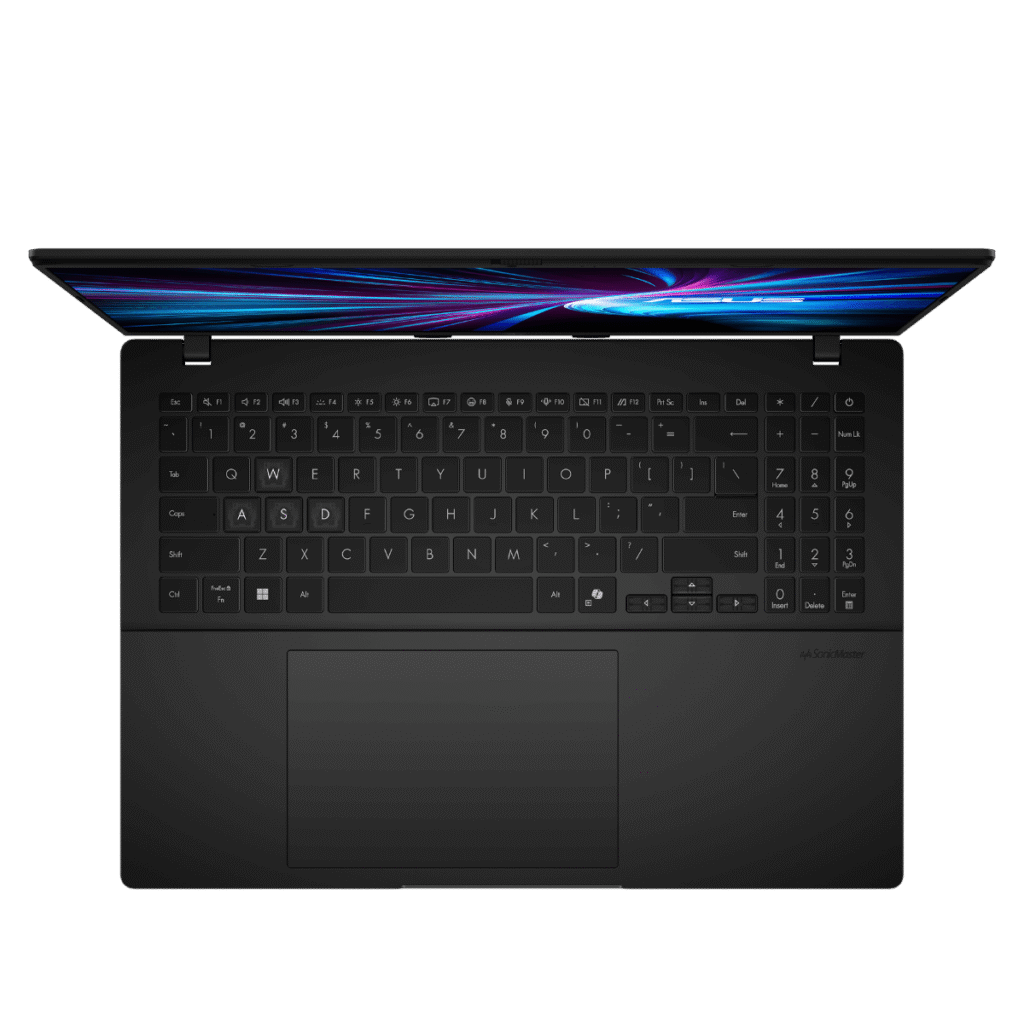
The backlit chiclet keyboard with 1.5mm key travel and numeric keypad is well-suited for gaming. The backlighting helps during late-night gaming sessions, and 1.5mm travel provides decent tactile feedback.
The numeric keypad is useful for certain game types (MMOs, strategy games) and general productivity. The full-size layout should feel comfortable for extended typing or gaming sessions.
The precision touchpad supports multi-touch gestures and should provide smooth, accurate tracking for everyday navigation. That said, most gamers will use an external mouse for gaming, so trackpad quality matters more for non-gaming tasks.
Ports and Connectivity
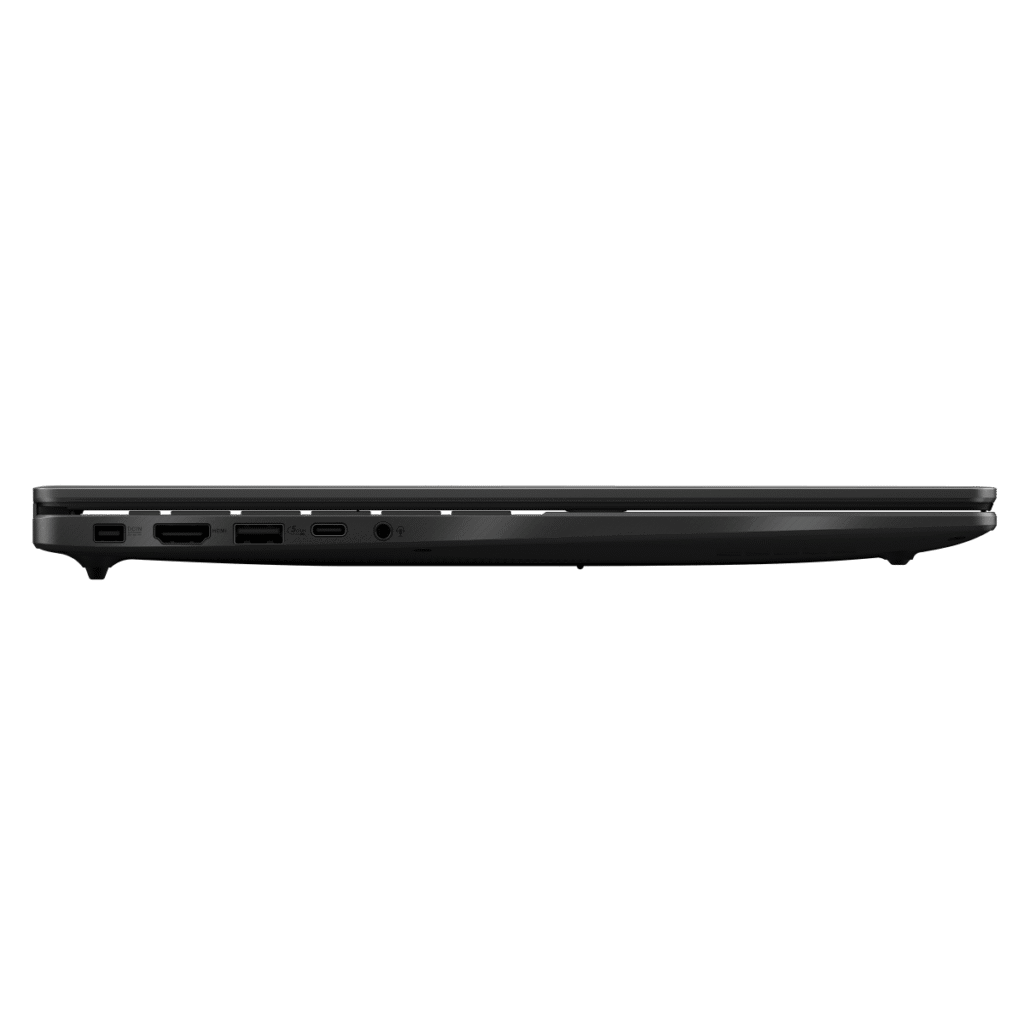

The port selection is adequate but not exceptional:
- 1x USB-C 3.2 Gen 1 (5Gbps, DisplayPort, Power Delivery)
- 2x USB-A 3.2 Gen 1 (5Gbps)
- 1x HDMI 2.1 FRL
- 1x 3.5mm combo audio jack
- 1x DC-in (for the 150W power adapter)
The HDMI 2.1 port is excellent – it supports high refresh rates at 4K for external monitors or TVs. The USB-C port supports DisplayPort output and Power Delivery, though it’s limited to 5Gbps (Gen 1) speeds rather than the faster 10Gbps you’d find on more expensive laptops.
However, there’s no Ethernet port, which is disappointing for a gaming laptop. Wired connections provide more stable, lower-latency connectivity for online gaming compared to Wi-Fi. You’ll need a USB-to-Ethernet adapter if you want wired gaming.
Wi-Fi 6 (dual-band 2×2) provides fast wireless connectivity, and Bluetooth 5.3 handles wireless peripherals like controllers or headphones.
Audio and Webcam
The sound quality is average at best. The SonicMaster audio system with built-in speakers produces thin audio with minimal bass – typical for gaming laptops in this price range. They’re adequate for casual gaming or video calls but not for serious media consumption or immersive gaming.
For any serious gaming, you’ll want headphones or a gaming headset – not just for better audio quality but also for the microphone and directional audio cues important in competitive gaming.
The 1080p FHD webcam is a genuine upgrade over 720p cameras found on many laptops. Video call quality will be noticeably better, which is useful for online classes, remote work, or streaming. The privacy shutter is a welcome security feature.
Battery Life
Battery life could be better. The 63Wh battery is modest for a gaming laptop with a power-hungry RTX 4050 GPU and 16-inch display.
Expected battery life:
- Light productivity use: 4-6 hours
- Video streaming: 3-4 hours
- Gaming: 1-2 hours
Gaming laptops fundamentally need to stay plugged in during gaming sessions – the RTX 4050 draws too much power for meaningful battery-powered gaming. The 150W power adapter is necessary to feed the components and charge the battery simultaneously.
For non-gaming tasks like web browsing or document work, you might get through a short workday, but don’t expect all-day endurance. This is a laptop that’ll spend most of its life tethered to power.
ASUS Software and Features
The laptop includes several ASUS utilities:
- MyASUS: System diagnostics, battery health charging, fan profiles, and various system management tools
- Armoury Crate (likely, though not listed): ASUS’s gaming control center for performance profiles, RGB control, and system monitoring
- ScreenXpert: Screen management utilities
- GlideX: Seamless device integration
- CapCut: Video editing software
The battery health charging and fan profile controls are genuinely useful features for extending hardware longevity and managing thermals/noise.
Value Comparison
At $1,399 (JB Hi-Fi sale) or $1,499 (ASUS store), how does this compare?
MSI Cyborg 15 (reviewed earlier): $999 with RTX 4050, i7-13700HX, 32GB RAM, but terrible battery life and very loud fans. Cheaper but worse overall experience.
HP Victus 16: Similar price range when on sale, RTX 4060 option available, better build quality typically
Lenovo LOQ 15: Often found around $1,400-1,500 with RTX 4050, good build quality
The ASUS V16 is competitively priced but not exceptional value. The MIL-STD 810H certification and upgradability are nice differentiators.
Pros:
- RTX 4050 delivers solid 1080p gaming performance
- 144Hz display provides smooth gaming experience
- DLSS 3 support extends gaming viability
- Upgradable RAM (2x SO-DIMM slots up to 32GB)
- MIL-STD 810H military-grade durability certification
- 1080p FHD webcam better than 720p alternatives
- Backlit keyboard with decent 1.5mm key travel
- Privacy shutter for webcam security
- Reasonable 1.95kg weight for 16″ gaming laptop
- HDMI 2.1 for modern external displays
- 16:10 display good for productivity and gaming
- Competitive sale price at $1,399
- Wi-Fi 6 for fast wireless connectivity
Cons:
- Average sound quality – headphones essential for gaming
- Battery life could be better (63Wh is modest for 16″ gaming laptop)
- Build quality feels budget-grade with noticeable chassis flex
- Only 512GB storage – tight for modern game sizes
- USB-C limited to 5Gbps (Gen 1) rather than 10Gbps
- No Ethernet port – disappointing for gaming laptop
- 300 nits brightness struggles in bright environments
- Gets warm during gaming (typical for category)
- 150W power brick necessary for gaming – poor portability
Final Verdict
The ASUS V16 V3607VU-RP302W is a capable budget gaming laptop that delivers solid 1080p performance at a competitive price. The RTX 4050 handles modern games adequately at the display’s native 1920×1200 resolution, and the 144Hz refresh rate makes fast-paced games feel smooth when frame rates allow.
The MIL-STD 810H certification is a genuine differentiator – it suggests this laptop can handle being carried around campus or to LAN parties without falling apart. The upgradable RAM and 1080p webcam add practical value beyond pure gaming performance.
However, the compromises are real. The mediocre battery life means this laptop needs to stay near power outlets. The average sound quality requires headphones for decent audio. The build quality feels budget-grade, reminding you this isn’t a premium device. The lack of Ethernet is frustrating for a gaming laptop where wired connectivity matters.
Who should buy this:
- Students who want gaming capability in a relatively portable 16″ package
- Budget gamers targeting 1080p gaming at reasonable settings
- Anyone who values durability (MIL-STD 810H) for daily transport
- Gamers who don’t mind keeping it plugged in and using headphones
Who should avoid this:
- Anyone needing good battery life for unplugged gaming or work
- Users wanting premium build quality
- Gamers who refuse to use headphones (speakers are weak)
- Anyone with large game libraries (512GB fills quickly)
For those wanting better battery life or build quality, consider spending slightly more on the HP Victus 16 or Lenovo LOQ 15, which typically offer more refined experiences for $1,600-1,800. If budget is tight and you can accept the compromises, the MSI Cyborg 15 at $999 offers similar gaming performance with even worse battery life and louder fans.
At $1,399, the ASUS V16 represents reasonable value for RTX 4050 gaming. It’s not exceptional, but it’s competent. Just keep it plugged in, use headphones, and don’t expect premium quality. For budget-conscious gamers who understand and accept these limitations, it’ll deliver playable gaming performance without breaking the bank.
The MIL-STD 810H certification suggests it’ll survive student life better than cheaper alternatives, which might justify the price over the MSI Cyborg clearance deal. But if you can stretch to $1,600-1,800, better gaming laptops await.