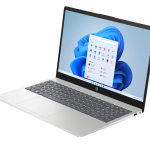
At $998, you’re sitting at an interesting crossroads in the laptop market. It’s too expensive to be an impulse buy, but not quite enough to get you into genuinely premium territory. Every dollar counts at this price point, and buyers deserve to know exactly what they’re getting before committing.
The HP Laptop 15-fd1367TU is a Harvey Norman and Domayne exclusive, which means you won’t find it anywhere else on the high street. On paper the specs look reasonable for the money. But there are a few things buried in the details that every potential buyer needs to know about before heading to the checkout.
Key Specifications
- Display: 15.6″ FHD (1920 x 1080), IPS, 16:9, 250 nits, 62.5% sRGB, anti-glare, flicker-free
- Processor: Intel Core 5 120U (10 cores, 12 threads, up to 5.0GHz, 12MB L3 cache)
- Memory: 16GB DDR4-3200 (2x8GB dual channel)
- Storage: 512GB M.2 NVMe PCIe SSD
- Graphics: Intel Graphics (integrated)
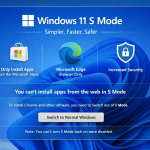
- Operating System: Windows 11 Home in S mode
- Wireless: Realtek Wi-Fi 6 (2×2), Bluetooth 5.4
- Battery: 41Wh, 3-cell Li-ion
- Weight: 1.65kg
- Ports: 2x USB-A 5Gbps, 1x USB-C 10Gbps (charging + DisplayPort 1.4b), 1x HDMI 1.4b, 1x headphone/mic combo, AC smart pin
- Webcam: 720p HD with privacy shutter
- Keyboard: Full-size with numeric keypad, no backlight
- Warranty: 1 year
- Part Number: C9JM0PA
- Availability: Harvey Norman and Domayne exclusive
- Price: $998
The S Mode Warning – Read This First
Before anything else, this needs to be addressed clearly because it will affect many buyers.
This laptop ships with Windows 11 Home in S mode. Most people buying a laptop at Harvey Norman won’t know what that means, so here’s the plain-English version:
- S mode restricts you to installing apps from the Microsoft Store only
- You cannot install Google Chrome, standard versions of Zoom, or most third-party software until you switch out of S mode
- Switching out of S mode is free and straightforward, but it’s a one-way process. You cannot go back to S mode once you’ve switched
- Microsoft uses S mode partly as a security measure and partly to nudge users toward its own ecosystem
For everyday users who just want to browse the web, write documents, and watch videos, switching out of S mode takes about two minutes and solves the problem. But for someone who isn’t tech-savvy, buying a $998 laptop and discovering they can’t install their usual programs is a genuinely frustrating experience.
The added irony here is that this laptop comes pre-loaded with bloatware including a McAfee trial, which feels somewhat at odds with the locked-down S mode environment. Make sure you uninstall anything you don’t need once you’ve switched out of S mode.
Design and Build Quality
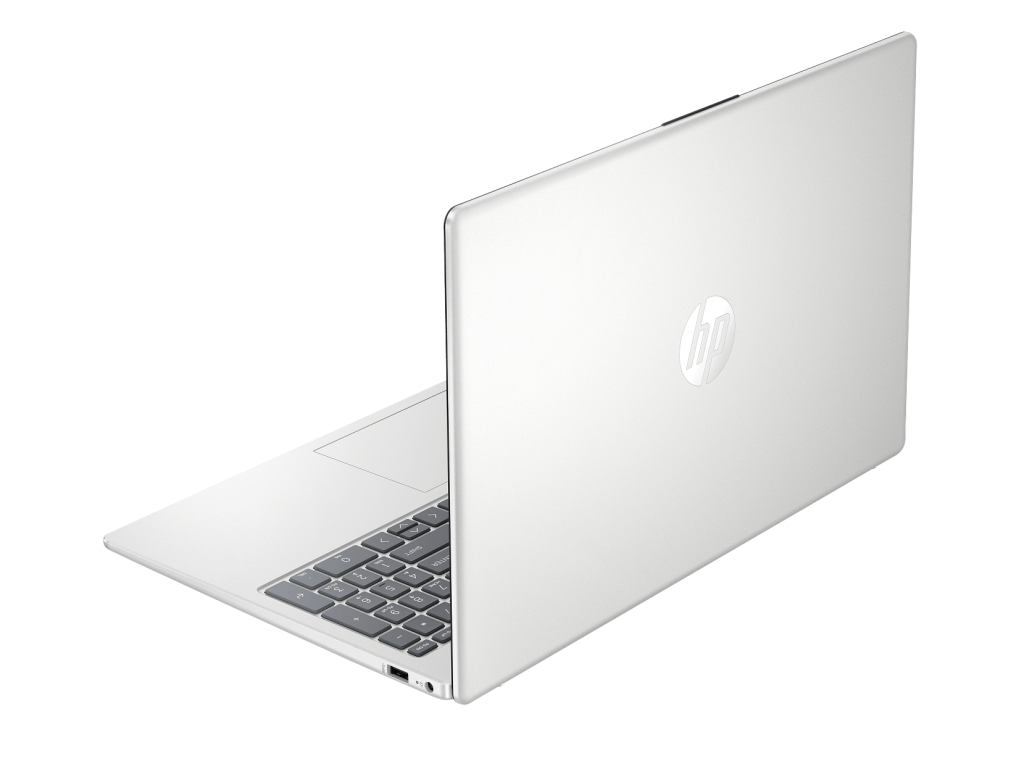
The 15-fd1367TU shares the same natural silver matte finish as other HP 15-inch budget models. It’s clean and inoffensive looking, but the plastic chassis is exactly what you’d expect at this price point.
At 1.65kg it’s slightly heavier than some competing 15-inch models, though still manageable for everyday carry. The overall build feels ordinary rather than confidence-inspiring, and flex in the lid and base is noticeable if you handle it firmly.
The anti-glare coating on the display does its job in reducing direct reflections, but when you view the screen from an angle it creates an unpleasant sheen that can be distracting. It’s one of those things you might not notice in a brightly lit Harvey Norman showroom but will notice at home.
Display
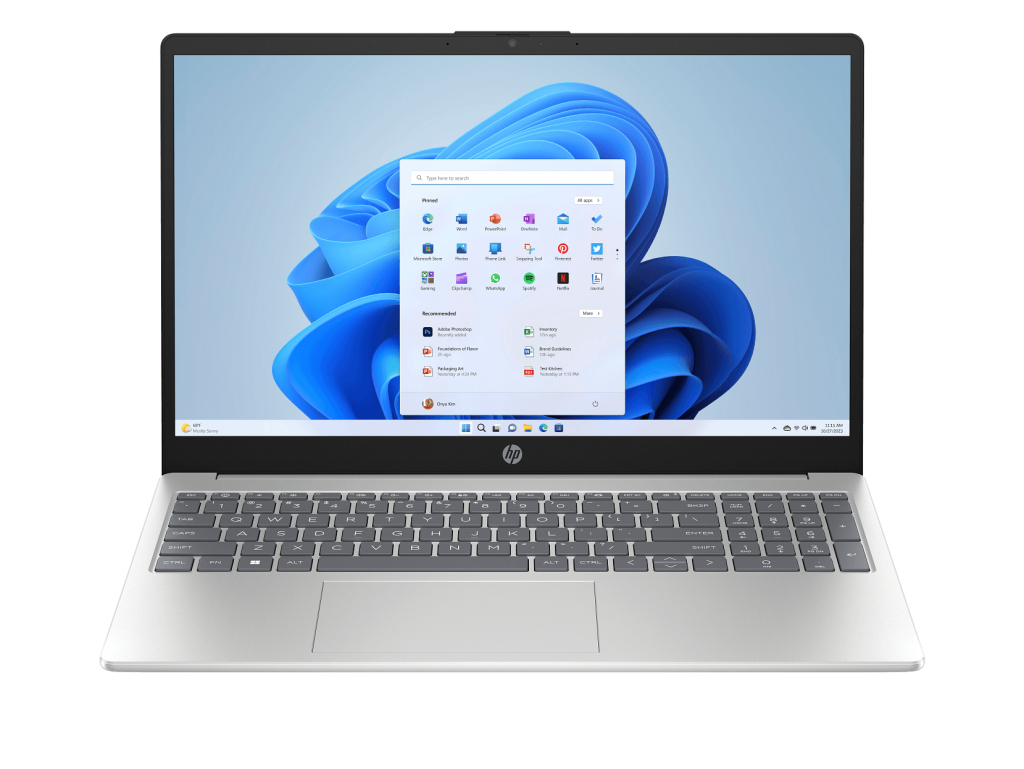
The 15.6-inch FHD (1920 x 1080) panel is adequate for basic tasks, and the flicker-free certification is welcome for anyone spending extended time in front of the screen.
That said, two numbers tell the real story:
- 250 nits brightness is low by modern standards. In a well-lit room or near a window it will feel dim and washed out
- 62.5% sRGB colour gamut is below what you’d hope for at this price. Colours lack the vibrancy and accuracy that better panels deliver, making everything look a little flat
It’s worth noting the 62.5% sRGB is an improvement over the 45% NTSC found on some of HP’s other budget 15-inch models. But in 2026, a laptop approaching $1,000 should be doing better than this on display quality.
The 16:9 aspect ratio also means less vertical screen space compared to the 16:10 WUXGA panels now standard on most business and mid-range laptops. If you work with documents or web pages regularly, that extra height makes a real difference.
Performance
The Intel Core 5 120U is part of Intel’s updated processor naming lineup, replacing the older Core i5 branding. With 10 cores, 12 threads, and a boost clock up to 5.0GHz, it’s a capable chip for everyday productivity tasks.
Web browsing, Office applications, video calls, and streaming all run comfortably. The dual-channel RAM configuration (2x8GB confirmed) is a genuine positive, providing better integrated graphics performance than a single-stick alternative.
The 512GB NVMe SSD keeps boot times quick and app loading snappy, which is what you’d expect from a modern SSD at any price point.
For general everyday use this laptop handles its workload without drama. Just don’t expect it to handle anything graphically intensive or particularly demanding beyond standard productivity tasks.
Keyboard and Trackpad
This is an area with real day-to-day usability concerns.
The keyboard has a tacky feel that makes typing less pleasant than it should be. It’s hard to describe exactly without hands-on use, but if you’ve typed on a well-built keyboard and then moved to this one, the difference is noticeable. The keys lack the crisp, confident feedback you’d want from a laptop you’ll be typing on for hours at a time.
The trackpad lag is a more significant issue. Visible lag between finger movement and cursor response is frustrating in regular use, and it’s the kind of thing that will wear on you quickly. Most users will find themselves reaching for an external mouse sooner rather than later.
There is no backlit keyboard on this model. For a laptop at $1,000 price point, that’s a disappointing omission.
Ports
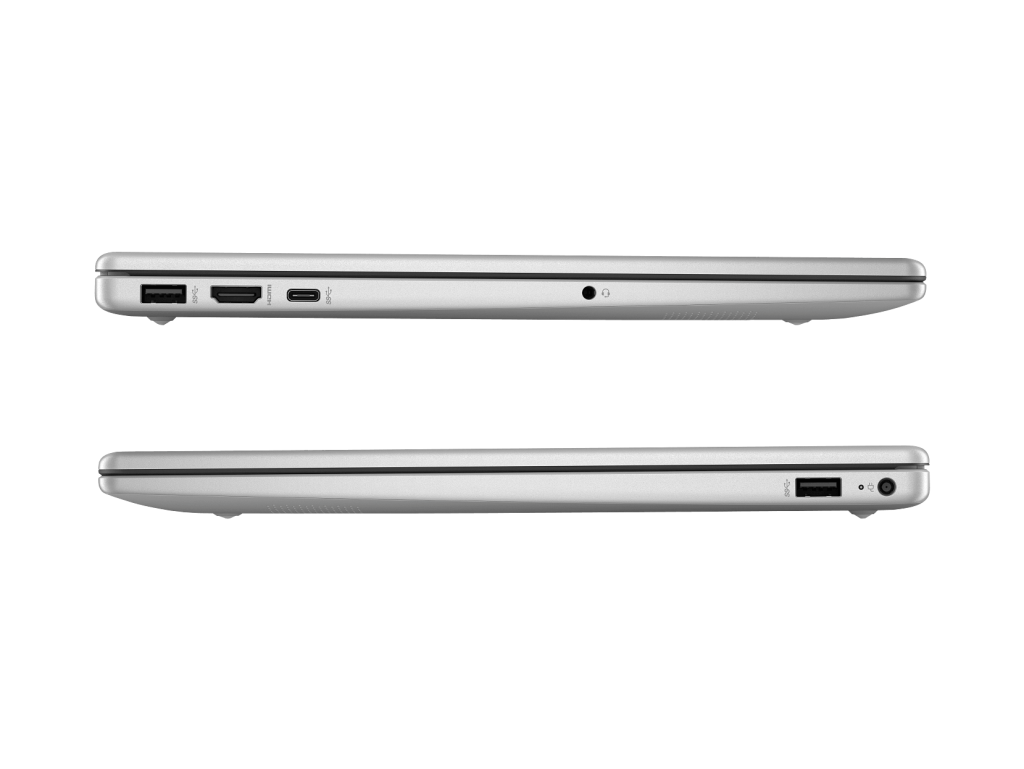
The port situation is a genuine improvement over some of HP’s other budget 15-inch models. The USB-C port here is properly useful, supporting:
- USB Power Delivery for charging
- DisplayPort 1.4b for connecting an external monitor
- 10Gbps data transfer speeds
That’s a meaningful upgrade over the data-only USB-C found on models like the fc0468AU, and it adds real flexibility for users who want to connect a monitor or charge via a single cable.
The two USB-A ports and HDMI 1.4b round out the basics. Overall the port selection is reasonable for the price.
Battery Life
The 41Wh battery is a recurring theme across HP’s budget 15-inch range, and the story here is the same. HP claims up to 6 hours and 45 minutes of real-world use, which is on the low side for a laptop at this price in 2026.
In practice, expect somewhere around 3 to 4 hours of mixed use. Push the processor harder and that number drops further. For a student who has reliable access to power points during the day it’s workable, but for anyone expecting genuine all-day use away from a charger this battery simply isn’t up to the task.
Fast charging helps offset the limitation to some degree, with 50% charge achievable in roughly 45 minutes.
Webcam and Audio
The 720p webcam with privacy shutter handles video calls adequately in decent lighting. Low light performance is average, which is standard for budget webcams. The privacy shutter is a practical inclusion.
The dual speakers are thin and lack depth, as expected at this price point. Headphones are recommended for anything beyond background audio at your desk.
Where to Buy
The HP 15-fd1367TU is exclusively available from Harvey Norman and Domayne at $998. As with other Harvey Norman exclusives, the Officeworks Price Beat Guarantee doesn’t apply here, so there’s no way to shave extra dollars off the asking price.
At $998 this laptop is competing against some genuinely strong alternatives from other brands, and that makes the compromises here harder to overlook.
Pros:
- Dual-channel RAM (2x8GB) delivers better integrated graphics performance
- USB-C supports both charging and DisplayPort output, adding genuine flexibility
- Newer Intel Core 5 processor handles everyday tasks comfortably
- Flicker-free display reduces eye strain during long sessions
- Fast charging gets you to 50% in around 45 minutes
- Numeric keypad included
Cons:
- Ships with Windows 11 in S mode, which restricts app installation until switched off
- Pre-loaded with bloatware despite S mode restrictions
- Visible trackpad lag is a real day-to-day frustration
- Tacky keyboard feel lets down the typing experience
- Inadequate battery life for a $998 laptop in 2026
- Anti-glare coating creates an unpleasant sheen at off-angles
- 250 nits brightness is low
- 62.5% sRGB colour gamut produces flat, underwhelming colours
- No backlit keyboard
- Realtek Wi-Fi is less reliable than Intel alternatives
- Plastic build lacks premium feel
Final Verdict
The HP 15-fd1367TU has some things going for it. The newer Intel Core 5 processor, dual-channel RAM, and improved USB-C port are all genuine positives. But the list of compromises is long for a laptop asking $998.
The S mode situation alone is enough to catch out a lot of buyers who aren’t tech-savvy. The trackpad lag and tacky keyboard affect usability every single day. The display is below average for the price. And the 41Wh battery, which HP quietly uses across its entire budget 15-inch range, simply isn’t adequate for all-day use.
At $998 this laptop is competing against some strong alternatives, and the truth is that most buyers would be better served looking at other options at this price point rather than settling for these compromises.
If you’re set on this model, make sure the first thing you do when you get home is switch out of S mode and uninstall the pre-loaded software. Your experience will be noticeably better for it.