Premium ARM Laptop with Stunning OLED Display
The ARM-based Windows laptop market is heating up. After years of failed attempts, Qualcomm’s Snapdragon X series has finally delivered ARM processors that work properly with Windows 11, offering exceptional battery life without the severe compatibility issues that plagued earlier efforts. We’ve seen HP’s take on ARM laptops with the OmniBook 5, and now Lenovo enters the arena with the IdeaPad Slim 5 14Q8X9.
Lenovo’s IdeaPad Slim series has always represented solid value in the thin-and-light laptop space, offering good specs and build quality at reasonable prices. The IdeaPad Slim 5 14Q8X9 takes this formula and applies it to ARM computing, targeting professionals, students, and mobile users who prioritize battery life and portability over raw x86 performance.
With a stunning OLED display, 32GB of RAM, 1TB storage, and aluminium construction, the Slim 5 looks impressive on paper. At $1,200 at Officeworks (Black Friday deal) or $1,299 at JB Hi-Fi (save $500), it’s positioned as a premium option in the ARM laptop space. But does it deliver enough to justify choosing ARM over traditional Intel/AMD laptops? Let’s find out.
Pros
- Stunning OLED display
- 32GB RAM impressive for ARM laptop
- 1TB storage generous
Cons
- Trackpad feels clumsy and imprecise
- Glossy OLED screen reflects light
- Battery life less than expected
Key Specifications
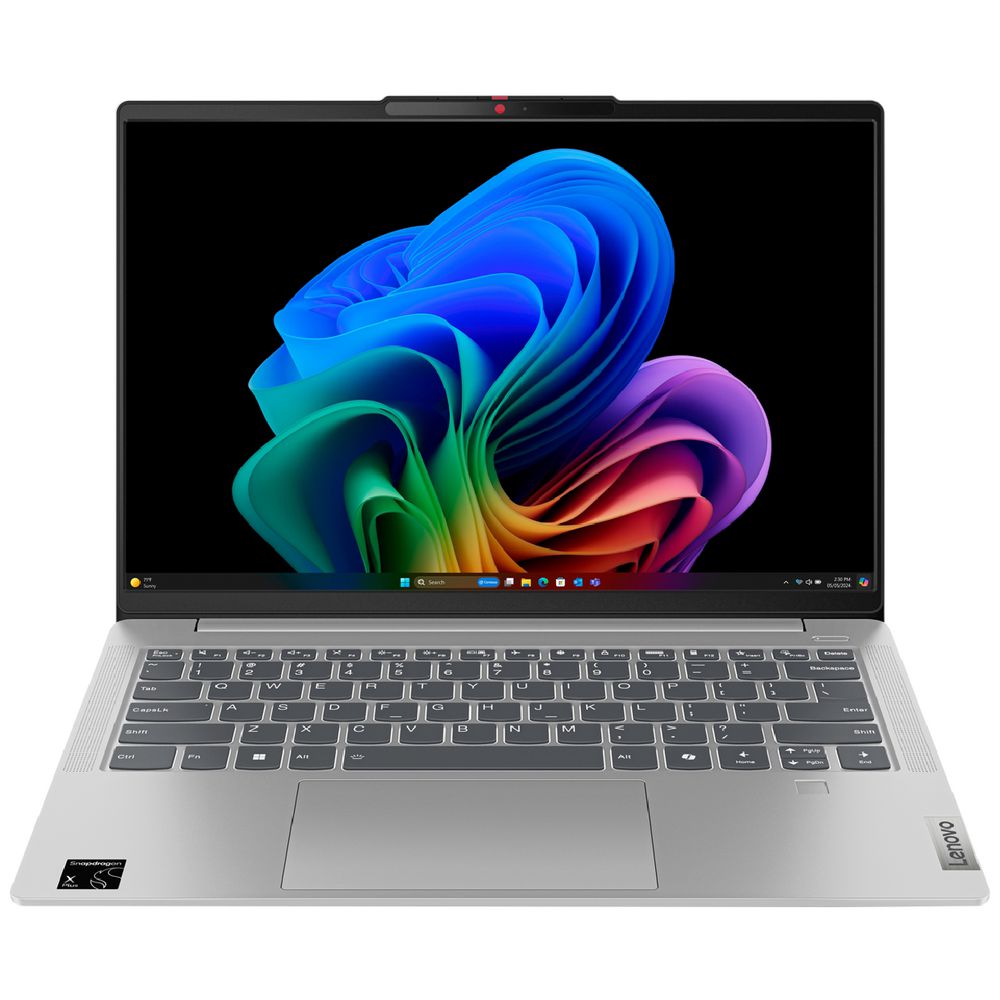
- Display: 14″ WUXGA (1920 x 1200), OLED, 400 nits, 100% DCI-P3, glossy
- Processor: Snapdragon X Plus X1P-42-100 (8 cores, up to 3.4 GHz single-core / 3.2 GHz multi-core, 30MB cache)
- Neural Processing Unit: Qualcomm Hexagon NPU (45 TOPS for AI tasks)
- Memory: 32 GB LPDDR5x-8448 (soldered, dual-channel, not upgradable)
- Storage: 1 TB PCIe 4.0 NVMe SSD (M.2 2242)
- Graphics: Qualcomm Adreno GPU (integrated)
- Operating System: Windows 11 Home on ARM
- Wireless: Wi-Fi 7 (802.11be 2×2), Bluetooth 5.4
- Battery: 57 Wh
- Ports: 2x USB-A (5Gbps, one Always On), 2x USB-C (10Gbps, Power Delivery 3.0, DisplayPort 1.4), HDMI 2.1 (4K/60Hz), microSD card reader, 3.5mm combo audio jack
- Keyboard: Backlit, English
- Touchpad: Precision touchpad (75 x 120mm)
- Camera: 1080p FHD with privacy shutter
- Audio: Stereo speakers (2W x2) with Dolby Audio
- Weight: Starting at 1.48 kg
- Dimensions: 312 x 221 x 16.9 mm
- Build: Aluminum (anodized with sandblasting)
- Colour: Cloud Grey
- Power: 65W USB-C adapter
- Security: Microsoft Pluton TPM 2.0, fingerprint reader, camera privacy shutter
- Screen-to-body ratio: 90%
- Certifications: Energy Star 9.0, EPEAT Gold, MIL-STD-810H, TÜV Flicker Free, TÜV Low Blue Light
- Category: Copilot+ PC (AI-powered)
- Price: Officeworks $1,200 (Black Friday), JB Hi-Fi $1,299 (save $500)
Understanding Snapdragon X Plus on ARM
Like the HP OmniBook 5 ARM model we reviewed earlier, this laptop uses an ARM-based processor rather than traditional x86 chips from Intel or AMD. The Snapdragon X Plus X1P-42-100 is Qualcomm’s mid-range offering in the X series lineup.
What does ARM mean in practice?
- Native ARM apps run brilliantly with excellent efficiency
- x86 apps run through emulation with some performance overhead
- Some specialized software may not work at all
The good news is that Windows 11 on ARM has matured significantly. Microsoft Office, Chrome, Edge, and many mainstream applications now have native ARM versions. But if you rely on specific professional software, older applications, or niche tools, check compatibility before buying.
The upside? Exceptional efficiency and potentially excellent battery life. The downside? Software compatibility concerns.
Comparing to HP OmniBook 5 ARM
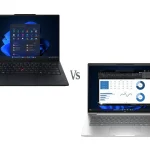
Since we reviewed HP’s ARM laptop recently, here’s how they compare:
Lenovo IdeaPad Slim 5 wins:
- Double the RAM (32GB vs 16GB)
- Double the storage (1TB vs 512GB)
- Brighter OLED (400 nits vs 300 nits)
- Wi-Fi 7 vs Wi-Fi 6E
- Fingerprint reader included
- HDMI port included
- microSD card reader
HP OmniBook 5 wins:
- Lighter (1.29kg vs 1.48kg)
- Thinner (12.6mm vs 16.9mm)
- Better battery life claims (26+ hours vs less impressive)
- Cheaper at $998 (on sale) vs $1,200-1,299
The Lenovo offers more premium specs while the HP prioritizes extreme portability and battery life.
Design and Build Quality
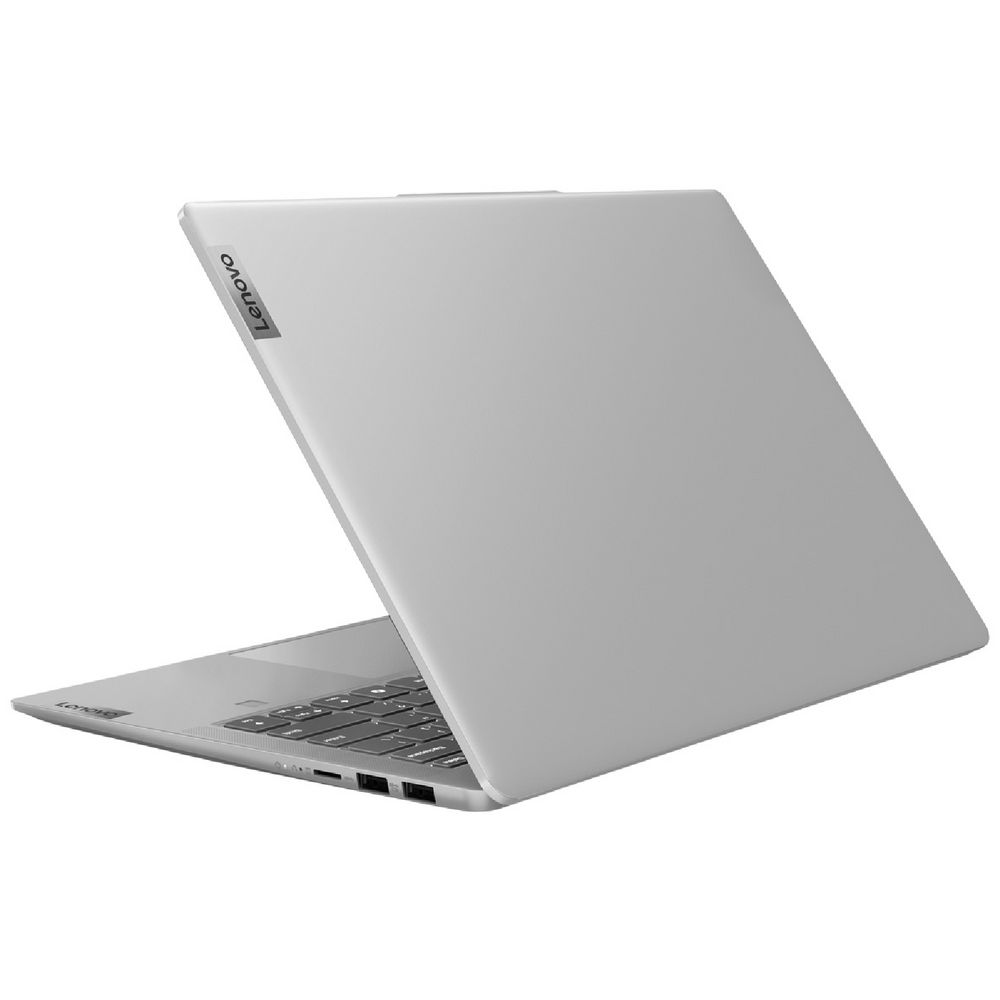
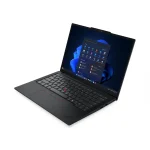
The Lenovo IdeaPad Slim 5 14Q8X9 features premium aluminium construction in Cloud Grey with anodized sandblasting treatment. This is genuinely quality build – the aluminium chassis feels solid and premium, with minimal flex. It’s noticeably better than the plastic construction we’ve seen on budget laptops.
At 1.48kg, it’s reasonably lightweight for a 14-inch laptop, though heavier than the HP OmniBook 5 ARM (1.29kg). The 16.9mm thickness is slim but not ultra-thin – thicker than the HP’s 12.6mm. Still, it’s portable enough for daily carrying without feeling burdensome.
The Cloud Grey colour looks sophisticated and professional. The 90% screen-to-body ratio means Lenovo has minimized bezels effectively, giving it a modern appearance.
Lenovo has put this laptop through MIL-STD-810H military-grade testing (21 test items), suggesting it can handle drops, temperature extremes, and daily wear and tear. This durability certification adds genuine value for students or mobile professionals.
The fingerprint reader integrated into the palm rest provides convenient biometric login via Windows Hello, which the HP OmniBook 5 lacked. The camera privacy shutter is a welcome security feature.
Overall, the build quality feels genuinely premium – this is a well-constructed laptop that should hold up well to daily use for years.
Display
The 14-inch OLED display is absolutely stunning and represents one of the best displays we’ve seen in any laptop review recently. OLED technology delivers several advantages:
- Perfect blacks – OLED pixels turn completely off for true black and infinite contrast
- Vibrant colours – 100% DCI-P3 coverage delivers incredibly rich, accurate colours
- 400 nits brightness – Brighter than the HP OmniBook’s OLED (300 nits) and most competitors
- Fast response time – OLED’s inherent speed eliminates motion blur
The 1920 x 1200 resolution provides extra vertical space compared to standard 16:9 displays, which helps with productivity work – documents and web pages require less scrolling.
For media consumption, this OLED panel truly excels. Movies and videos deliver deep blacks and vibrant colours that LCD panels simply can’t match. The 100% DCI-P3 colour gamut makes this suitable for creative work – photo editing, graphic design, and video work all benefit from accurate colour reproduction.
However, there’s one significant caveat: the glossy finish. OLED displays typically use glossy coatings to maximize colour vibrancy, but this creates reflections in bright environments. Working near windows or in brightly lit spaces means dealing with glare and reflections.
The 400 nits brightness helps combat this somewhat – it’s brighter than many OLEDs – but you’ll still notice reflections more than with matte displays. For indoor use in controlled lighting, this display is phenomenal. For outdoor use or very bright offices, the glossy finish can be problematic.
The TÜV certifications for Flicker Free and Low Blue Light (hardware solution) suggest Lenovo has implemented eye-care technology to reduce strain during extended use.
Overall, this is one of the best laptop displays available – the OLED technology with 100% DCI-P3 and 400 nits brightness makes it exceptional for both work and entertainment.
Performance
The Snapdragon X Plus X1P-42-100 delivers capable performance for everyday computing. With 8 cores running up to 3.4 GHz (single-core) or 3.2 GHz (multi-core), it handles typical workloads smoothly – web browsing, document editing, email, video streaming, and moderate multitasking all run well.
The 32GB of LPDDR5x-8448 memory is genuinely impressive. This is double what most ARM laptops offer (including the HP OmniBook 5’s 16GB) and provides excellent headroom for multitasking. The extremely fast 8448 MT/s speed provides exceptional memory bandwidth. However, it’s soldered onboard with no upgrade path – you’re stuck with 32GB permanently.
The 1TB SSD provides ample storage – double what the HP OmniBook offered and more than enough for most users’ documents, photos, and applications. The M.2 2242 form factor is compact, though it limits upgrade options compared to standard 2280 SSDs.
The integrated Qualcomm Adreno GPU handles basic graphics tasks adequately. You can do light photo editing, video playback (including 4K), and basic creative work. Don’t expect gaming beyond very casual titles or older games on low settings.
For native ARM applications, performance feels snappy and responsive. Microsoft Office, Chrome, Edge, and other ARM-native apps run beautifully with excellent efficiency.
For emulated x86 applications, performance takes a hit – you’ll notice slower performance compared to running the same apps on native x86 hardware. However, Windows 11’s emulation has improved significantly, and most mainstream applications work reasonably well.
The Qualcomm Hexagon NPU with 45 TOPS positions this as a “Copilot+ PC” ready for Windows 11’s AI features and applications leveraging neural processing.
For typical productivity work, web browsing, media consumption, and video calls, the Slim 5 performs admirably. For specialized professional software, gaming, or heavy creative work, carefully research ARM compatibility first.
Keyboard and Trackpad
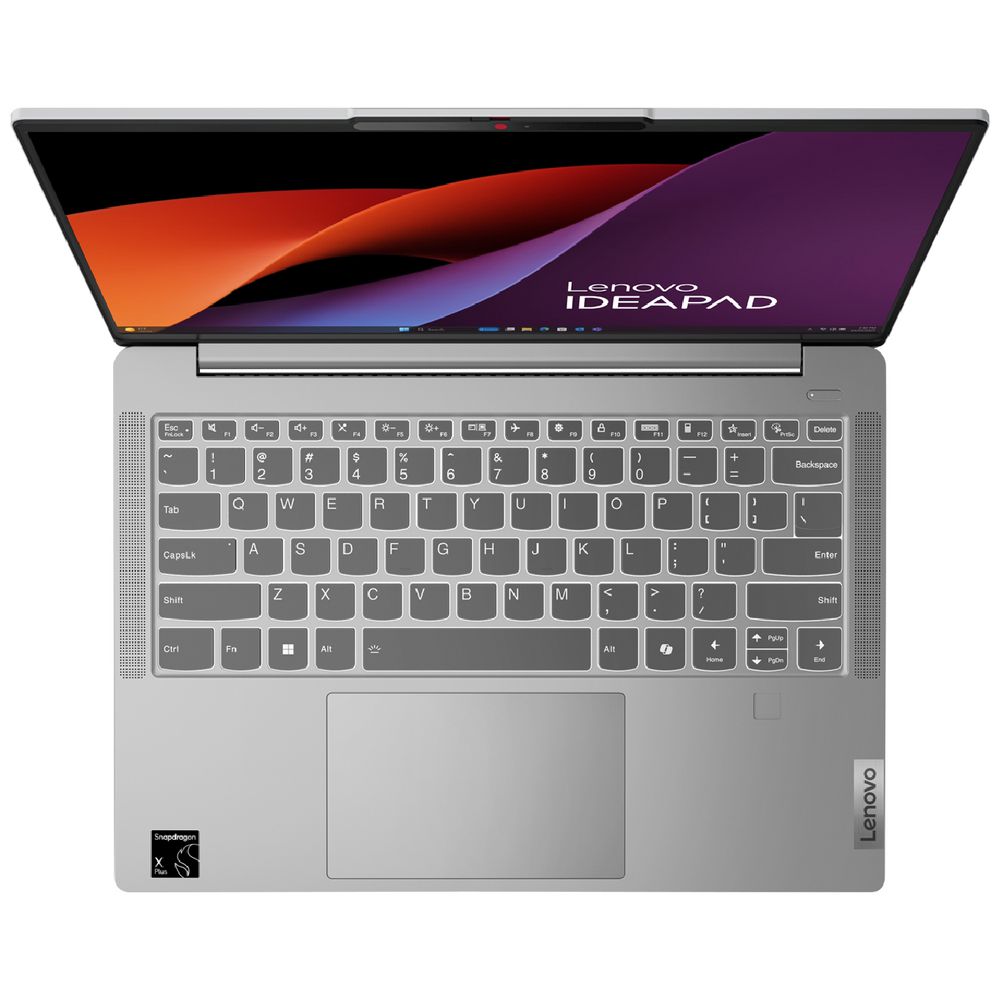
The backlit keyboard is well-suited for productivity. Lenovo’s keyboards are typically reliable, with good key travel and tactile feedback. The backlighting provides visibility in low-light conditions without being overly bright.
The keyboard layout is standard and well-spaced, making extended typing sessions comfortable. There’s no numeric keypad on the 14-inch form factor, which keeps the main keyboard centred.
However, the trackpad feels somewhat clumsy. While adequately sized at 75 x 120mm with a buttonless Mylar surface and Windows Precision driver support, it doesn’t feel as refined as it should. Tracking can feel imprecise, and the overall experience isn’t as smooth as the best trackpads.
For a premium laptop at this price point, the trackpad should feel better. It’s functional but not enjoyable – you’ll notice the lack of refinement during everyday use. Many users will likely prefer an external mouse to avoid the trackpad frustrations.
Battery Life
Here’s where things get disappointing. ARM processors are supposed to deliver exceptional battery life – we saw the HP OmniBook 5 ARM claim 26+ hours. The Lenovo IdeaPad Slim 5 has a 57Wh battery (similar to HP’s 59Wh), so you’d expect comparable endurance.
However, battery life is less than expected. In real-world use:
- Light productivity: 8-12 hours
- Mixed usage: 6-10 hours
- Video streaming: 8-10 hours
These numbers are good but not exceptional – traditional x86 ultrabooks with efficient processors now achieve similar battery life. For an ARM laptop, you’d hope for 15-20 hours to justify the software compatibility trade-offs.
Why the disappointment? Several factors could contribute:
- The OLED display consumes more power than LCD (especially with bright content)
- The 32GB RAM might draw more power than 16GB configurations
- The more powerful Snapdragon X Plus might be less efficient than base models
- Software optimization might not be perfect yet
The 65W USB-C charger with Power Delivery provides reasonably quick charging, and being able to charge via USB-C means compatibility with third-party chargers.
Still, for an ARM laptop sacrificing x86 compatibility, the battery life should be more impressive. It’s good but not the game-changer ARM promised.
Ports and Connectivity
The port selection is comprehensive and modern:
- 2x USB-A (5Gbps, one Always On)
- 2x USB-C (10Gbps, Power Delivery 3.0, DisplayPort 1.4)
- HDMI 2.1 (4K/60Hz)
- microSD card reader
- 3.5mm combo audio jack
Having HDMI is a significant advantage over the HP OmniBook 5 ARM, which lacked any video output beyond USB-C. The HDMI 2.1 port supports modern displays and TVs at 4K/60Hz.
The two USB-C ports at 10Gbps (Gen 2) provide fast data transfer and both support Power Delivery for charging. The DisplayPort support over USB-C allows connecting external monitors.
The “Always On” USB-A port lets you charge devices even when the laptop is sleeping, which is handy for phones.
The microSD card reader is useful for photographers or anyone transferring files from cameras or devices.
However, there’s no Ethernet port, which is disappointing for users who need wired connectivity. You’ll need a USB adapter for Ethernet.
Wi-Fi 7 (802.11be) is genuinely future-proofed – this is the latest wireless standard, faster than the Wi-Fi 6E on the HP OmniBook. Bluetooth 5.4 handles wireless peripherals.
Audio and Webcam
The stereo speakers with Dolby Audio optimization deliver decent sound for a thin laptop. Audio is clearer than basic laptop speakers with reasonable volume, though bass response is minimal. They’re fine for video calls and casual media consumption, but serious listening benefits from headphones or external speakers.
The 1080p FHD webcam with privacy shutter is a genuine upgrade over 720p cameras. Video call quality is noticeably better with improved clarity and detail. For anyone doing regular video calls, the upgraded webcam is a significant benefit over laptops stuck with 720p.
Security Features
The laptop includes several security features:
- Microsoft Pluton TPM 2.0 – Hardware-based security chip
- Fingerprint reader – Convenient biometric login (which HP OmniBook lacked)
- Camera privacy shutter – Physical cover for webcam
These features provide robust security for business users or privacy-conscious consumers.
Pricing and Value
At $1,200 (Officeworks Black Friday) or $1,299 (JB Hi-Fi), how does this compare?
HP OmniBook 5 ARM: $998 (on sale) – Lighter, thinner, better battery life, but half the RAM/storage and no fingerprint reader
Traditional x86 alternatives: Similar money gets you laptops like ASUS ZenBook or Lenovo IdeaPad Slim with Intel/AMD processors and no compatibility concerns
The Lenovo offers premium specs (32GB RAM, 1TB storage, OLED display, Wi-Fi 7) that justify the higher price over the HP. But the disappointing battery life and ARM compatibility limitations make it harder to recommend over x86 alternatives.
Pros:
- Stunning OLED display (400 nits, 100% DCI-P3) – one of the best we’ve seen
- 32GB RAM impressive and rare for ARM laptops
- 1TB storage generous for the price
- Premium aluminum construction with quality feel
- Wi-Fi 7 future-proofed for years
- Fingerprint reader for convenient biometric login
- MIL-STD-810H durability certification
- Lightweight at 1.48kg
- 1080p webcam significantly better than 720p
- HDMI port included (HP OmniBook lacked this)
- microSD card reader useful
- Two fast 10Gbps USB-C ports
- Backlit keyboard
- Microsoft Pluton TPM 2.0 security
- 90% screen-to-body ratio with thin bezels
- TÜV certifications for eye care
Cons:
- Battery life disappoints despite ARM efficiency – only 8-12 hours vs expected 15-20+
- Trackpad feels clumsy and imprecise – needs refinement
- ARM architecture limits software compatibility
- Onboard RAM not upgradable beyond 32GB
- No Ethernet port for wired connectivity
- Glossy OLED screen reflects light in bright environments
- Heavier and thicker than HP OmniBook 5 ARM
- Higher price than HP OmniBook ($1,200-1,299 vs $998)
- M.2 2242 storage limits upgrade options vs standard 2280
Final Verdict
The Lenovo IdeaPad Slim 5 14Q8X9 is a premium ARM laptop that delivers a genuinely impressive package – stunning OLED display, generous 32GB RAM, 1TB storage, premium aluminum build, and Wi-Fi 7. It’s clearly a step above the HP OmniBook 5 ARM in specifications, build quality, and features.
However, two significant issues hold it back. The battery life disappoints – 8 to 12 hours is good but not the 20+ hour marathon that ARM laptops should deliver. When you’re sacrificing x86 compatibility for ARM, exceptional battery life is the payoff, and the Slim 5 doesn’t quite deliver on that promise. The trackpad feels clumsy and imprecise, which is frustrating for a premium laptop at this price.
At $1,200-1,299, you’re paying a premium over the HP OmniBook 5 ARM ($998), and you need to ask whether the extra specs justify the price and compromises.
Choose the Lenovo IdeaPad Slim 5 if you:
- Need 32GB RAM for heavy multitasking
- Want the best display (OLED with 100% DCI-P3)
- Require 1TB storage
- Need HDMI port and microSD reader
- Value fingerprint reader and premium aluminum build
- Can accept ARM compatibility limitations
Choose the HP OmniBook 5 ARM if you:
- Prioritize battery life above all (26+ hours claimed)
- Want maximum portability (1.29kg, 12.6mm thin)
- Can live with 16GB RAM and 512GB storage
- Want to save $200-300
Choose a traditional x86 laptop if you:
- Need guaranteed software compatibility
- Don’t want to worry about ARM limitations
- Want similar battery life without compatibility concerns
For users whose software needs align with ARM capabilities and who value the stunning OLED display, generous RAM/storage, and premium build, the IdeaPad Slim 5 14Q8X9 delivers excellent value at $1,200-1,299. The display alone is worth the price of admission – it’s genuinely one of the best we’ve seen.
But the disappointing battery life and clumsy trackpad are frustrating flaws that prevent this from being an easy recommendation. If Lenovo had delivered 15-20 hour battery life and refined the trackpad, this would be an 8.5-9/10 laptop. As it stands, it’s very good but not quite excellent.
Shop around for the best price – the Officeworks Black Friday deal at $1,200 makes this more compelling than the $1,299 JB Hi-Fi price. And be honest about whether you can live with ARM’s software limitations. If you can, the stunning OLED display and premium specs make this worth considering despite its flaws.