The ThinkPad name carries significant weight in the business laptop market. For decades, Lenovo’s ThinkPad series has been synonymous with reliable, durable business machines featuring excellent keyboards, robust build quality, and comprehensive security features. From government agencies to big business, ThinkPads are the default choice for enterprise deployments.
However, not all ThinkPads are created equal. The ThinkPad E series sits at the budget end of Lenovo’s business lineup – below the premium ThinkPad T, X, and P series. The E series aims to deliver ThinkPad’s core strengths (keyboard, durability, business features) at accessible prices by making strategic compromises.
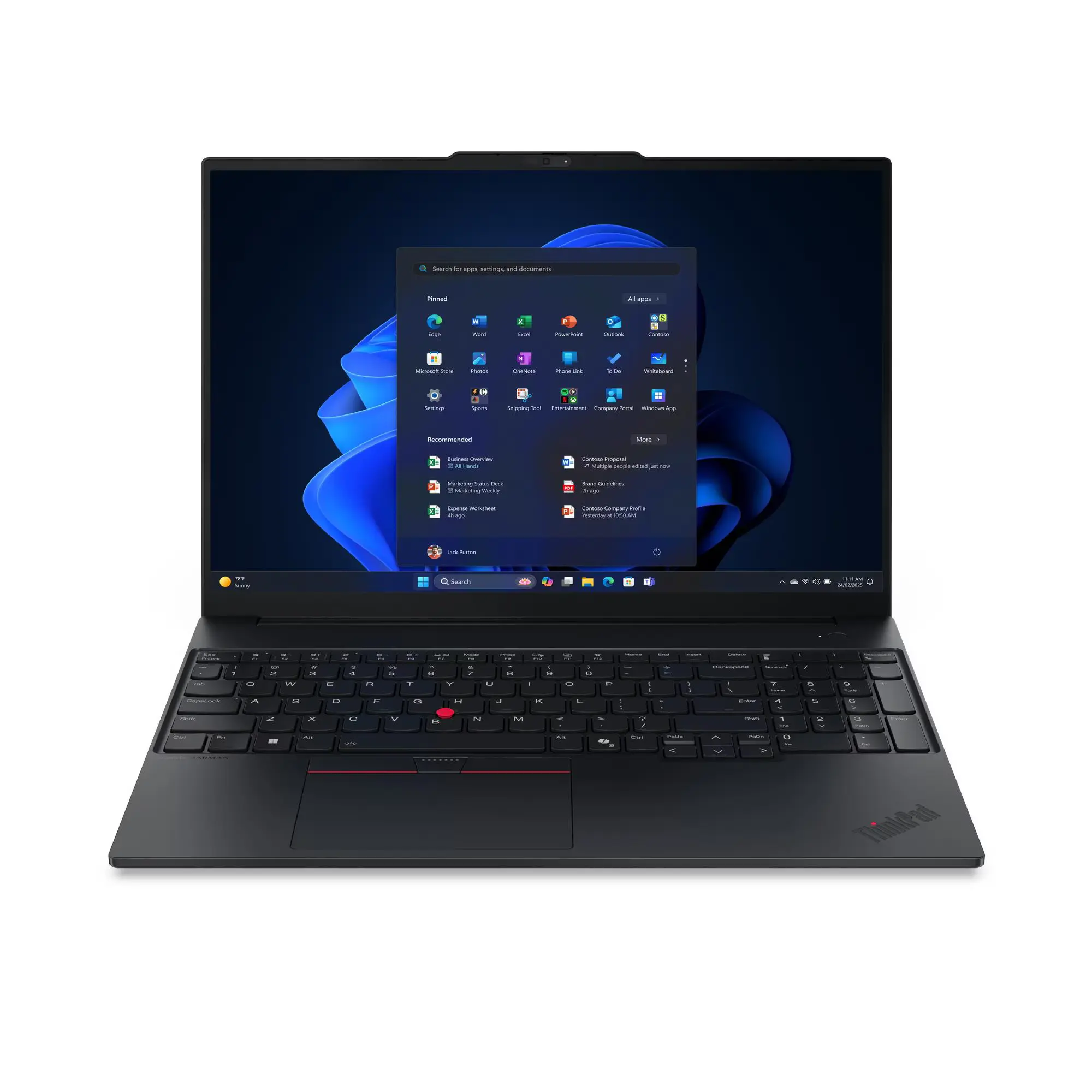
The ThinkPad E16 Gen 3 (Intel) targets students and professionals who need a 16-inch business laptop but can’t justify premium ThinkPad pricing. With an Intel Core 5 210H processor, 16GB RAM, 512GB storage, Windows 11 Pro, and ThinkPad’s renowned keyboard packed into a 1.63kg chassis, it promises business-grade capability at a student-friendly price.
At $1,249 directly from Lenovo with a 25% off sale (use coupon FEB26), this represents significant savings over premium ThinkPad models. But to hit this price, Lenovo has made some genuinely concerning compromises – most critically, shipping with single-channel RAM configuration that cripples performance, along with a terrible display (45% NTSC) and inadequate battery (48Wh) for a 16-inch laptop.
Is the ThinkPad name and keyboard quality worth accepting these serious flaws? Let’s dig in.
Pros
- Excellent ThinkPad keyboard
- Windows 11 Pro included
- Two M.2 storage slots
Cons
- Single-channel RAM cripples performance
- Terrible display (45% NTSC)
- Inadequate battery
- Clumsy trackpad
Key Specifications
- MPN: 21TF005WAU
- Display: 16″ WUXGA (1920 x 1200), IPS, 300 nits, 45% NTSC (~62% sRGB), 60Hz, anti-glare
- Processor: Intel Core 5 210H (8 cores: 4P + 4E, 12 threads, P-cores up to 4.8 GHz, E-cores up to 3.6 GHz, 12MB cache)
- Memory: 16 GB DDR5-5600 (1 x 16GB, single-channel – major performance limitation)
- Storage: 512 GB PCIe 4.0 NVMe SSD (M.2 2242, Opal 2.0)
- Graphics: Intel integrated graphics
- Operating System: Windows 11 Pro
- Wireless: Intel Wi-Fi 6E AX211 (802.11ax 2×2), Bluetooth 5.3
- Battery: 48 Wh (inadequate for 16″ laptop)
- Ports: 2x USB-A (one 5Gbps, one 10Gbps Always On), 1x Thunderbolt 4 (40Gbps, Power Delivery 45-65W, DisplayPort 2.1), HDMI 2.1 (4K/60Hz), Ethernet (RJ-45), 3.5mm combo audio jack, Kensington Nano Security Slot
- Keyboard: Backlit ThinkPad keyboard
- Touchpad: Standard trackpad
- Camera: 720p HD with privacy shutter (not 1080p)
- Audio: Stereo speakers (2W x2) with Dolby Atmos, audio by HARMAN
- Weight: 1.63 kg (3.59 lbs) – lightweight for 16″
- Dimensions: 356 x 249 x 10.1-17.05 mm (front/rear)
- Build: Black aluminum top, PC-ABS bottom
- Power: 65W USB-C adapter
- Security: Discrete TPM 2.0, fingerprint reader (power button), camera privacy shutter, Kensington lock slot
- Memory Slots: Two DDR5 SODIMM slots (dual-channel capable, currently only one populated)
- Storage Slots: Two M.2 slots (one 2242, one 2280)
- Max Memory: Up to 64GB DDR5-5600
- Max Storage: Up to 2TB (1TB per slot)
- Screen-to-body ratio: 90.7%
- Certifications: Energy Star 9.0, EPEAT Gold, MIL-STD-810H, TCO Gen 10, TÜV Low Blue Light
- Warranty: 1-year onsite (upgraded from courier/carry-in)
- Price: Sales price of $1,249 from Lenovo (25% off normal price. Use coupon FEB26 at checkout)
The Single-Channel RAM Problem – Critical Flaw
Before discussing anything else, we need to address the elephant in the room: this laptop ships with 1 x 16GB RAM in single-channel configuration. This is a critical performance bottleneck that undermines everything else about the laptop.
Why single-channel RAM is terrible:
Modern processors rely on dual-channel memory for optimal performance. Single-channel configuration cuts memory bandwidth in half, creating a bottleneck that:
- Reduces CPU performance by 10-30% in many workloads
- Significantly impacts integrated graphics performance (50%+ slower)
- Causes stuttering and lag in multitasking
- Creates noticeable slowdowns during everyday use
We’ve seen this issue before in laptops like the HP Victus 15 with single-channel RAM – the performance impact is genuinely significant and affects daily usability.
The good news: The ThinkPad E16 has two SODIMM slots, so you can fix this by adding a second 16GB stick (approximately $350-400 as memory prices have gone through the roof) to enable dual-channel mode. But you shouldn’t have to on a $1,249 business laptop claiming to target professionals.
Lenovo chose single-channel to cut costs, and buyers pay the price with crippled performance until they invest additional money and time to fix what should have been correct from factory.
If you buy this laptop, you might want to consider purchasing a second 16GB DDR5-5600 SODIMM and installing it yourself or having it professional installed. The performance difference will be transformative.
Display – Terrible Colour Coverage
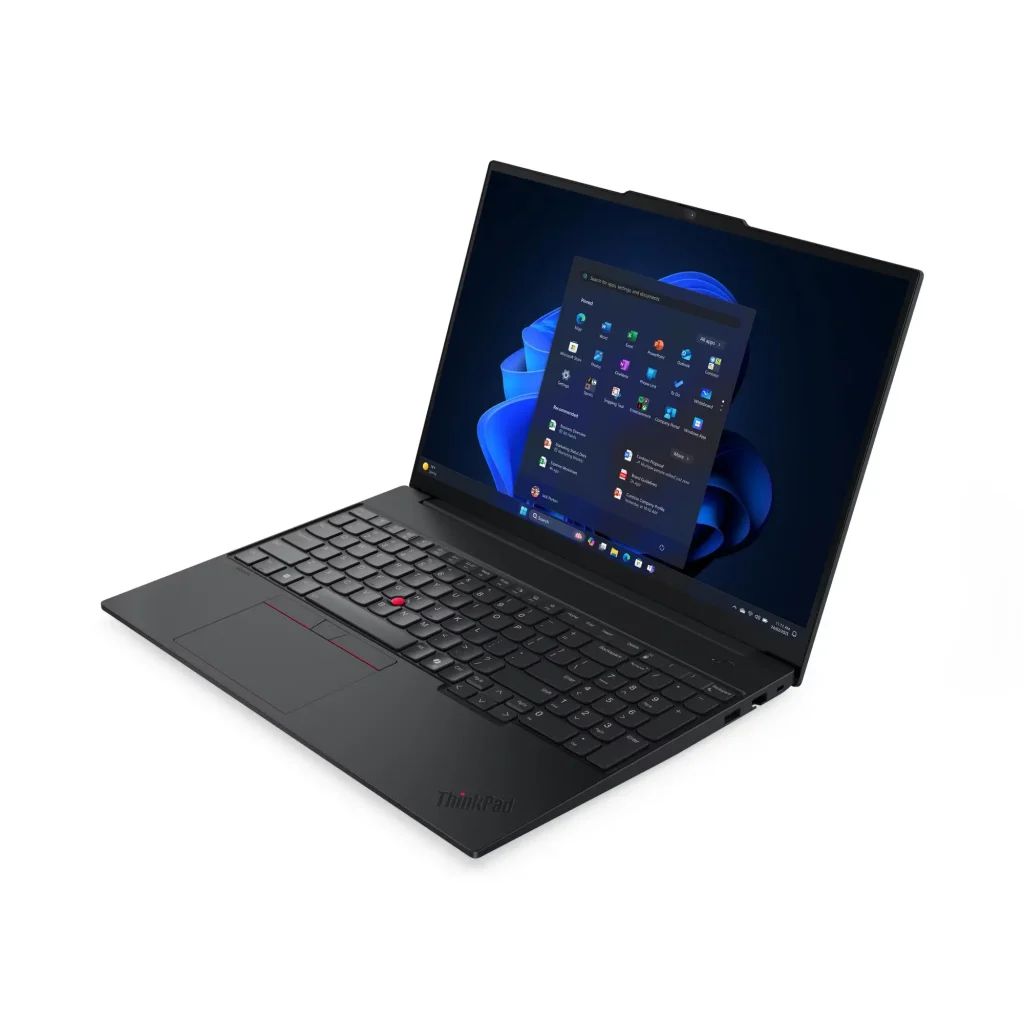
The 16-inch display with 1920 x 1200 resolution suffers from the same terrible colour coverage we criticized in the Lenovo ThinkBook 16 G8: just 45% NTSC (~62% sRGB).
For context:
- This ThinkPad E16: 45% NTSC (~62% sRGB)
- Budget laptops: 45-65% sRGB
- Decent laptops: 90-100% sRGB
- Premium laptops: 100% sRGB or DCI-P3
The display sits at the absolute bottom of acceptable colour reproduction. Colours look washed out, dull, and lifeless. For a 16-inch laptop targeting professionals, this colour gamut is genuinely disappointing.
The 300 nits brightness is adequate for indoor office use but struggles in bright environments. The anti-glare coating helps reduce reflections.
The 1920 x 1200 resolution provides extra vertical space compared to 16:9 displays, which helps with productivity work. The IPS panel delivers decent viewing angles.
The 60Hz refresh rate is standard for business laptops but feels dated compared to 90Hz+ displays becoming common.
This display is functional for basic productivity work but genuinely poor for anything requiring colour accuracy or visual quality. For a 16-inch business laptop where the large screen is presumably a selling point, having such limited colour reproduction is frustrating.
Performance – Bottlenecked by Single-Channel RAM
The Intel Core 5 210H with 8 cores (4 performance + 4 efficiency, 12 threads) would deliver decent performance in proper dual-channel configuration. But with single-channel RAM, performance is significantly compromised.
Expected performance in single-channel:
- Productivity tasks work but feel sluggish
- Multitasking causes noticeable slowdowns
- Integrated graphics perform 50%+ worse than they should
- General responsiveness feels compromised
Expected performance after adding second RAM stick (dual-channel):
- Smooth productivity work without lag
- Comfortable multitasking with multiple applications
- Better integrated graphics performance
- Responsive system overall
The 512GB SSD provides adequate storage, and having two M.2 slots (one 2242, one 2280) allows expansion up to 2TB total.
For business productivity once you fix the RAM situation, the Core 5 210H delivers adequate performance for document editing, spreadsheets, web browsing, video calls, and moderate multitasking.
Battery Life – Inadequate for 16-Inch
The 48Wh battery is shockingly small for a 16-inch laptop. We’ve criticized small batteries before, and this is particularly egregious:
- This ThinkPad E16: 48Wh
- Typical 14-inch laptops: 50-60Wh
- Typical 16-inch laptops: 70-90Wh
- What this should have: 65-75Wh minimum
Having essentially a 14-inch laptop battery in a 16-inch chassis means battery life will be poor.
Expected battery life:
- Light productivity: 2-4 hours
- Mixed usage: 2-4 hours
- Video streaming: 3-4 hours
For a business laptop targeting professionals who need mobility, this battery life is inadequate. You’ll be hunting for power outlets constantly, which undermines the portability that the lightweight 1.63kg design might otherwise provide.
ThinkPad Keyboard – The Redeeming Feature
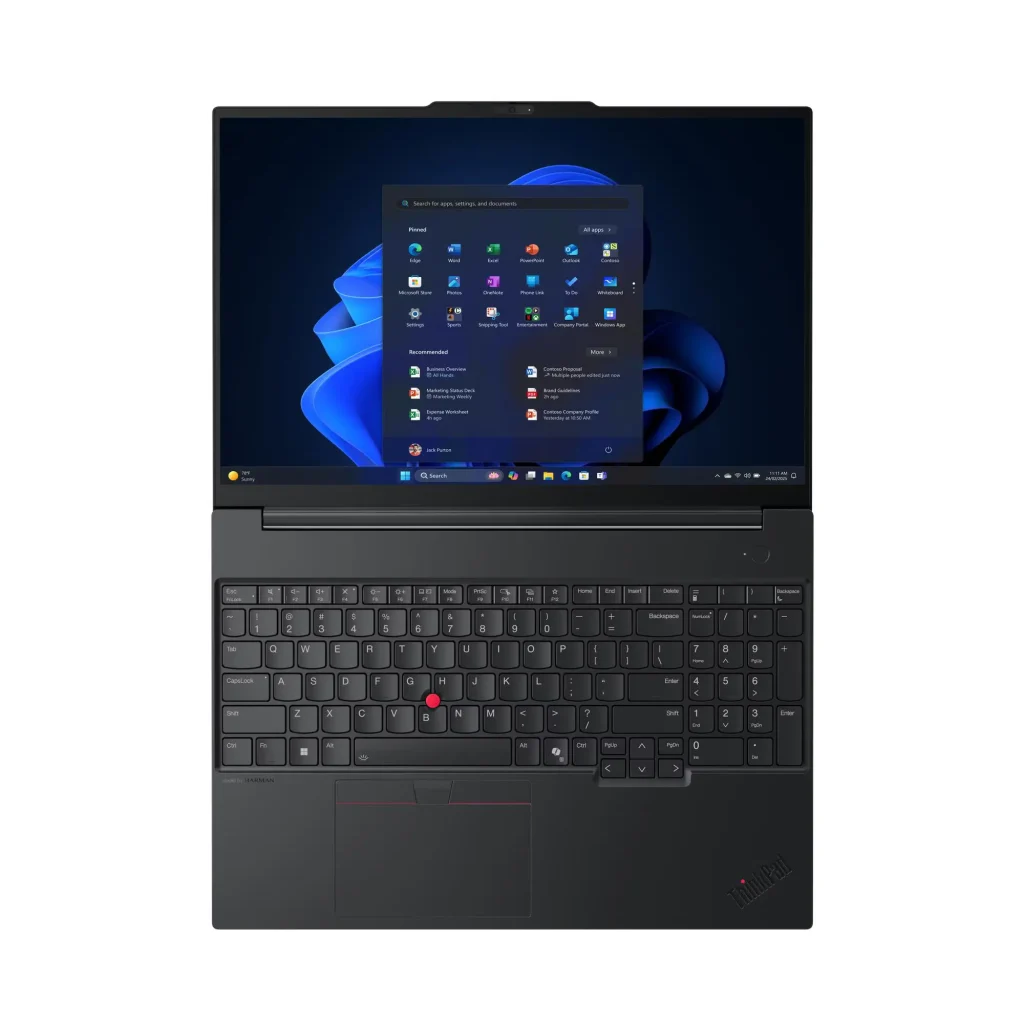
Here’s where the ThinkPad E16 delivers: the keyboard. ThinkPad keyboards are legendary in the business world for good reason – excellent key travel, tactile feedback, comfortable layout, and durability that survives years of heavy typing.
The backlit ThinkPad keyboard provides:
- Industry-leading typing experience
- Comfortable key spacing and layout
- Satisfying tactile feedback
- Reliability for extended typing sessions
For professionals and students who spend hours typing documents, emails, and reports, the ThinkPad keyboard is genuinely one of the best laptop keyboards available.
The fingerprint reader integrated into the power button provides convenient biometric login via Windows Hello.
However, the trackpad is somewhat clumsy, which is disappointing. ThinkPad trackpads have historically been mediocre compared to competitors, and the E series continues this trend. Many ThinkPad users rely on the TrackPoint (the red nub in the keyboard) for navigation instead.
Design and Build Quality
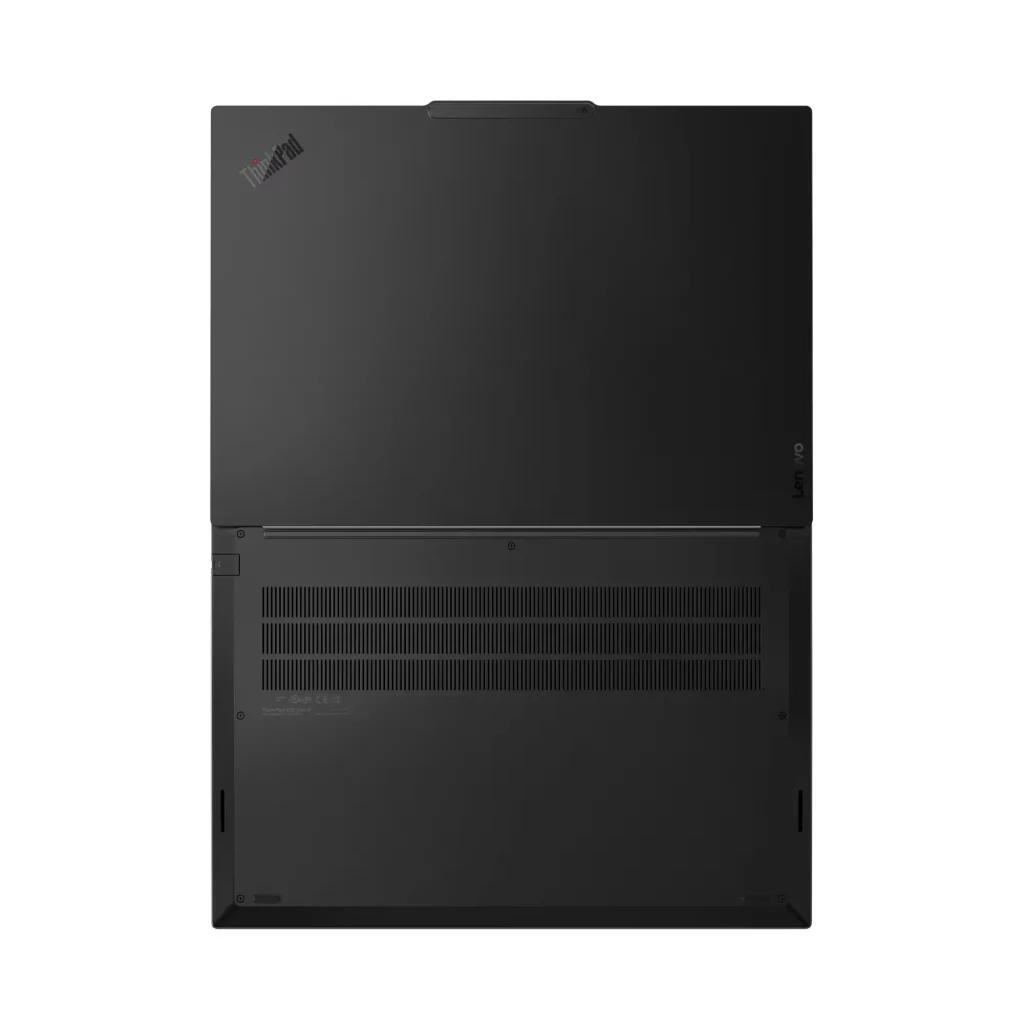
The ThinkPad E16 follows ThinkPad’s classic black aesthetic – understated, professional, and business-appropriate. The aluminium top provides reasonable rigidity, though the PC-ABS plastic bottom reminds you this is a budget ThinkPad.
At 1.63kg for a 16-inch laptop, this is lightweight. The ThinkPad E16’s portability is genuinely competitive.
The build quality meets MIL-STD-810H military-grade testing standards, suggesting it can handle drops, temperature extremes, and daily office abuse. This durability certification adds genuine value for business environments.
The 90.7% screen-to-body ratio shows Lenovo minimized bezels reasonably well.
However, the plastic bottom and overall construction feel budget compared to premium ThinkPad T or X series models. You’re getting ThinkPad’s core strengths (keyboard, durability) without the premium materials and finish.
Ports and Connectivity – Business Appropriate
The port selection is comprehensive and business-focused:
- 2x USB-A (5Gbps and 10Gbps Always On)
- 1x Thunderbolt 4 (40Gbps, Power Delivery 45-65W, DisplayPort 2.1)
- HDMI 2.1 (4K/60Hz)
- Gigabit Ethernet (RJ-45)
- 3.5mm combo audio jack
- Kensington Nano Security Slot
Having Thunderbolt 4 at this price point is excellent – enables ultra-fast data transfer, high-resolution displays, and Thunderbolt docking station compatibility.
The Gigabit Ethernet port is crucial for business environments where wired connections provide stable, secure connectivity. Many thin laptops omit Ethernet, making the ThinkPad’s inclusion valuable.
The HDMI 2.1 port supports modern displays and projectors.
However, there’s no SD card reader, which professionals working with cameras or external media might miss.
The Intel Wi-Fi 6E AX211 provides excellent wireless performance – much better than the Realtek cards we’ve criticized in other laptops. Bluetooth 5.3 handles wireless peripherals.
Security Features – Enterprise Grade
The ThinkPad E16 includes comprehensive security features appropriate for business:
- Discrete TPM 2.0 chip
- Fingerprint reader (integrated in power button)
- Camera privacy shutter
- Kensington Nano Security Slot
- ThinkShield security platform
These features provide robust security for business environments where data protection matters.
Camera and Audio
The 720p HD camera is disappointing in 2026. Most business laptops now include 1080p cameras for better video call quality. For a laptop targeting professionals who do video conferencing, 720p feels outdated.
The camera includes a privacy shutter for physical security when not in use.
The stereo speakers (2W x2) with Dolby Atmos and HARMAN audio tuning deliver decent sound for a business laptop. They’re adequate for video calls and basic media consumption.
Software Bloat – The Frustration
The laptop comes bloated with pre-loaded software, which is genuinely frustrating. Lenovo has a history of pre-installing unnecessary applications, trial software, and utilities that clutter the system and slow down initial setup.
For business users, this bloatware wastes time during deployment and potentially introduces security or privacy concerns. A clean Windows 11 Pro installation would be preferable.
Expect to spend 30-60 minutes uninstalling unwanted software after first boot.
Windows 11 Pro – Genuine Value
Having Windows 11 Pro included (rather than Home) adds significant value for business users:
- BitLocker encryption
- Remote Desktop
- Group Policy management
- Windows Update for Business
- Domain join capability
- Hyper-V virtualization
For students, Windows 11 Pro is less critical but still adds security and management features.
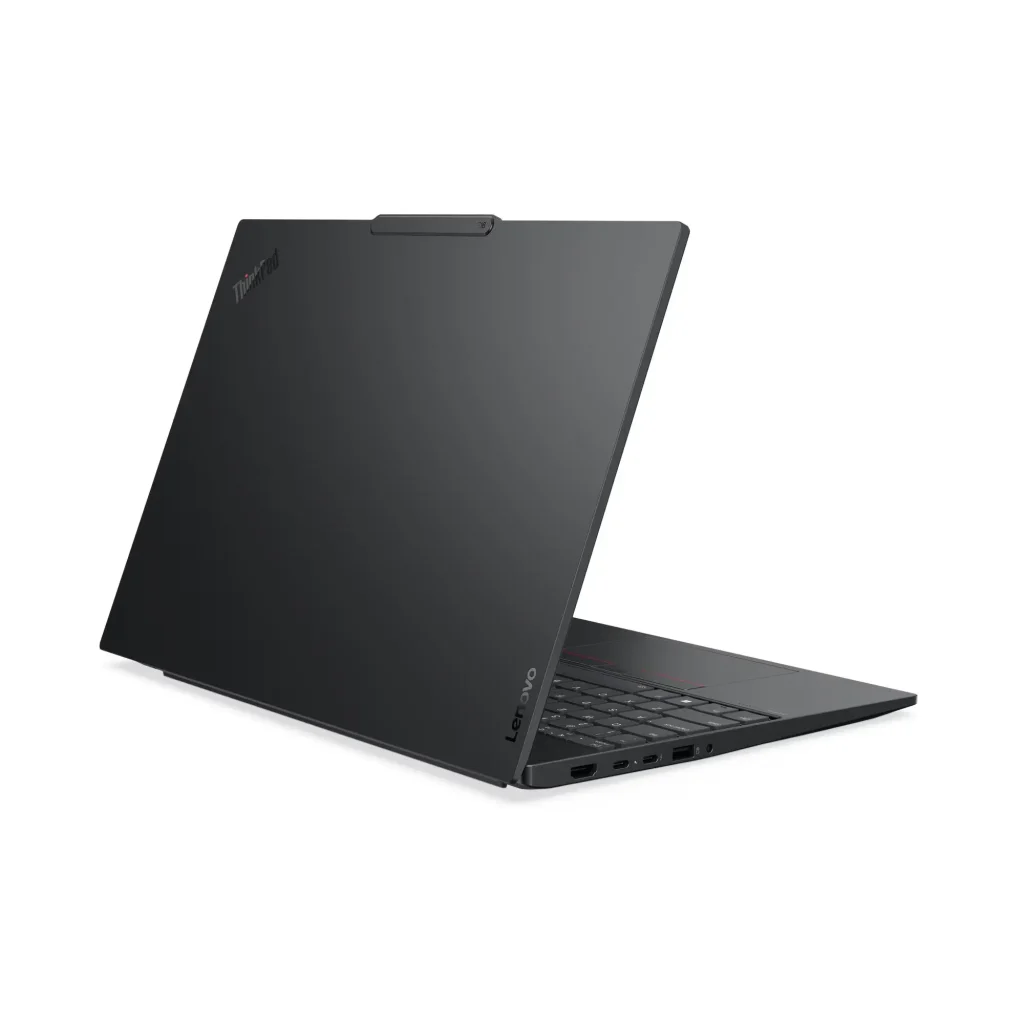
Upgradability – The Silver Lining
The ThinkPad E16’s upgradability partially redeems the single-channel RAM issue:
Memory: Two DDR5 SODIMM slots support up to 64GB total – you can add a second 16GB stick immediately or upgrade to 32GB/64GB later
Storage: Two M.2 slots (one 2242, one 2280) allow up to 2TB total storage – you can add a second SSD easily
This upgradability adds flexibility and future-proofing that many modern laptops lack with soldered components.
Value Comparison
At $1,249 with 25% off (coupon FEB26), how does this compare?
ThinkBook 16 G8: $1,097-1,149 with similar terrible display and small battery but dual-channel RAM and better value
Premium ThinkPad T16: $1,800-2,400 with much better display, dual-channel RAM, larger battery, and premium build quality – significantly more expensive
Dell Latitude/HP ProBook: Similar price with comparable compromises in business laptop segment
The ThinkPad E16 at $1,249 delivers ThinkPad’s core strengths (keyboard, security, durability) at an accessible price by accepting serious compromises. But the single-channel RAM is inexcusable – factor in $50-80 for a second RAM stick, making the real cost $1,300-1,330.
Who Should Buy This?
The ThinkPad E16 Gen 3 works for specific use cases:
Consider buying if:
- You need ThinkPad keyboard quality for extensive typing
- Windows 11 Pro is essential
- You’re comfortable adding second RAM stick yourself
- You work primarily at desks (plugged in due to poor battery)
- You need Ethernet and Thunderbolt 4
- Budget is constrained but you want ThinkPad name
Avoid if:
- You need good display quality (45% NTSC is terrible)
- You require all-day battery life (48Wh inadequate)
- You want dual-channel RAM without DIY upgrades
- You need 1080p webcam for video calls
- You value trackpad quality
Better alternatives (depending on priorities):
- ThinkBook 16 G8: Cheaper ($1,097) with dual-channel RAM
- Premium ThinkPad T16: Better specs but $600-1,200 more
- Wait for better E16 configuration: Look for dual-channel RAM models
Pros:
- Excellent ThinkPad keyboard – industry-leading typing experience
- Windows 11 Pro included (saves $200+ vs Home)
- Thunderbolt 4 at budget price point
- Gigabit Ethernet for stable business connectivity
- Fingerprint reader integrated into power button
- Lightweight at 1.63kg for 16-inch laptop
- Good sale price at $1,249 (25% off with FEB26)
- RAM upgradeable via two SODIMM slots (up to 64GB)
- Storage expandable via two M.2 slots (up to 2TB)
- MIL-STD-810H durability certification
- Intel Wi-Fi 6E (reliable, fast)
- HDMI 2.1 for modern displays
- Camera privacy shutter
- Kensington Security Slot
- 1-year onsite warranty
- 90.7% screen-to-body ratio
- ThinkShield security platform
Cons:
- Single-channel RAM (1x 16GB) cripples performance – critical flaw
- Terrible display (45% NTSC/~62% sRGB) – colours washed out
- Inadequate 48Wh battery for 16-inch laptop – poor battery life
- Only 720p webcam (not 1080p) in 2025/2026
- Clumsy trackpad – disappointing usability
- Bloated with pre-loaded software – time-wasting
- Plastic bottom feels budget
- No SD card reader
- 512GB storage limiting (though expandable)
- 60Hz refresh rate dated
- Only 300 nits brightness
Final Verdict
The Lenovo ThinkPad E16 Gen 3 (Intel) is a business laptop that delivers ThinkPad’s core strengths – excellent keyboard, comprehensive security features, and MIL-STD-810H durability – but makes genuinely concerning compromises that significantly undermine the experience.
The excellent ThinkPad keyboard is genuinely industry-leading for typing-intensive work. Windows 11 Pro, Thunderbolt 4, Ethernet port, and business-grade security make this appropriate for professional environments. At 1.63kg, it’s impressively lightweight for a 16-inch laptop.
However, the single-channel RAM configuration is inexcusable. Shipping a $1,249 business laptop with memory bandwidth cut in half shows cost-cutting that directly impacts performance. If you want, you can purchase purchase and install a second 16GB stick ($350-400), but you’ll be better off buying a better dual channel ram laptop.
The terrible display (45% NTSC) means washed-out colours that make the 16-inch screen less enjoyable to use. The inadequate 48Wh battery forces you to stay near power outlets, undermining mobility. The 720p webcam feels outdated for business users doing video conferencing.
At $1,249 with 25% off (coupon FEB26), this delivers ThinkPad qualities at an accessible price – but you’re accepting serious compromises. The single-channel RAM situation particularly frustrates because it’s easily fixable but shouldn’t exist in the first place.
Should you buy it?
Only buy if you:
- Need ThinkPad keyboard for extensive typing
- Require Windows 11 Pro and business features
- Are comfortable adding second RAM stick yourself immediately
- Work primarily plugged in at desks (due to poor battery)
- Can tolerate terrible display quality
- Can’t afford premium ThinkPad T/X series
Definitely don’t buy if you:
- Need good display quality (45% NTSC is genuinely terrible)
- Require all-day battery life away from outlets
- Want proper dual-channel RAM without DIY fixes
- Value trackpad quality or need 1080p webcam
- Can spend $200-400 more for better ThinkPad models
Better alternatives:
- ThinkBook 16 G8: $1,097 with dual-channel RAM (though also terrible display/battery)
- Save for ThinkPad T16: $1,600-1,800 range during sales with dramatically better specs
- IdeaPad Pro 16: Similar price with better display, loses ThinkPad keyboard/features
The ThinkPad E16 Gen 3 occupies an uncomfortable middle ground – too compromised for the price, yet carrying the ThinkPad name that suggests quality. The excellent keyboard can’t overcome single-channel RAM bottleneck, terrible display, inadequate battery, and bloatware issues.
If ThinkPad keyboard and business features are absolutely essential and you’re willing to immediately upgrade to dual-channel RAM, accept poor display quality, and stay near power outlets, the $1,249 price makes this tolerable. But for most users, I’d recommend either spending $150-200 less on a ThinkBook with better RAM configuration, or saving $400-600 more for a proper ThinkPad T series that doesn’t force you to accept such significant compromises.
The ThinkPad name deserves better than single-channel RAM and 45% NTSC displays, even in the budget E series.