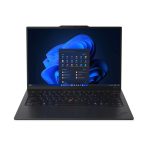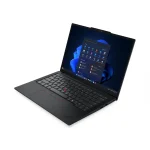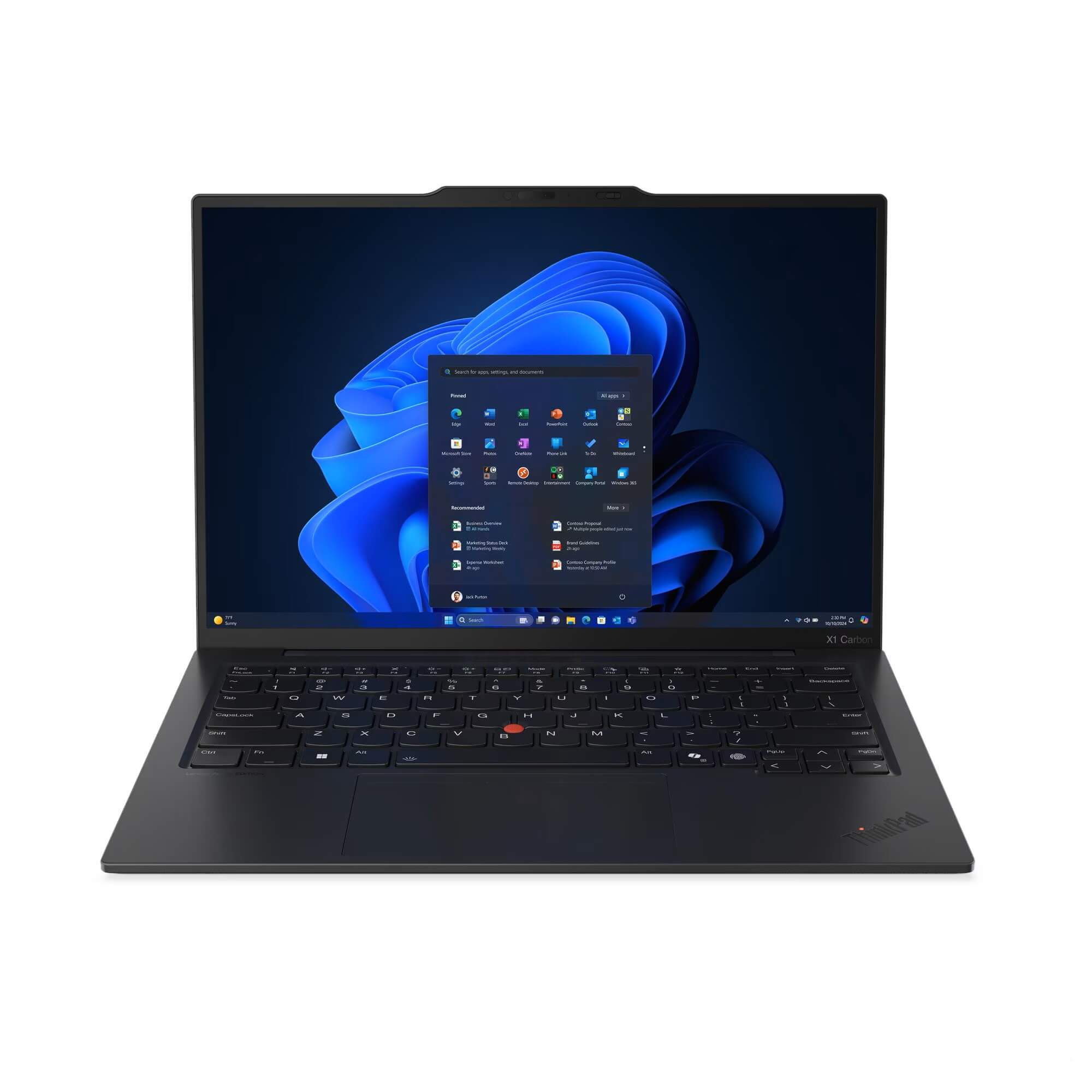
There are business laptops, and then there are premium business laptops. The ThinkPad X1 Carbon has sat at the top of Lenovo’s lineup for over a decade, and it remains the benchmark against which serious business ultraportables are measured. You can browse all of my Lenovo laptop reviews if you want to see how it compares to other models in the range. If you’ve got the budget and want the best that Lenovo offers in a compact 14-inch package, this is where the conversation starts.
The Gen 13 Aura Edition brings the Lunar Lake architecture, a genuinely impressive display, and a sub-kilogram weight that very few laptops anywhere near this class can match. It’s also priced accordingly, and at $2,734 it asks a lot from your wallet.
The question isn’t whether this is a good laptop. It clearly is. The question is whether it’s good enough to justify the price for your specific situation. Let’s find out.
Pros
- Extraordinary build quality
- Sub-kilogram weight
- 100% sRGB display at 500 nits
Cons
- 16GB RAM is soldered and not upgradable
- No ethernet port
- Fan noise under heavy load
Key Specifications
- Display: 14″ WUXGA (1920 x 1200), IPS, 16:10, 500 nits, 100% sRGB, anti-glare, 60Hz, low power panel
- Processor: Intel Core Ultra 5 226V (8 cores, 8 threads, up to 4.5GHz, 8MB cache) – Lunar Lake
- Memory: 16GB LPDDR5X-8533 (soldered, dual channel, not upgradable)
- Storage: 512GB M.2 PCIe 5.0 NVMe SSD (one slot, supports up to 2TB)
- Graphics: Intel Arc 130V (integrated)
- Operating System: Windows 11 Pro
- Wireless: Intel Wi-Fi 7 BE201 (2×2), Bluetooth 5.4
- Battery: 57Wh, 65W USB-C charging
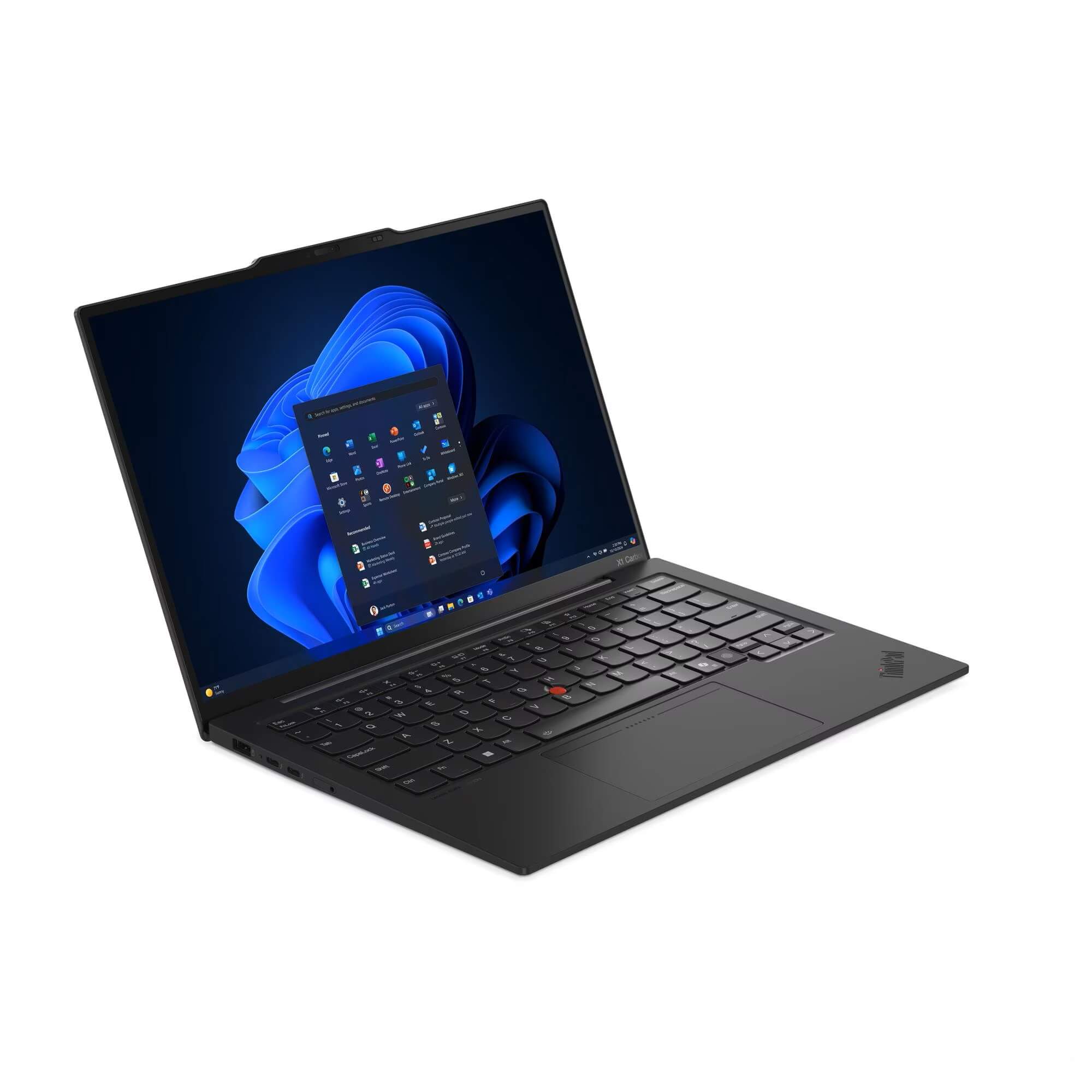
- Weight: From 986g
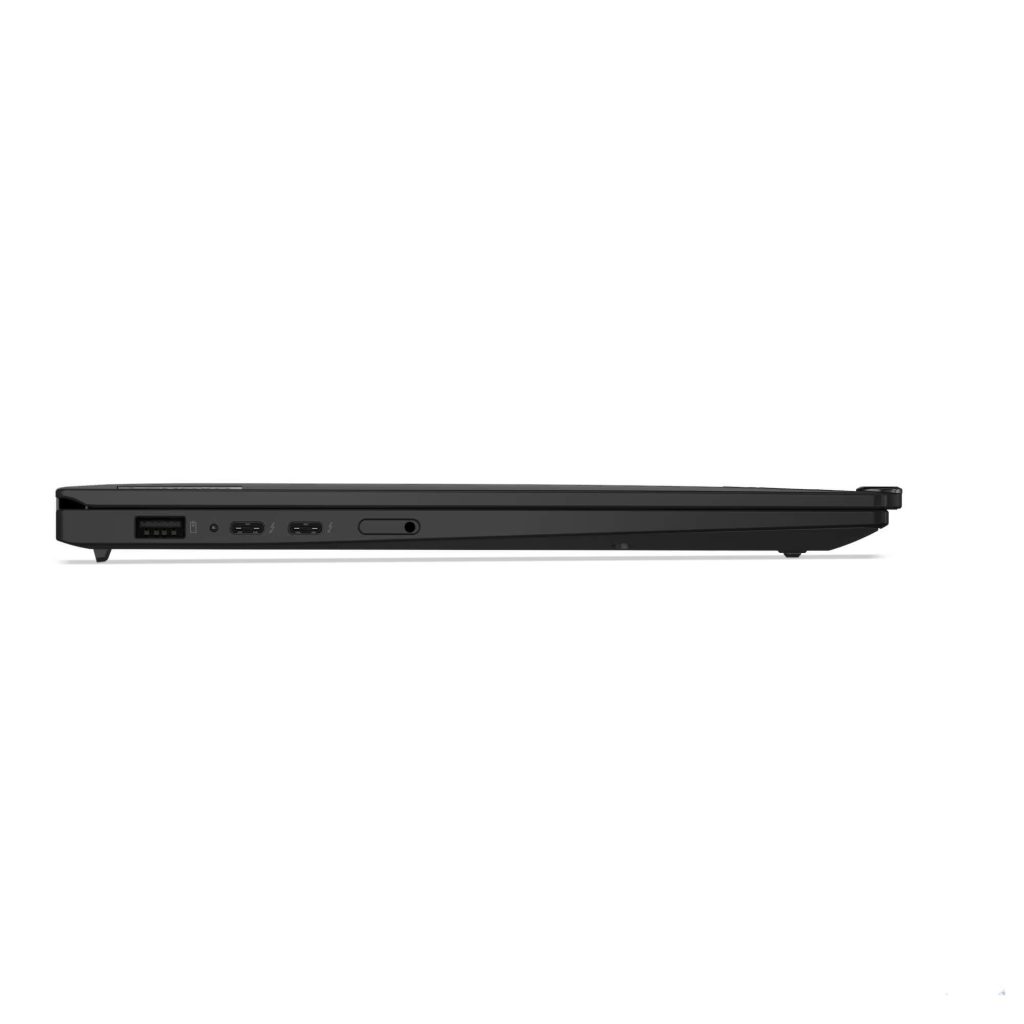
- Ports: 1x USB-A 5Gbps, 1x USB-A 5Gbps (Always On), 2x Thunderbolt 4 USB-C 40Gbps (USB PD 3.0, DisplayPort 2.1), 1x HDMI 2.1, 1x headphone/mic combo
- Webcam: 1080p FHD + IR discrete, privacy shutter
- Keyboard: Backlit, fingerprint reader integrated in keyboard key
- Security: Discrete TPM 2.0, Kensington Nano lock slot, IR webcam, Windows Hello, ThinkShield
- NPU: Intel AI Boost up to 40 TOPS (Copilot+ PC certified)
- Certification: MIL-STD-810H, Intel Evo Platform, TCO Gen 10, EPEAT Gold, Energy Star 9.0, Eyesafe 2.0
- Warranty: 3-year Premier Support upgrade included
- Part Number: 21NS00QHAU
- Price: $2,734 at Lenovo direct
- Other options: Many X1 Carbon Gen 13 configurations are available including different processors, more RAM, larger storage, touchscreen, and 4G LTE variants
Design and Build Quality
This is where the X1 Carbon Gen 13 separates itself from the competition immediately and emphatically.
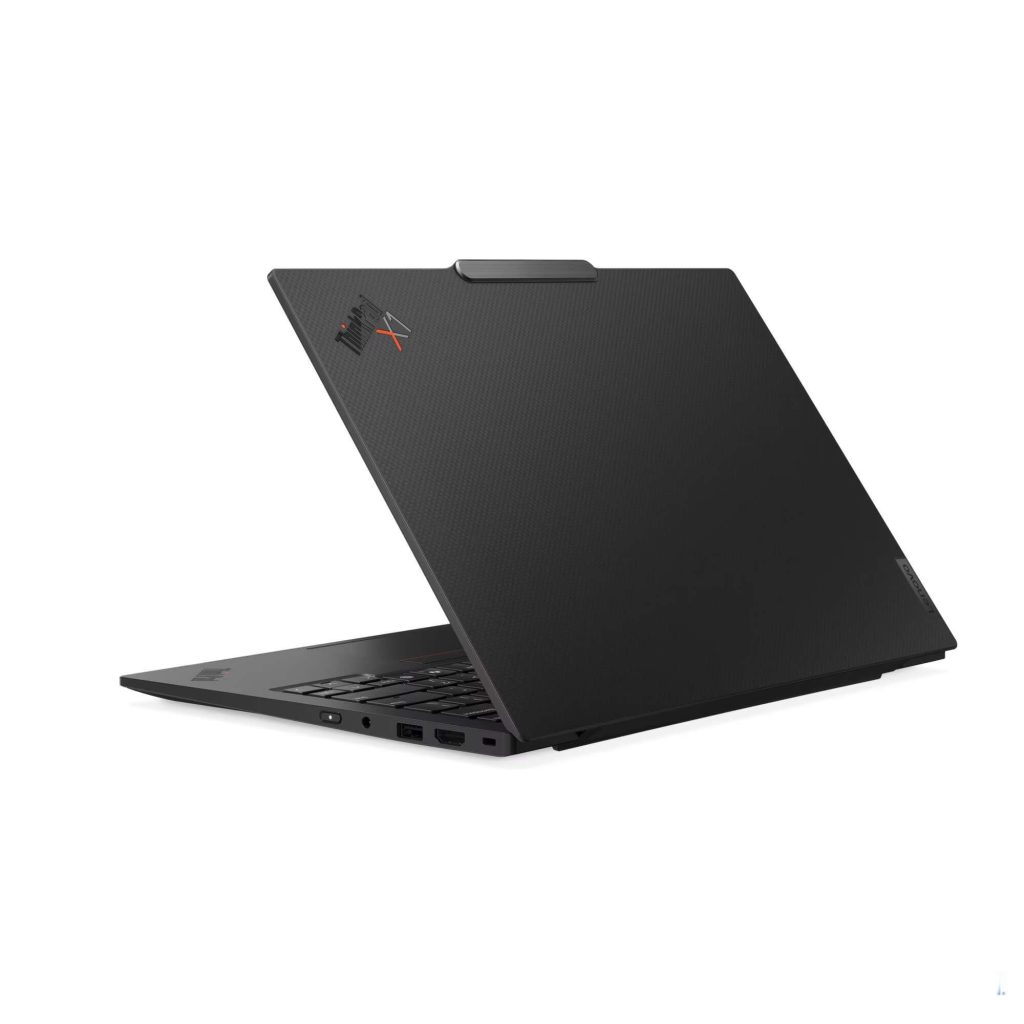
The combination of a carbon fibre top lid and aluminium base is not just a marketing claim. The chassis feels exceptional in the hand. It’s rigid where it needs to be rigid, slim where it needs to be slim, and manages to feel genuinely premium without being heavy. There is no flex in the lid. There is no creak in the base. It feels like a machine built to last years of hard professional use.
At 986 grams it comes in just under the kilogram mark. That’s an extraordinary achievement for a laptop with this feature set, and you feel it immediately when you pick it up. Travelling professionals, frequent flyers, and anyone who carries their laptop all day will notice the difference.
MIL-STD-810H certification backs up the build quality with formal testing against temperature extremes, humidity, vibration, and drops.
The slim tapered profile, measuring just 8.38mm at the front edge, is sleek and purposeful. This is what a premium business laptop is supposed to look like and feel like.
One small but notable quirk: the X1 Carbon Gen 13 only has one Ctrl key. The right Ctrl key has been replaced with another function. For most users this is a non-issue. For power users who rely on keyboard shortcuts involving the right Ctrl key, it takes adjustment and may remain a persistent frustration.
Display
If you’ve been following my recent HP business laptop reviews, you’ll know that weak display quality has been a recurring theme. The 62.5% sRGB panels on the ProBook range have drawn consistent criticism.
The X1 Carbon Gen 13 is a completely different story.
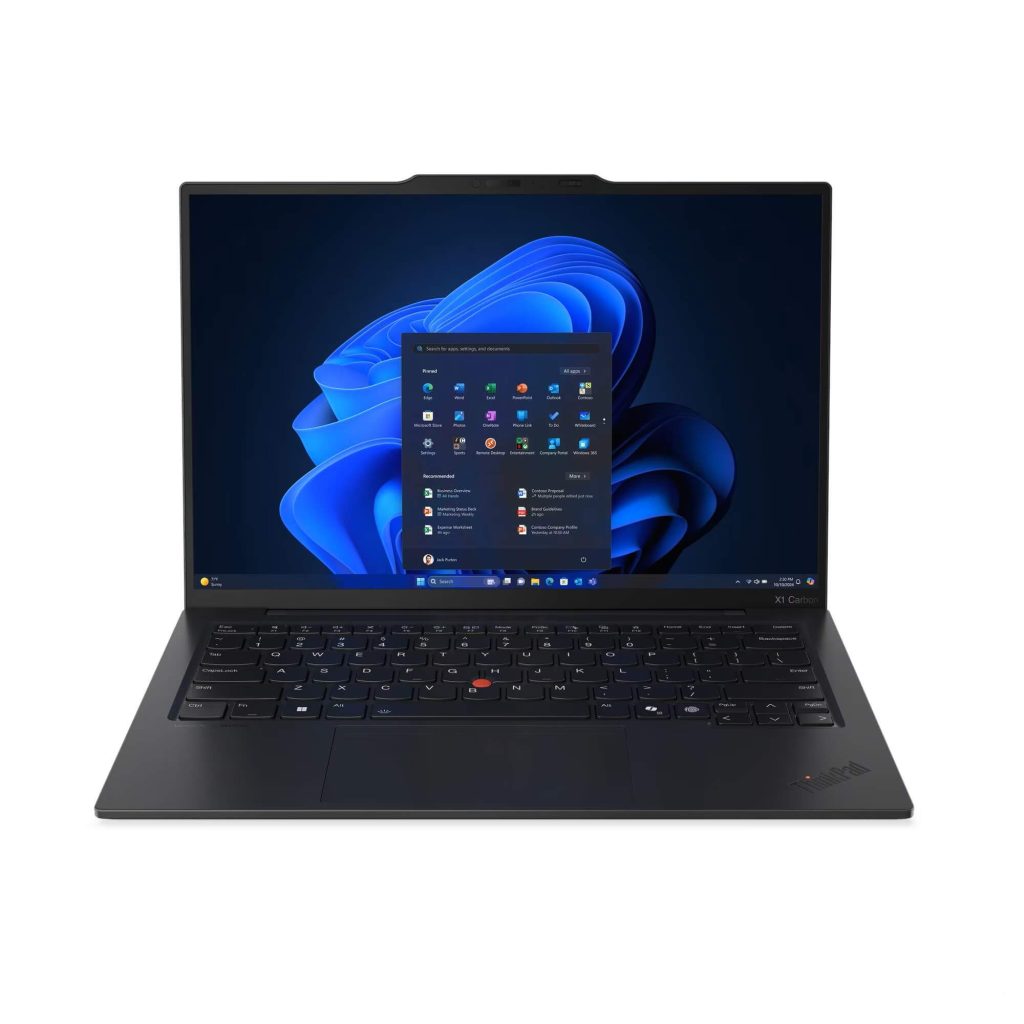
The 14-inch WUXGA (1920 x 1200) IPS panel delivers:
- 100% sRGB colour coverage – accurate, vibrant colours that make everything from documents to presentations look genuinely good
- 500 nits brightness – comfortably usable near windows and in brighter environments, a significant step up from the 300 nits we’ve seen across most of the laptops in this review series
- Eyesafe 2.0 certification – reduced harmful blue light without the colour distortion that some low blue light implementations introduce
- 16:10 aspect ratio – extra vertical screen space for documents and productivity
This is the display quality you’d expect on a laptop at this price, and Lenovo has delivered. For professionals who spend long days in front of their screen, present to clients regularly, or work with any colour-sensitive material, the difference compared to budget business laptops is immediately noticeable.
The low power panel technology also contributes to better battery efficiency, which feeds into the strong real-world runtime.
Performance
The Intel Core Ultra 5 226V sits on the same Lunar Lake architecture as the chip in the ThinkPad E14 Gen 7 I reviewed recently. If you want to understand how the V-series processor differs from Intel’s U and H series chips, my Intel Core Ultra U vs H vs V Processors explainer breaks it down in plain English. The fundamentals here are the same: efficient design, memory integrated onto the processor package, and Intel Arc 130V integrated graphics that outperforms standard Intel alternatives.
Day-to-day performance is smooth and responsive across the full range of business workloads. Video calls, large spreadsheets, multiple browser tabs, Office applications, and light creative work all run without drama.
The Intel Arc 130V handles more than just basic office tasks. Light photo editing, casual creative applications, and AI-accelerated workloads are all more capable than what standard integrated graphics deliver. It’s not a dedicated GPU, but it meaningfully expands what integrated graphics can do.
The 40 TOPS NPU qualifies this as a Copilot+ PC, enabling the full suite of Microsoft AI features in Windows 11 Pro. As these tools become more embedded in productivity software, that certification will become increasingly relevant.
Storage sits on a PCIe 5.0 slot, which is faster than the PCIe 4.0 found in most competing laptops including the E14 Gen 7. Real-world boot and load times are snappy throughout.
One significant note: despite the premium price, this configuration ships with 16GB of soldered RAM. That’s the same as the ProBook 4 G1i 14, and notably less than the 32GB you get on the cheaper ThinkPad E14 Gen 7. The RAM cannot be upgraded. For most business users 16GB is adequate, but it’s a constraint worth knowing about, and at $2,734 it feels like a missed opportunity. Higher RAM configurations are available if needed.
Keyboard and Trackpad
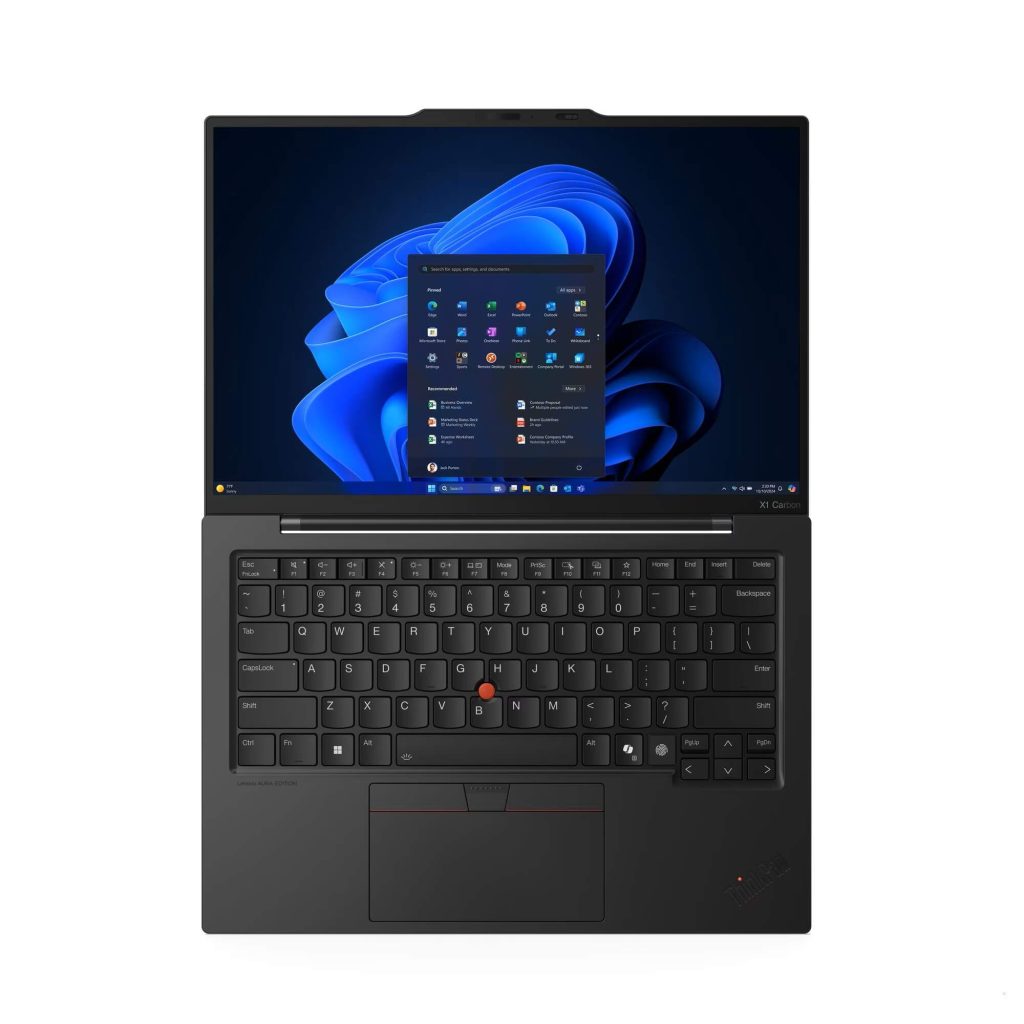
ThinkPad keyboards have historically been the best in the business laptop category, and the X1 Carbon Gen 13 largely maintains that reputation. The backlit keyboard delivers a satisfying typing experience with good key travel and well-spaced keys. Long typing sessions are comfortable, and the overall layout is clean and professional.
The fingerprint reader is integrated into a keyboard key, which keeps the palm rest area uncluttered and gives the design a refined look.
The one keyboard quirk worth calling out again is the single Ctrl key. This is a deliberate design choice by Lenovo, but it’s unconventional and not everyone will be comfortable with it.
The trackpad is functional and supports Windows Precision gestures reliably. The main criticism is sensitivity. It can feel a little unresponsive at times, particularly for fine cursor control, and it doesn’t quite match the precision of the best trackpads available on competing premium laptops. It’s not poor by any stretch, but on a laptop at this price point you’d hope for better.
Connectivity
The connectivity picture is strong in most areas, with one notable gap.
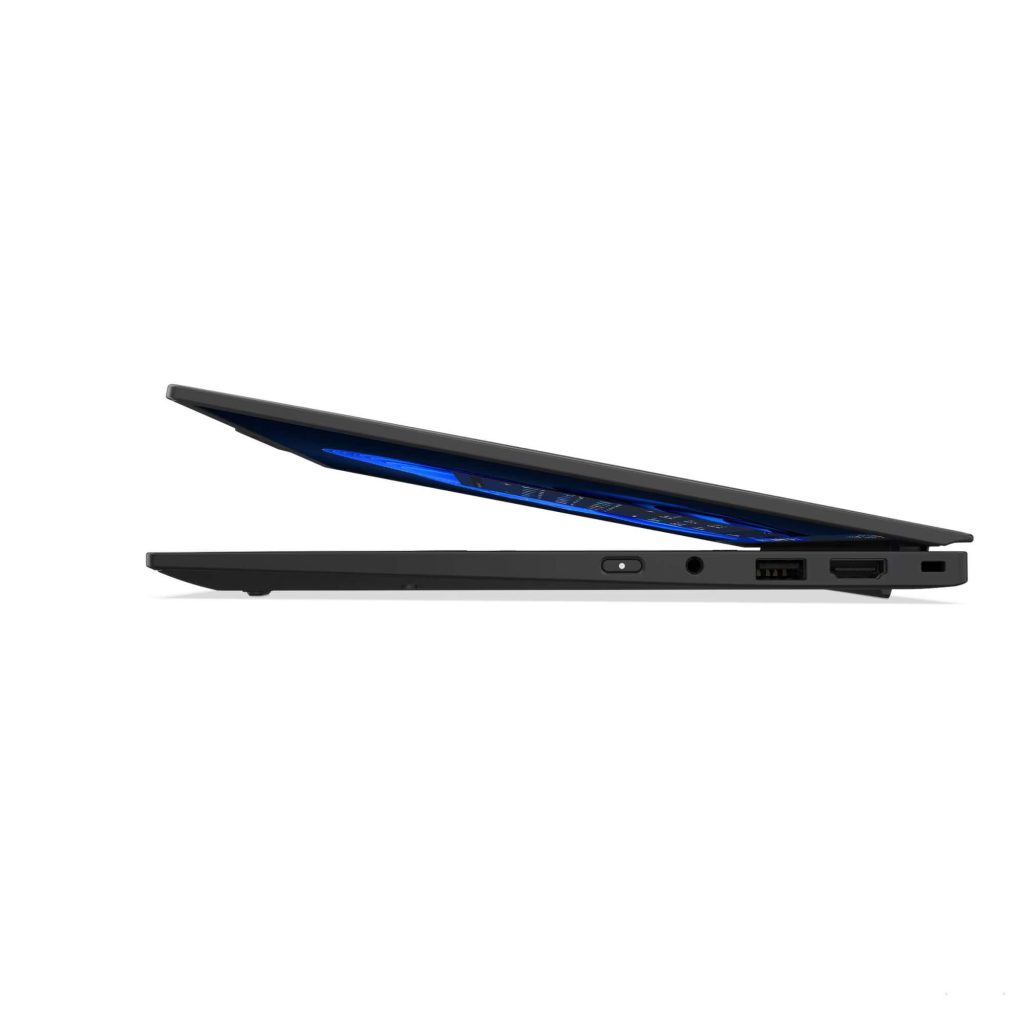
Dual Thunderbolt 4 ports at 40Gbps each with DisplayPort 2.1 support is excellent. Both ports support Power Delivery, meaning you can charge from either side of the laptop and connect high-resolution external displays or Thunderbolt docking stations with ease.
Wi-Fi 7 keeps the X1 Carbon at the cutting edge of wireless connectivity, and the Intel Evo Platform certification ensures the wireless experience is optimised for responsive, consistent performance.
Now for the gap: there is no ethernet port. On a premium business laptop aimed at professionals who regularly work in corporate environments, client offices, or anywhere with a wired network requirement, this is a real omission. You’ll need a USB-C to ethernet adapter or a docking station to get wired connectivity. That’s an extra cost and an extra accessory to carry.
There is also no SD card reader, and no NFC. For most business users these are minor points, but worth knowing.
Battery Life
The 57Wh battery combined with the efficient Lunar Lake platform delivers strong real-world battery performance. Expect somewhere around 8 to 12 hours of typical office use covering emails, documents, and video calls. That’s genuine all-day endurance for most professionals.
The low power display panel contributes meaningfully to this result. Running a 500-nit capable panel in low power mode without sacrificing too much brightness is a smart engineering choice that pays dividends in runtime.
Under heavier loads the fans become noticeable, and battery life drops accordingly. But for standard office workloads, the X1 Carbon Gen 13 is one of the better performers that I have seen.
Warranty and Support
The X1 Carbon Gen 13 includes a three-year Premier Support upgrade as standard in the box. This is a meaningful inclusion that adds real value to the purchase.
Premier Support gives you direct access to Lenovo’s senior technical support team rather than a standard call centre experience. For business users who can’t afford extended downtime, faster and more capable support access makes a practical difference.
The base service model remains courier/carry-in rather than on-site, which is the one support limitation worth noting. If on-site repair is a hard requirement, additional coverage options are available through Lenovo at the time of purchase.
The Aura Edition – What Does It Mean?
The Aura Edition designation refers to Intel’s Evo Platform certification program. It’s Intel’s quality benchmark for premium thin and light laptops, covering performance consistency, responsiveness, battery life, and connectivity standards.
In practical terms, it means this laptop has been tested and certified to meet a specific set of performance benchmarks rather than just claiming them on a spec sheet. It’s a meaningful quality assurance marker for buyers who want confidence in the premium they’re paying.
Is It Worth the Price Tag?
This is the honest question that deserves a straight answer.
If you are a professional who travels frequently, values a genuinely excellent display, needs a laptop that feels as premium as it costs, and can justify the expense, the X1 Carbon Gen 13 is worth it. Sub-kilogram weight, 100% sRGB at 500 nits, dual Thunderbolt 4, three years of Premier Support, and a carbon fibre chassis that will outlast most of its competitors make a coherent case for the price.
If you are a small business owner or professional working primarily from a desk, the premium over a well-specced ProBook or ThinkPad E14 is harder to justify. The E14 Gen 7, for instance, gives you 32GB of RAM and the same Arc 130V graphics for around $1,400 less. The display and build quality won’t match the X1 Carbon, but the day-to-day performance gap is smaller than the price gap suggests.
The 16GB RAM ceiling is the one spec that genuinely surprises at this price, and it’s worth factoring into your decision. If your work is RAM-intensive, explore higher-spec configurations before committing.
With laptop prices on the move across the market right now, it’s also worth reading my Warning: Laptop Prices Are About to Jump 10-20% post from December 2025 before you buy. And if you’re weighing up whether a premium business laptop is the right investment for your situation, my Business Laptop Buying Guide covers what to look for at every price point.
Pros
- Carbon fibre and aluminium chassis is genuinely premium and built to last
- Sub-kilogram weight at 986g is exceptional for a fully-featured business laptop
- 100% sRGB at 500 nits is the best display in its class
- Three-year Premier Support included as standard
- Dual Thunderbolt 4 with DisplayPort 2.1 on both ports
- Wi-Fi 7 for fast, future-proof wireless
- Intel Arc 130V integrated graphics handles more than standard office tasks
- Copilot+ PC certified with 40 TOPS NPU
- PCIe 5.0 storage slot for fast SSD performance
- MIL-STD-810H and Intel Evo Platform certified
Cons
- No ethernet port is a real gap for business users
- 16GB soldered RAM is not upgradable and feels limited at this price
- Single Ctrl key is unconventional and frustrating for some users
- Touchpad sensitivity falls short of premium expectations
- Fan noise under heavy load
- $2,734 is a significant investment that won’t suit every budget
- Courier/carry-in service despite Premier Support inclusion
Final Verdict
The Lenovo ThinkPad X1 Carbon Gen 13 Aura Edition is an exceptional business laptop that earns its reputation as Lenovo’s flagship ultraportable. The combination of sub-kilogram weight, a genuinely excellent 100% sRGB display, premium build quality, and three years of included Premier Support is a package that very few competitors can match at any price.
The frustrations are real but few. The absence of an ethernet port is a genuine inconvenience for business users who regularly work in wired environments. The 16GB RAM ceiling feels ungenerous at $2,734. And the single Ctrl key will bother a specific group of users more than others.
At $2,734 from Lenovo direct it is expensive, and it won’t be the right choice for everyone. But for professionals who travel frequently, demand the best display quality, and want a laptop that feels genuinely premium every time they open it, the X1 Carbon Gen 13 justifies the investment. It’s simply one of the finest business laptops available in Australia right now. If you’re still weighing up whether a premium business laptop is the right fit, my Business Laptop Buying Guide is a good place to start.