Here is How to a Gaming Laptop Without Getting Burned
A gaming laptop is one of the easiest ways to waste thousands of dollars in tech. The specs are confusing on purpose, the prices are all over the shop, and the marketing is built to sell you things you’ll never use.
Get it right and you’ll have a machine that keeps you gaming happily for years. Get it wrong and you’ll be stuck with an expensive, overheating brick that can’t run the games you bought it for.
This guide cuts through the noise. No fluff, no jargon, no upsell. Just what actually matters when you’re handing over a few thousand bucks.
In This Gaming Laptop Buying Guide
- Be Honest About What You Need
- Set Your Budget
- GPU Is King
- CPU (Matters Less Than You Think)
- RAM
- Storage
- Can You Upgrade It Later?
- Display
- Thermal Management
- Build Quality
- Size and Weight
- Battery Life
- The Charger
- Keyboard and Trackpad
- Ports and Connectivity
- What Should You Actually Buy?
- Where to Buy in Australia
- Common Marketing Traps
- Final Tips
- Final Word
First, Be Honest About What You Need
Before you spend a cent, ask yourself a few hard questions:
- Are you actually going to game on it? If you’re gaming maybe twice a month, you might be better off with a regular laptop and a console.
- Is portability genuinely important? If the laptop is going to live on a desk, a desktop PC gives you twice the performance for the same money.
- Will this be your only computer? That changes the calculation for ports, screen size, and keyboard.
- What games do you actually play? Esports titles like Valorant, CS2 and Fortnite run on almost anything. Cyberpunk, Monster Hunter Wilds and the latest AAA games are a different story.
If you can’t picture yourself actually using the portability, save your money and go desktop.
Set Your Budget Realistically (Prices Have Jumped in 2026)
Gaming laptop prices have copped a serious hike over the past year. Back in late 2025 I warned that prices were about to climb, and they have, by more than what I initially expected. Gaming laptops are up around 30 per cent over the past six months, and some other laptop categories have jumped as much as 50 per cent.
The causes are a mix of AI-driven component demand, memory shortages, and currency pressures. If you want the full background, see my breakdown of Intel and AMD’s CPU price increases and my look at how AI is driving up the cost of computers and parts.
Here’s roughly what to expect in 2026:
Entry Level: $1,000 to $1,500
- Big-box retailers start around $1,000, but you’re often looking at older silicon. Expect an Intel Core i5 or i7, 16GB RAM, and an RTX 3050 GPU
- Specialist stores start closer to $1,500, but you’ll get current-gen kit. Think Intel Core Ultra 7, 16GB RAM, and an RTX 5050 or 5060
- The extra few hundred dollars at a specialist is usually worth it for the newer GPU alone
Mid Range (The Sweet Spot): $2,500 to $4,000
- Where most buyers should land
- RTX 5060 and 5070 are the common GPUs here
- At the top of this tier (closer to $4,000), you can get entry-level RTX 5080 models
- Typically 16GB RAM
- Around 1TB SSD
- 144Hz to 165Hz displays standard, with some pushing up to 300Hz
- Solid build quality and decent thermals
High End: $4,000 to $7,000
- RTX 5080 is the most common GPU at this tier
- RTX 5070 is still heavily present, usually paired with premium everything else (better display, build, cooling)
- RTX 5090 starts to appear at the top end of this range
- 32GB RAM standard, often 64GB
- High refresh rate QHD or OLED displays
- Premium chassis and better cooling systems
Top Tier: $7,000 to $15,000
- RTX 5090 graphics as standard
- Intel Core Ultra 9 285HX or AMD Ryzen 9 equivalents
- 32GB up to 128GB RAM
- 2TB or larger NVMe SSDs
- 4K and high refresh OLED displays
- You’re paying a heavy premium for the last 10 to 15 per cent of performance
Honest take: Most gamers don’t need to go above $4,000. The mid-range tier delivers excellent 1080p and 1440p performance for the vast majority of titles. The top tier is mostly for content creators who also game, or buyers chasing absolute maximum performance without compromise.
GPU Is King (Don’t Get This Wrong)
The graphics card is the single most important component in a gaming laptop. Full stop.
You can have the fastest CPU in the world, but if your GPU is weak, your games will run badly. Sales people love to push the “Core Ultra 9 processor” because it sounds impressive, but the GPU is what matters.
Current GPU tiers to know:
- RTX 4050 / 5050: Entry level. Fine for esports and older AAA games at 1080p with reasonable settings.
- RTX 4060 / 5060: Mid range. The minimum I’d recommend for modern AAA gaming at 1080p high settings.
- RTX 4070 / 5070: Good for 1440p gaming and most things at high settings.
- RTX 4080 / 5080: High end. 1440p maxed out, or 4K with some compromise.
- RTX 4090 / 5090: Top tier. Mostly overkill unless you’re chasing 4K or doing serious creative work as well.
Worth knowing: almost all gaming laptops use NVIDIA GPUs. AMD Radeon laptop GPUs exist but are far less common, so most of your shopping will be NVIDIA.
Important to know: Laptop GPUs are NOT the same as desktop GPUs with the same name. A laptop RTX 5070 is significantly slower than a desktop RTX 5070. Don’t compare them directly.
The Catch: Same GPU Name, Different Performance
Here’s something the spec sheet won’t tell you. Two laptops can have the exact same GPU, say an RTX 5070, and perform very differently.
The reason is power. Manufacturers can run the same chip at different wattages, known as TGP (Total Graphics Power).
- A 5070 running at 140W will smoke a 5070 running at 85W
- The difference can be 20 to 30 per cent in real games
- The spec sheet usually just says “RTX 5070” and quietly hides the wattage
Always check reviews for the actual wattage before buying. A cheaper laptop running a higher-wattage GPU can beat a pricier one with the same chip choked down to save on cooling. This is one of the sneakiest ways manufacturers cut corners.
DLSS and Frame Generation
Modern NVIDIA GPUs come with some clever tricks worth understanding:
- DLSS uses AI to upscale a lower-resolution image, boosting frame rates with little visible quality loss
- Frame Generation inserts AI-created frames between the real ones for smoother visuals
What this means for buyers:
- These features can make a weaker GPU punch above its weight in supported games
- They’re a real reason a 5060 can sometimes deliver a better experience than its raw specs suggest
- Not every game supports them, so don’t rely on them for everything
AMD has its own version called FSR. It has traditionally worked across a wider range of hardware, though the latest versions are more tied to recent AMD GPUs.
MUX Switch (Worth Looking For)
A MUX switch lets the laptop send graphics straight from the GPU to the screen, skipping the integrated graphics middleman. The result is better gaming performance, often 5 to 15 per cent.
- Most decent gaming laptops now include one
- Some brands call their version “Advanced Optimus,” which switches automatically
- Not a dealbreaker if it’s missing, but a nice bonus if it’s there
CPU Matters Less Than You Think
This is where sales people will try to upsell you. An Intel Core Ultra 9 or Ryzen 9 sounds amazing, but it does very little for gaming.
The honest truth:
- An Intel Core Ultra 7 or AMD Ryzen 7 is the sweet spot for gaming
- An Intel Core Ultra 9 or Ryzen 9 mostly adds cost without adding gaming performance
- More CPU cores help with streaming, video editing, and heavy multitasking, not gaming itself
A quick note on Intel’s naming: Intel dropped the old “Core i7” and “Core i9” badges in favour of “Core Ultra 7” and “Core Ultra 9” on its newer chips. You’ll still see Core i5 and i7 on older or budget models, but most current gaming laptops use Core Ultra. Same idea, newer name.
For gaming you also want the high-performance H or HX version of the chip (like a Core Ultra 7 255HX or Core Ultra 9 285HX), not the efficiency-focused U version. My Intel Core Ultra U vs H vs V explainer breaks down what those letters mean.
Both Intel and AMD make excellent gaming CPUs, so don’t get hung up on the brand. The GPU matters far more.
If you have to choose: spend the saved money on a better GPU. A laptop with a Core Ultra 7 and RTX 5070 will out-game one with a Core Ultra 9 and RTX 5060 every single time.
RAM: 16GB Minimum, 32GB Is the New Sensible
- 8GB: Dead for gaming. Avoid.
- 16GB: Works fine right now for most games. The minimum I’d accept.
- 32GB: Future-proofs the laptop and helps with multitasking, streaming, and modern games that are getting hungrier.
- 64GB+: Only needed for creative work alongside gaming.
Critical thing most buyers miss: check that the RAM is dual-channel, not single-channel. Single-channel RAM can absolutely tank performance. More on why in my guide to dual-channel RAM in laptops.
Two sticks of 8GB beats one stick of 16GB. Every single time.
Storage: 1TB Is the New Minimum
Modern games are massive. Call of Duty alone can chew up over 200GB. A handful of AAA titles will fill a 512GB SSD before you’ve even installed Windows updates. Honestly, with a 512GB drive you’ll be uninstalling games to make room within a month.
- 512GB: Too small in 2026. Skip it unless the price is exceptional.
- 1TB NVMe SSD: The new sensible minimum.
- 2TB+: Worth it if you keep a big game library installed.
Look for PCIe Gen 4 NVMe drives. They’re standard now and significantly faster than older SATA SSDs.
Can You Upgrade It Later?
This matters more than people realise, and it’s getting worse in 2026 as gaming laptops get thinner.
- RAM is often soldered to the motherboard on slim gaming laptops, which means you can’t upgrade it ever. So buy enough up front.
- Storage is usually upgradeable via an M.2 slot, and many laptops have a spare slot for adding a second drive
- Check for a removable bottom panel. Some thin-and-light gaming laptops are sealed up tight, making any upgrade a nightmare.
Before you buy, search the exact model along with “RAM upgrade” or “teardown” to see what’s actually accessible. If the RAM is soldered, treat the RAM amount as final and buy accordingly.
Display: Where Manufacturers May Cut Corners
Display specs are confusing on purpose. Here’s what actually matters.
Refresh Rate
- 60Hz: Avoid in a gaming laptop. Just don’t.
- 120Hz / 144Hz: The sensible minimum. Smooth enough for most gaming.
- 165Hz / 240Hz: Great for competitive gaming. The jump from 60 to 144Hz is huge. The jump from 144 to 240Hz is much smaller.
- 300Hz+: For competitive esports players only.
Resolution
- 1080p (FHD): Standard. Easier on the GPU. Most gaming laptops still ship with this.
- 1440p (QHD): Sharper, but needs a stronger GPU. Worth it on 16-inch or larger screens.
- 4K: Mostly overkill on a laptop screen. Looks great but eats GPU performance.
Rule of thumb: match your screen to your GPU. A 4K screen with a 5050 inside is a waste. A 1080p screen with a 5080 is also a waste.
Panel Type and Colour
- IPS: Standard, good colours, decent viewing angles. Fine for most gamers.
- OLED: Beautiful blacks and contrast. Great for gaming and movies. Watch for potential burn-in over time.
- Avoid: Cheap TN panels and anything quoting 45% NTSC or 62.5% sRGB colour coverage. These displays are washed out and unpleasant to look at, no matter what the price.
Adaptive Sync (G-Sync / FreeSync)
This syncs the screen’s refresh rate to the GPU’s frame output, which removes screen tearing and stutter.
- NVIDIA calls it G-Sync, AMD calls it FreeSync
- It really makes gameplay look smoother
- Most modern gaming displays include some form of it, so it’s not something to stress over, but good to have
One more thing: most gaming laptops are non-touch, and that’s perfectly fine for gaming. Touch adds cost and glare and does nothing for frame rates. If you’re weighing it up for general use, my touch screen vs non-touch guide covers when it’s actually worth having.
Thermal Management: The Silent Killer
A gaming laptop that overheats will throttle its performance to protect itself. So you can have the best GPU in the world and still get average performance if the cooling is rubbish.
What to look for:
- Multiple fans (most decent gaming laptops have two)
- Vapour chamber cooling on higher-end models
- Decent ventilation, ideally venting out the back and sides rather than the bottom
- Reviews that specifically test thermals under sustained load
What to plan for:
- Always use it on a hard, flat surface. Beds and couches block airflow.
- Consider a cooling pad for long gaming sessions
- Expect fan noise. Under heavy load, some gaming laptops sound like a small vacuum cleaner once the fans spin up. That’s completely normal, and a decent set of headphones sorts it out.
If a reviewer mentions “thermal throttling” or “sustained performance drops,” take it seriously. It usually means the laptop can hit big numbers in short bursts but can’t keep them up.
Build Quality
- Plastic chassis: Lighter and cheaper. Can still be perfectly fine if well-built. Common in mid-range gaming laptops like the HP Victus.
- Aluminium / metal: Feels premium, more durable, but adds weight and cost. Common in higher-end gaming laptops.
- Carbon fibre composites: Found on premium models. Light and strong, but expensive.
Things that matter more than the material:
- A sturdy hinge that doesn’t wobble
- A keyboard deck that doesn’t flex when you press hard
- Smooth panel gaps and no creaks
RGB lighting is a personal preference. It doesn’t affect performance. Don’t pay extra for it if you don’t care.
Size and Weight: Don’t Regret Your Choice
Screen size changes the whole feel of the laptop, not just how much you can see.
- 14-inch: The most portable gaming option. Fits any bag, easy to carry. Great for students and travellers, though cooling can be tighter in a small chassis.
- 16-inch: The sweet spot for most people. Big enough to enjoy, still portable enough to lug around. Most of the good models live here.
- 18-inch: A desktop replacement, not a travel machine. Brilliant for a permanent setup, but a pain to actually move.
A real-world warning: plenty of buyers fall for the giant 18-inch screen in the store, then realise it weighs close to 3kg, barely fits in a backpack, and never actually leaves the desk. If it’s staying put, an 18-inch is great. If you’re carrying it daily, you’ll come to hate it.
Weight rule of thumb:
- Under 2kg: genuinely portable
- 2 to 2.5kg: manageable, but you’ll feel it
- Over 2.5kg: you’ll think twice about taking it anywhere
Battery Life: Manage Your Expectations
Gaming laptops are not all-day machines. Anyone telling you otherwise is selling you something.
Realistic expectations:
- Gaming on battery: 1 to 2 hours, often less. The GPU draws too much power.
- Light use (browsing, video): 4 to 6 hours on most models.
- Best in class: 8 hours on light use, but you’re paying for it.
Manufacturer claims are almost always optimistic. They test with the screen dimmed, integrated graphics only, and minimal background activity. Real-world numbers will be lower.
Always plan to be near a power point if you’re gaming.
The Charger (A Bigger Deal Than You’d Think)
Nobody mentions this until they’ve had to lug one around. Gaming laptop chargers are big.
- High-end gaming laptops often ship with a power brick the size of a paperback book, sometimes 280W or more
- That brick adds real weight and bulk to your bag
- USB-C charging is handy for light use, but it usually won’t deliver enough power for full gaming performance
- You’ll need the big proprietary charger plugged in to game at full tilt
If you travel a lot, factor the charger into your “is this actually portable” decision. A 2kg laptop with a 1kg brick is not really a 2kg laptop.
Keyboard and Trackpad
You’ll use a proper mouse for serious gaming. The trackpad is mostly for navigating the OS.
What matters:
- Decent key travel for comfortable typing during longer sessions
- Backlit keys for low-light use
- N-key rollover is nice for gaming but not essential
- Trackpad size and responsiveness if you’ll work on the laptop as well as game
Mechanical keyboards on laptops are rare and bulky. Most gaming laptops use scissor-switch or shallow mechanical-feel keys, which is fine.
Ports and Connectivity
Often overlooked, often regretted. Check for:
- HDMI for connecting to an external monitor or TV
- USB-A for mice, keyboards, USB sticks
- USB-C / Thunderbolt 4 (or 5) for fast data, charging, and docks. Thunderbolt 5 is starting to appear on higher-end machines.
- Ethernet port for stable online gaming. Wi-Fi is fine, but wired is better for competitive play.
- 3.5mm headphone jack because Bluetooth headphones have latency
- Wi-Fi 6E or Wi-Fi 7 for the best wireless speeds
What Should You Actually Buy?
Specs make a lot more sense when you match them to a real person. Here’s a rough guide based on what kind of gamer you are.
| Buyer Type | GPU | Display | RAM | What to Prioritise |
|---|---|---|---|---|
| Student / Casual | RTX 5050 or 5060 | 1080p, 144Hz | 16GB | Portability and battery |
| Competitive Gamer | RTX 5060 or 5070 | 1080p, 240Hz+ | 16 to 32GB | High refresh rate |
| AAA Gamer | RTX 5070 or 5080 | 1440p, 165Hz | 16 to 32GB | GPU power |
| Gaming + Uni + Work | RTX 5060 or 5070 | 1440p, 144Hz | 32GB | Balance of battery and grunt |
| Creative + Gaming | RTX 5080 or higher | QHD or OLED | 32GB+ | Colour accuracy and power |
A few notes:
- Students and casual gamers shouldn’t overspend. A 5050 or 5060 handles esports and most AAA games at 1080p just fine. My student laptop buying guide covers the non-gaming side too.
- Competitive players should chase refresh rate over raw resolution. A high frame rate at 1080p beats a pretty 1440p picture for fast games.
- If your machine doubles as a serious work device, it’s worth a look at my business laptop buying guide for the productivity side.
- Creatives who game are the one group who genuinely benefit from OLED screens and 32GB or more of RAM.
Where to Buy in Australia
This is where you can save (or waste) a fair bit of money without changing the laptop itself. You’ve got three main options.
1. Specialist Computer Retailers
These won’t always have the cheapest sticker price. They’re smaller than the big-box chains, so their purchasing power isn’t on the same level. Their in-store stock displays may not be the greatest. Where they shine is everything around the sale:
- More knowledgeable staff who actually game and know the gear
- Wider range of brands and configurations
- Better post-sale support if something goes wrong
- They’ll usually price match the big guys if you ask, so don’t be shy
For gaming laptops specifically, the specialist retailers worth a look are:
2. Big-Box Retailers
JB Hi-Fi, Harvey Norman, and Officeworks often run aggressive sale pricing thanks to their volume buying power, though staff knowledge can be hit or miss when it comes to gaming-specific gear.
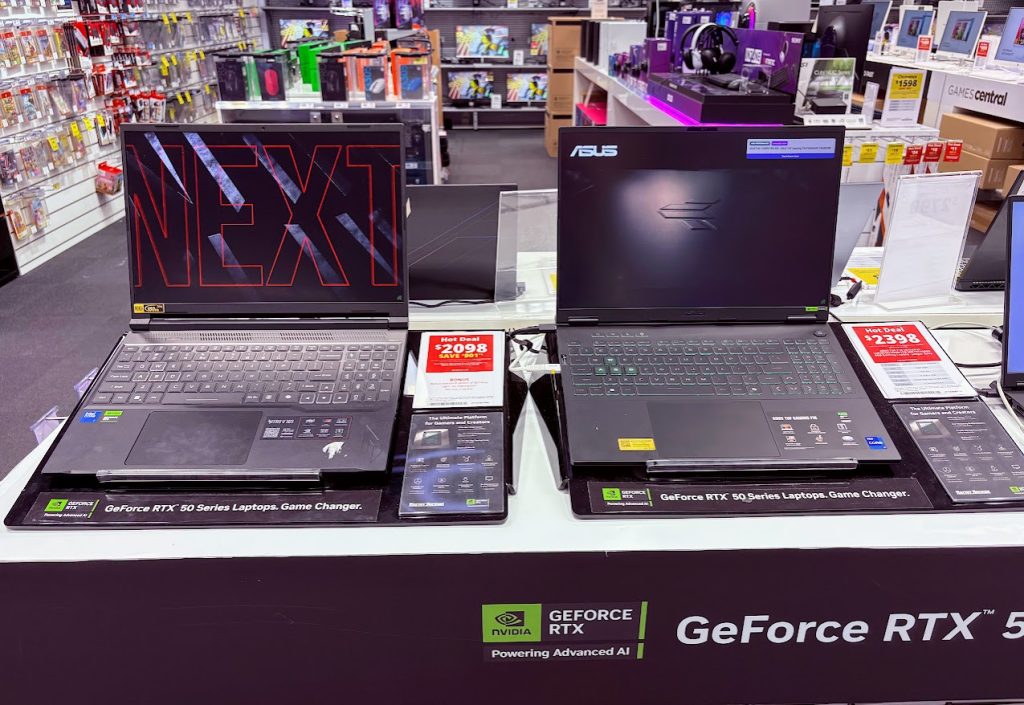
One thing worth being aware of in the current market: many retailers (both big and small) have taken advantage of rising wholesale costs to bump up prices on older stock that was purchased at the previous, lower wholesale pricing. It’s not exclusive to any one chain. There’s more on this in my article on retailers ripping buyers off right now.
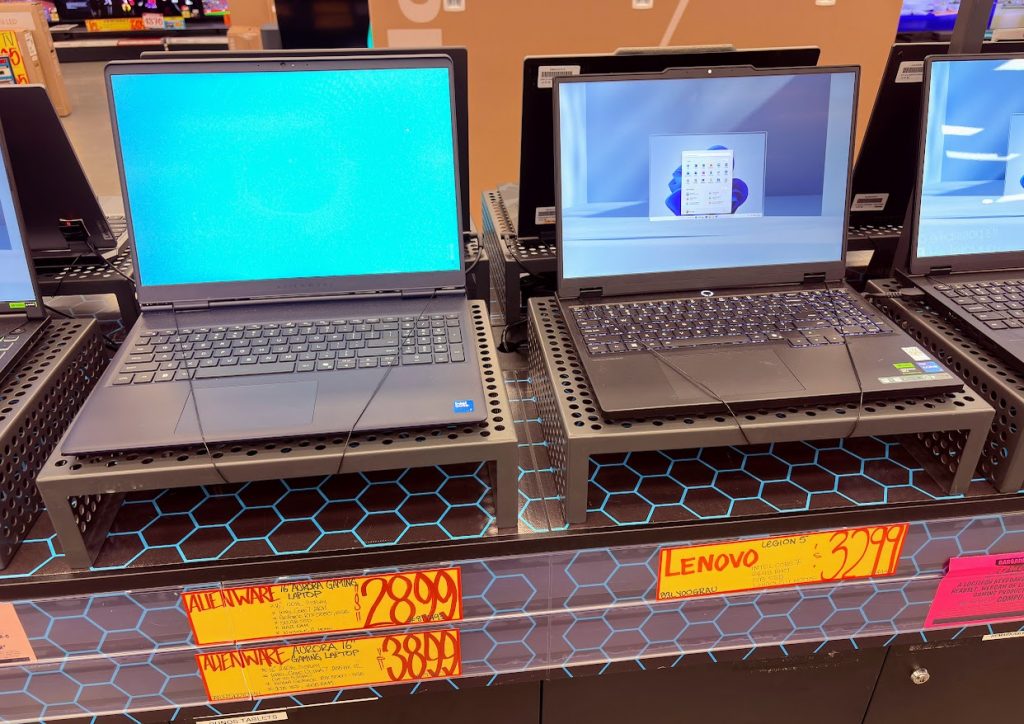
Always compare across multiple sellers before committing.
3. Buying Direct From the Brand
Most major brands run their own online stores in Australia, including:
- Lenovo Store
- HP Store
- Dell / Alienware Store
- ASUS Store
What’s good about buying direct:
- They run special offers and discount codes pretty much year round
- Often have exclusive models and configurations you can’t get anywhere else
- Some let you custom build your laptop (pick your CPU, GPU, RAM, storage), which is great if you want a specific setup
- Direct manufacturer warranty handling
The catches to watch for:
- RRP is often inflated, so never buy without a current sale or discount code applied
- Shipping times can be longer, especially for custom builds
- Returns and warranty claims go through the manufacturer, which can be slower than dealing with a retailer face to face
Quick tip: Whichever route you go, compare prices across all three using Staticice and Google Shopping before pulling the trigger. The same laptop can vary by hundreds of dollars across retailers, and price matching is your friend.
Common Marketing Traps to Watch For
Sales tactics and spec-sheet tricks designed to part you from your money:
- “Core Ultra 9!” with a weak GPU. The CPU sounds impressive, but the GPU does the gaming. A flashy CPU paired with a budget GPU is a classic upsell.
- “32GB RAM!” hiding a weak GPU. RAM is cheap to advertise. Don’t let a big number distract you from what’s actually driving your frames.
- Big GPU name, no wattage. “RTX 5070” tells you the chip, not the power it runs at. A choked-down GPU is a quiet way to cut costs.
- 4K screen on a budget laptop. Looks great on the box, but the GPU can’t drive games at 4K, so you’ll end up gaming at 1080p anyway.
- “All-day battery” claims. For a gaming laptop, this is pure fantasy once you start actually gaming.
- RGB everything. Lights are fun, but they don’t add a single frame per second.
- Inflated RRP with a “huge discount.” The “was” price is often invented to make the deal look better than it is.
And a few honest mistakes buyers make:
- Buying for specs they’ll never use (a 5090 for League of Legends)
- Skipping reviews and trusting the spec sheet alone
- Ignoring thermal reviews, then wondering why performance drops
- Paying full RRP when there’s nearly always a better deal somewhere
Final Tips Before You Buy
- Read at least two or three independent reviews before pulling the trigger
- Check the return policy. A 14-day return window is your friend.
- Consider extended warranty on machines over $3,000. They’re expensive to repair.
- Don’t be afraid to wait. Major sales happen at EOFY, Black Friday, and back-to-school time.
- Don’t buy for nice to have specs you’ll never use
Final Word
A good gaming laptop is a serious investment, especially with where prices sit right now. The best one for you matches the games you actually play, the budget you actually have, and the way you actually use it.
Don’t get sold on the most expensive option. Don’t get scared into the cheapest either. The sweet spot for most buyers in 2026 sits between $2,500 and $4,000, with an RTX 5060, 5070, or entry-level 5080, 16 to 32GB of RAM, a 1TB SSD, and a decent 144Hz display.
Take your time, compare prices across retailers, and read real reviews before you commit.
Because the best gaming laptop isn’t the most expensive one. It’s the one you’ll still be happy using three years from now.