A No-Compromise Flagship, At a Flagship Price
Every gaming laptop range has a halo product. The one that throws practicality out the window and chases raw performance, premium materials, and the best display money can buy. For Lenovo, that’s the Legion Pro 7.
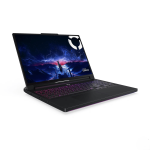
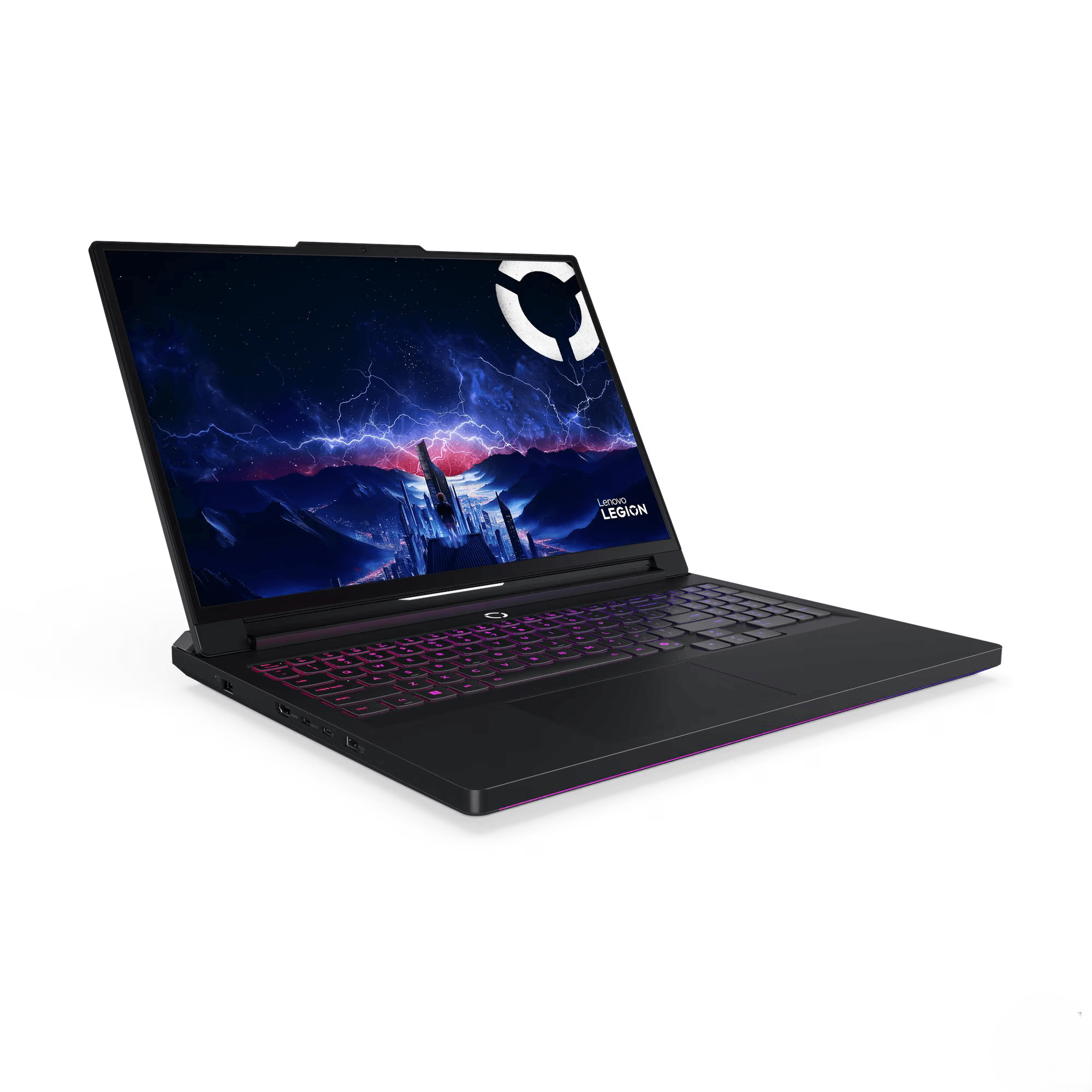
The 16IAX10H configuration is about as loaded as mobile gaming gets in 2026. An Intel Core Ultra 9 275HX, a full-fat NVIDIA RTX 5090 with 24GB of GDDR7, 64GB of fast DDR5-6400 RAM, and a 16-inch 240Hz OLED display with proper HDR. This is a desktop replacement in the truest sense, a machine built to outperform most gaming desktops while technically still folding shut.
It caught my eye because JB Hi-Fi has it heavily discounted for the end of financial year, and for once the discount looks genuine. So is this flagship worth your attention, or is it overkill you’ll pay dearly for? Let’s get into it.
Pros
- Class-leading RTX 5090 performance with 24GB VRAM
- Stunning 240Hz OLED display
- Genuinely good EOFY pricing at JB Hi-Fi
Cons
- Heavy laptop and a huge 400W charger
- Gets warm and loud under heavy load
- Speakers underwhelm for the price
Key Specifications
- Display: 16″ WQXGA (2560 x 1600), OLED, 240Hz, 100% DCI-P3, 500 nits typical / 1100 nits peak, DisplayHDR True Black 1000, Dolby Vision, G-SYNC, factory calibrated, Pantone validated, glossy
- Processor: Intel Core Ultra 9 275HX (24 cores: 8P + 16E, 24 threads, up to 5.4GHz, 36MB cache)
- NPU: Intel AI Boost (up to 13 TOPS)
- Graphics: NVIDIA GeForce RTX 5090 24GB GDDR7, 175W TGP, 1824 AI TOPS
- Memory: 64GB (2 x 32GB) DDR5-6400 CSODIMM, dual-channel, two slots, upgradable to 64GB
- Storage: 1TB PCIe 4.0 x4 NVMe SSD (M.2 2242), plus two free M.2 2280 slots (one PCIe 5.0, one PCIe 4.0)
- Operating System: Windows 11 Home
- Wireless: Wi-Fi 7 (802.11be 2×2), Bluetooth 5.4
- Ports: 2x USB-A (5Gbps), 1x USB-A (10Gbps, Always On), 1x USB-C (10Gbps, USB PD 95-100W, DisplayPort 2.1), 1x Thunderbolt 4 / USB4 (40Gbps, DisplayPort 2.1), HDMI 2.1 (up to 8K/60Hz), 2.5GbE Ethernet (RJ-45), 3.5mm combo audio jack, Slim Tip power
- Camera: 5MP with E-shutter
- Audio: 4 stereo speakers (2x 2W woofers, 2x 2W tweeters), Nahimic Audio, Smart Amplifier
- Keyboard: Per-key RGB backlit, full-size, plus 4 switchable keycaps in the box
- Touchpad: Buttonless Mylar touchpad, 75 x 120mm
- Battery: 80Wh
- Power Adapter: 400W Slim Tip
- Weight: Starting at 2.57kg
- Dimensions: 364.38 x 275.94 x 21.9-26.65mm
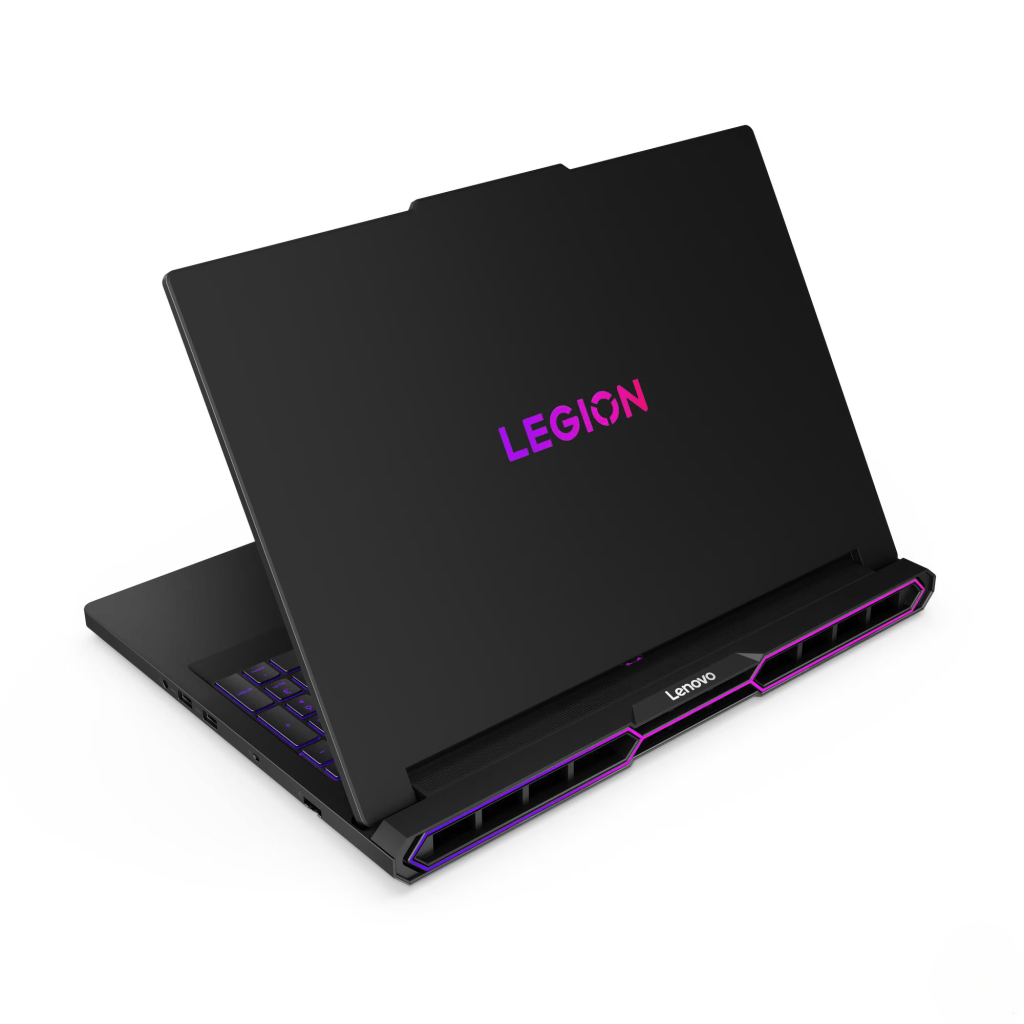
- Build: All-aluminium top and bottom, anodized sandblasting finish
- Colour: Eclipse Black
- Security: Firmware TPM 2.0, camera E-shutter
- Certifications: Pantone Validated, Pantone SkinTone Validated, TÜV Flicker Free, TÜV High Gaming Performance, TÜV Low Blue Light
- Warranty: 1 year courier or carry-in
- Part Number: 83F5004NAU
- Price: JB Hi-Fi $5,999 (EOFY, $2,000 off), Officeworks $6,297 (online only), Harvey Norman $7,598, Amazon $5,999 (out of stock), Lenovo direct $10,779
Pricing: An EOFY Deal That Actually Stacks Up
I spend a lot of time on this site warning about inflated “savings” stickers. So it’s worth saying clearly: this one looks like a genuine deal.
Here’s the lay of the land:
- JB Hi-Fi: $5,999 (advertised “$2,000 off” a $7,999 ticket) plus a software bundle
- Officeworks: $6,297 (online only) plus the same software bundle
- Harvey Norman: $7,598 plus the 007 First Light NVIDIA game bundle, and they price match
- Amazon: $5,999 (currently out of stock)
- Lenovo direct: $10,779
Unlike the inflated-reference-price tricks I’ve called out at retailers, the $7,999 regular ticket here is believable. RTX 5090 laptops genuinely retail in the $7,000 to $8,000 range, Harvey Norman is sitting right up there at $7,598, and Lenovo’s own direct price is a frankly ridiculous $10,779. Against all that, JB Hi-Fi’s $5,999 EOFY price is a real saving, not a marketing gimmick.
The smart way to buy it
A bit of homework can make a good deal even better:
- JB Hi-Fi at $5,999 is your baseline. It’s the cheapest in-stock price, and you get the software bundle thrown in.
- Harvey Norman price matches. They’re dearer at $7,598, but they include the 007 First Light game bundle and will match a competitor’s price. In theory, you take JB Hi-Fi’s $5,999 to Harvey Norman, get it matched, and walk away with the cheapest price plus the game. The catch: retailers often won’t honour a bonus offer on a price-matched item, so ring your local store first and confirm before you make the trip. If they’ll do it, that’s the best overall deal going.
- Officeworks is online only at $6,297. That matters, because their usual in-store price beat guarantee generally needs the item in stock in store. With this being an online-only line for them, don’t count on the price beat working the way it did on cheaper models. Worth asking, but don’t bank on it.
- Skip Lenovo direct entirely. At $10,779, it’s nearly double JB Hi-Fi’s price for the identical laptop. There’s no scenario where buying direct makes sense here.
About that software bundle
The JB Hi-Fi and Officeworks deals include redemption licences for a stack of creative software (Capture One Pro, Luminar Neo, Vegas Pro Edit 365, XSplit Premium, and your choice of Adobe Creative Cloud Pro or Adobe Express, among others). Some of these are genuinely valuable, especially if you’re a content creator.
Two things to keep in mind. First, these are redemption offers, so you’ll need to claim them through Lenovo or the retailer within a set window, and the process can be fiddly. Second, check whether the licences are perpetual or time-limited subscriptions before you factor them into the value. Treat the bundle as a nice bonus rather than a core reason to buy.
For more on why high-end components keep getting more expensive, see my coverage on how AI is pushing up the cost of computers and parts and the broader laptop price increase warning.
Display: Reference-Grade OLED
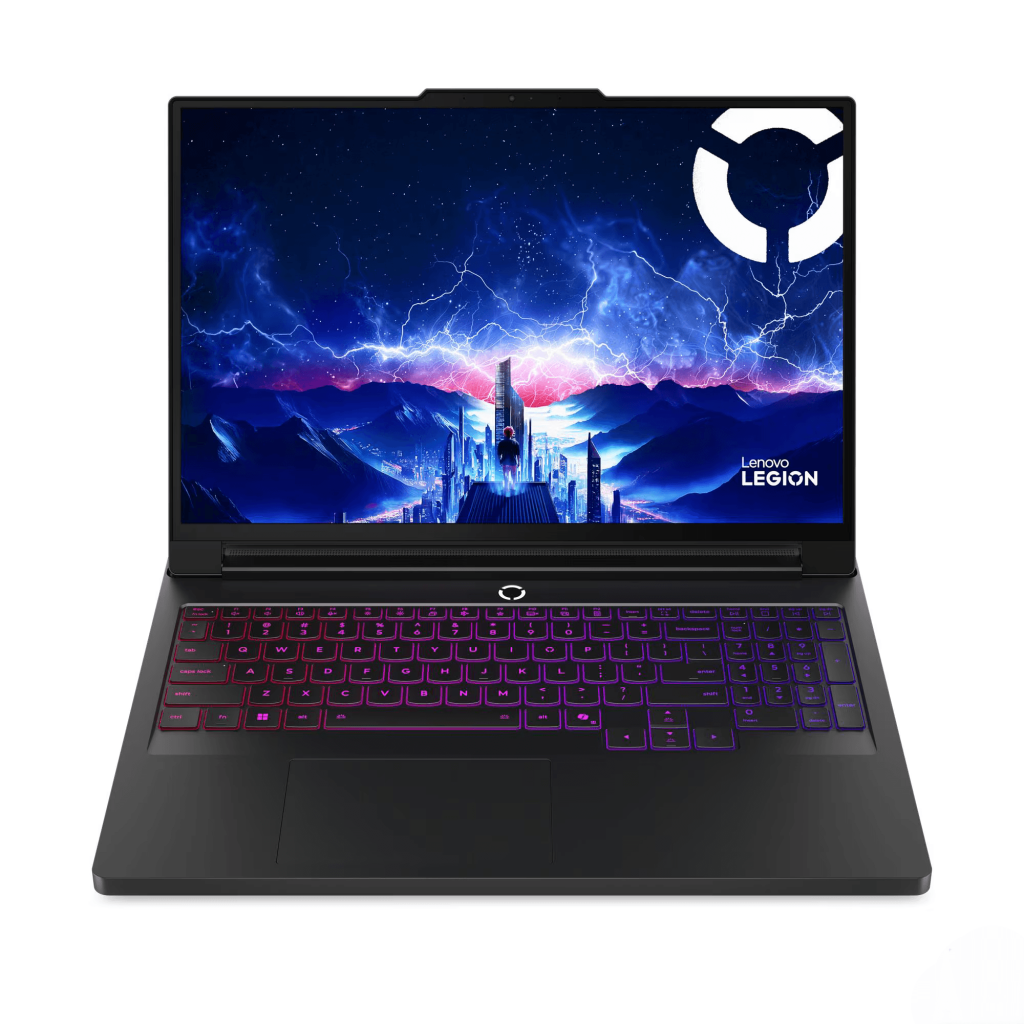
The 16-inch OLED display is the centrepiece, and it’s one of the best laptop screens you can buy in 2026.
What you’re getting:
- 2560 x 1600 (WQXGA) resolution with a 16:10 aspect ratio
- 240Hz refresh rate for genuinely silky-smooth gaming
- OLED panel with perfect blacks and infinite contrast
- 100% DCI-P3 coverage with factory calibration and Pantone validation
- 500 nits typical, 1100 nits peak brightness
- DisplayHDR True Black 1000 and Dolby Vision for outstanding HDR
- NVIDIA G-SYNC for tear-free gaming
- TÜV Flicker Free and Low Blue Light certifications
For gaming, the 240Hz refresh rate paired with OLED’s near-instant pixel response is about as good as it gets. Fast-paced competitive titles feel razor-sharp, and the RTX 5090 has the grunt to actually push high frame rates at this resolution, so the 240Hz panel isn’t wasted. Dark scenes look stunning thanks to OLED’s true blacks, and HDR content genuinely pops with the True Black 1000 certification.
For creative work, the Pantone validation and factory calibration mean this display is accurate enough for professional photo and video editing straight out of the box. If you’re a creator who also games, this screen does both jobs brilliantly.
The usual OLED notes apply. The glossy finish reflects light in bright rooms, and long-term burn-in is a consideration with static UI elements, though Lenovo includes the standard mitigation features. For most users these are minor trade-offs against a genuinely spectacular display.
Performance
This is where the Legion Pro 7 flexes. The combination here is essentially the top of the mobile food chain.
The Intel Core Ultra 9 275HX is Intel’s current flagship mobile gaming chip, with 24 cores and a 5.4GHz boost. It chews through gaming, content creation, compiling, and heavy multitasking without breaking stride. Whatever you throw at it, the CPU is unlikely to be your bottleneck.
The 64GB of DDR5-6400 RAM in dual-channel is workstation-grade. This is far more than gaming needs, but it’s genuinely useful for video editing, running virtual machines, heavy multitasking, or local AI work. The fast 6400 MT/s speed and dual-channel configuration mean there’s no memory bottleneck here. For why dual-channel matters, see my dual-channel RAM explainer.
The VRAM story, flipped
If you read my Lenovo Legion 5i 15 Gen 10 review, you’ll remember the 8GB VRAM on its RTX 5070 was my main concern for 1440p gaming longevity. The Pro 7 is the complete opposite.
The RTX 5090 with 24GB of GDDR7 has more video memory than any current game can realistically use, even at 1440p or 4K with maxed textures and ray tracing. This is genuine future-proofing. You will not run out of VRAM on this laptop for the foreseeable life of the machine, and that 24GB is a serious asset for AI workloads, 3D rendering, and high-resolution video editing too.
TGP done properly
The RTX 5090 here runs at 175W TGP, near the top of what’s available for this GPU in a laptop. Combined with the chunky chassis and cooling, that means the 5090 can actually stretch its legs rather than being power-starved. This is the difference between a flagship that performs like one and a thin-and-light that throttles its top-tier GPU down to mid-range numbers. If you’re still getting your head around how TGP, VRAM, and GPU tiers affect real-world performance, my gaming laptop buying guide breaks down what genuinely matters when choosing a gaming laptop, and what’s just marketing.
Gaming performance summary
At 1440p (the native resolution), expect to comfortably max out modern AAA titles with high frame rates, often well above 100 FPS, even with ray tracing and DLSS 4. Competitive titles will saturate the 240Hz panel easily. Plug into an external 4K display via HDMI 2.1 or DisplayPort, and the 5090 has the headroom to game seriously at 4K too.
This is, simply, one of the fastest gaming laptops you can buy in Australia right now.
Thermals
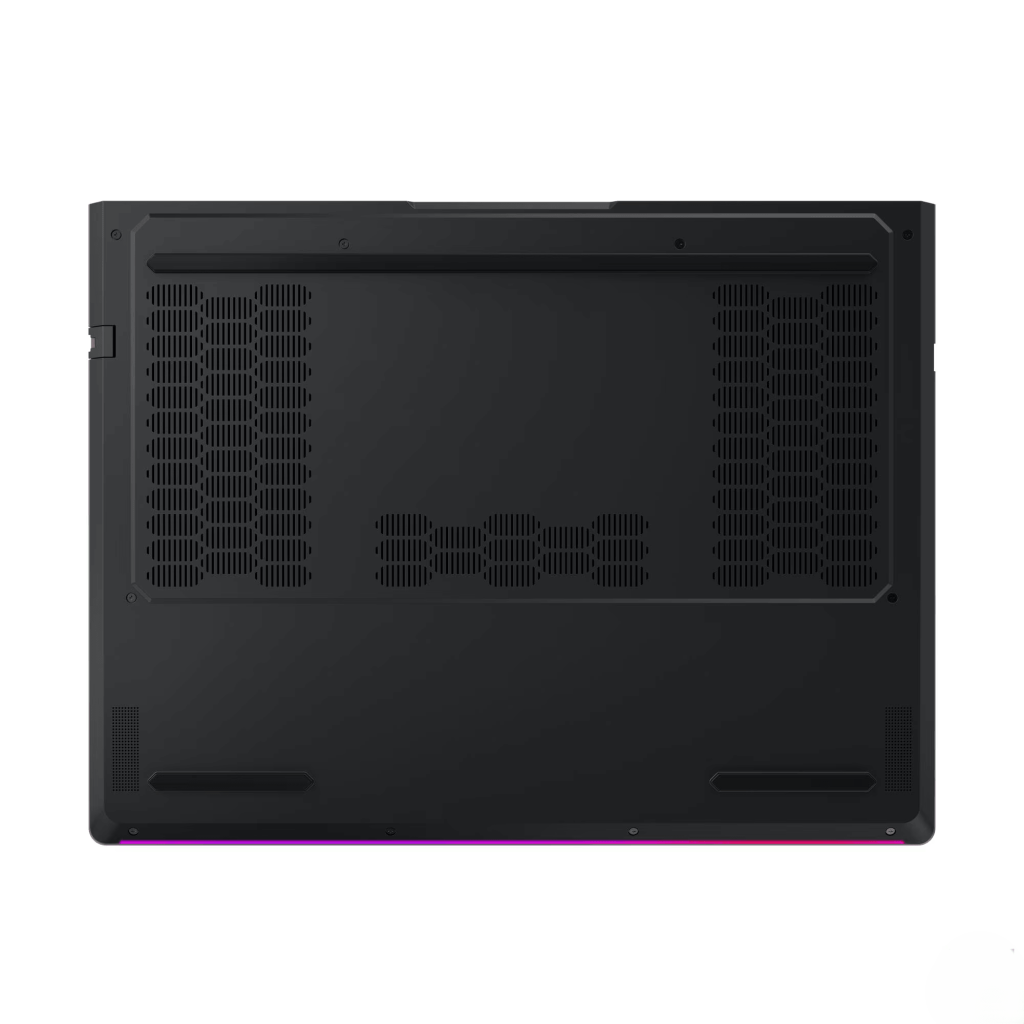
Here’s the honest trade-off for all that power. An RTX 5090 at 175W plus an Ultra 9 275HX generates a serious amount of heat, and there’s only so much a laptop chassis can do with it.
Under heavy sustained load, the Legion Pro 7 does get warm, and the fans get loud. This is not a criticism so much as physics. Lenovo’s cooling system keeps the components within safe thermal limits and avoids serious throttling, which is genuinely impressive given the wattage involved. But you’ll notice the heat around the keyboard during long gaming sessions, and you’ll definitely hear the fans.
For comparison, the lower-powered Legion 5i I have reviewed stayed notably cooler because its RTX 5070 draws far less power. That’s the deal with flagship hardware: more performance means more heat, full stop.
Practical advice: use this laptop on a hard, flat surface (never a bed or couch), consider a cooling pad for marathon sessions, and expect to use a headset during gaming to drown out the fans. For desk use, it’s completely manageable.
Keyboard and Trackpad
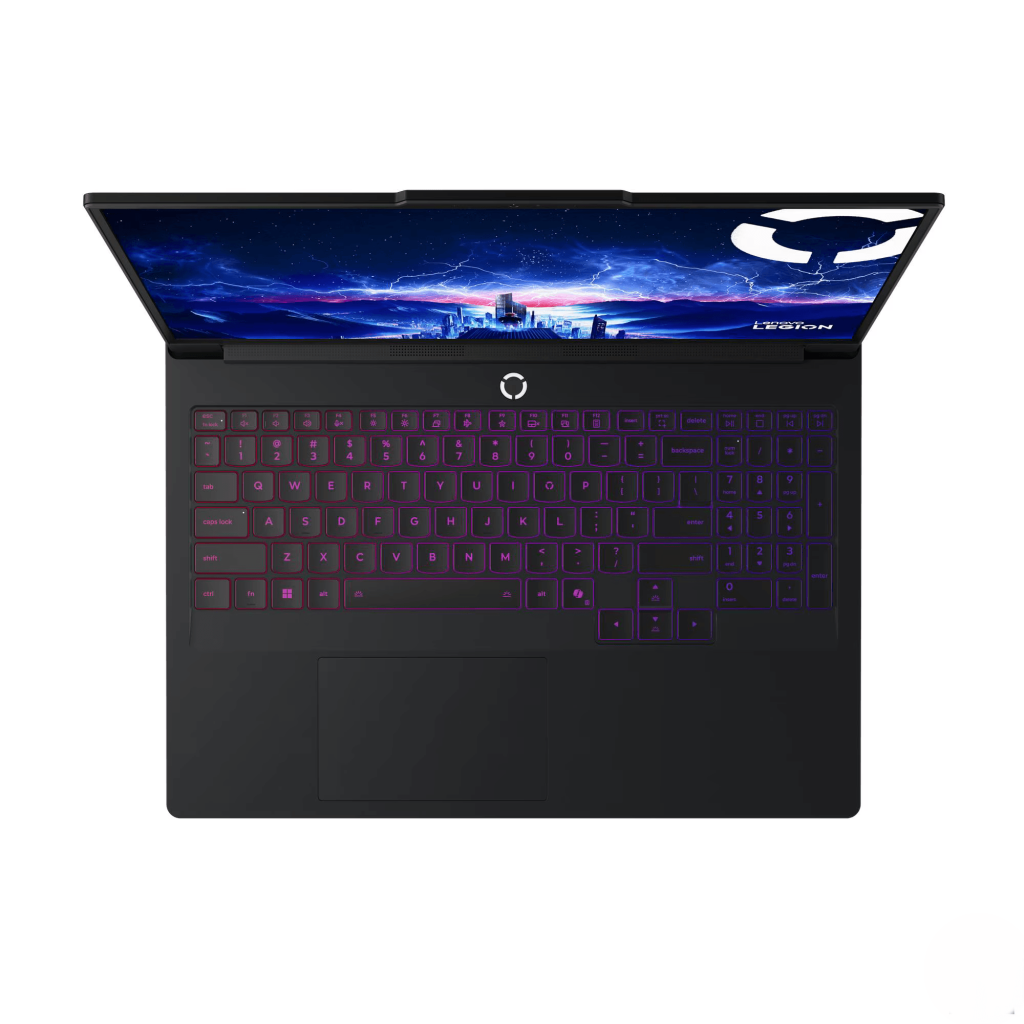
The per-key RGB backlit keyboard is excellent for both typing and gaming. Key travel is satisfying, the layout is full-size with a number pad, and the per-key lighting allows for detailed customisation. Lenovo even includes four switchable keycaps in the box, a nice touch for personalising the WASD or other key clusters.
The touchpad is the weak point. It’s a perfectly functional Mylar surface at 75 x 120mm, but for a laptop at this price, it could have been better. It lacks the premium glass feel you’d find on a high-end ultrabook or MacBook. Most buyers will use a gaming mouse anyway, so this is a minor gripe, but at $6,000 it’s fair to expect a touchpad that feels a notch more premium.
One genuine annoyance worth flagging: managing all the lighting can be fiddly. Between the per-key RGB, the various lighting zones, and Lenovo’s software, getting the lights set up exactly how you want takes patience. Some users will love the customisation. Others will find it overwhelming or just want a simple off switch. It’s a “more is more” approach that won’t suit everyone.
Audio
This one’s a genuine disappointment given the spec sheet. On paper, the four-speaker setup (two woofers, two tweeters) with Nahimic processing and a smart amplifier should be excellent. In practice, the speakers are just okay. They’re loud enough and clear enough for video calls and casual use, but they lack the richness and bass you’d expect from a $6,000 flagship.
For a machine at this price, the audio should have been a highlight rather than an afterthought. You’ll want a good headset or external speakers for any serious gaming or media use. The 3.5mm combo jack and Bluetooth 5.4 handle external audio reliably.
Ports and Connectivity
The port selection is excellent and befits a flagship:
- 3x USB-A (two 5Gbps, one 10Gbps Always On)
- 1x USB-C (10Gbps, USB PD 95-100W, DisplayPort 2.1)
- 1x Thunderbolt 4 / USB4 (40Gbps, DisplayPort 2.1)
- HDMI 2.1 up to 8K/60Hz
- 2.5GbE Ethernet (RJ-45)
- 3.5mm combo audio jack
- Slim Tip power connector
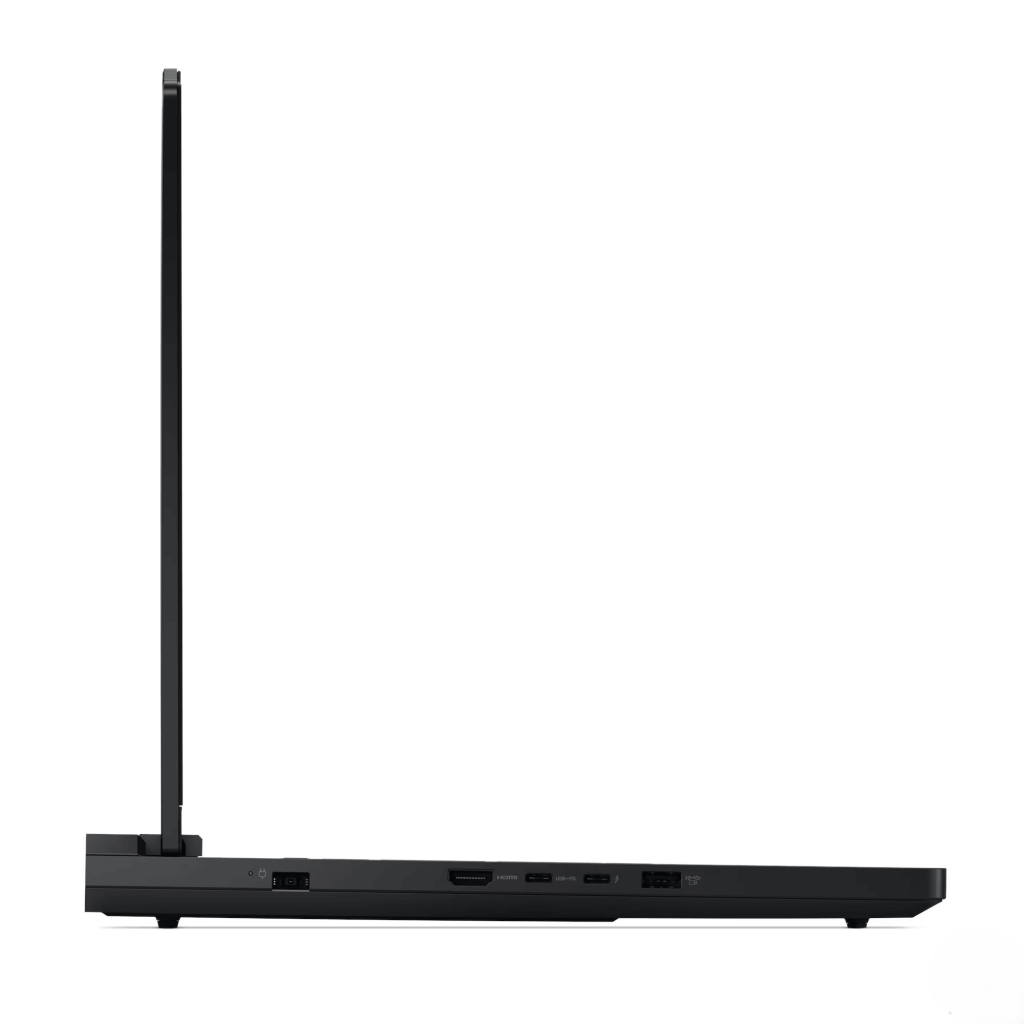
The standout additions over the cheaper Legion 5i are Thunderbolt 4 and 2.5GbE Ethernet. Thunderbolt 4 opens up high-speed external storage, eGPU docks, and professional peripherals, while the 2.5GbE Ethernet is genuinely useful for fast local networks and stable, low-latency online gaming. The dual DisplayPort 2.1 outputs (via USB-C and Thunderbolt) plus HDMI 2.1 mean you can drive multiple high-resolution, high-refresh external monitors.
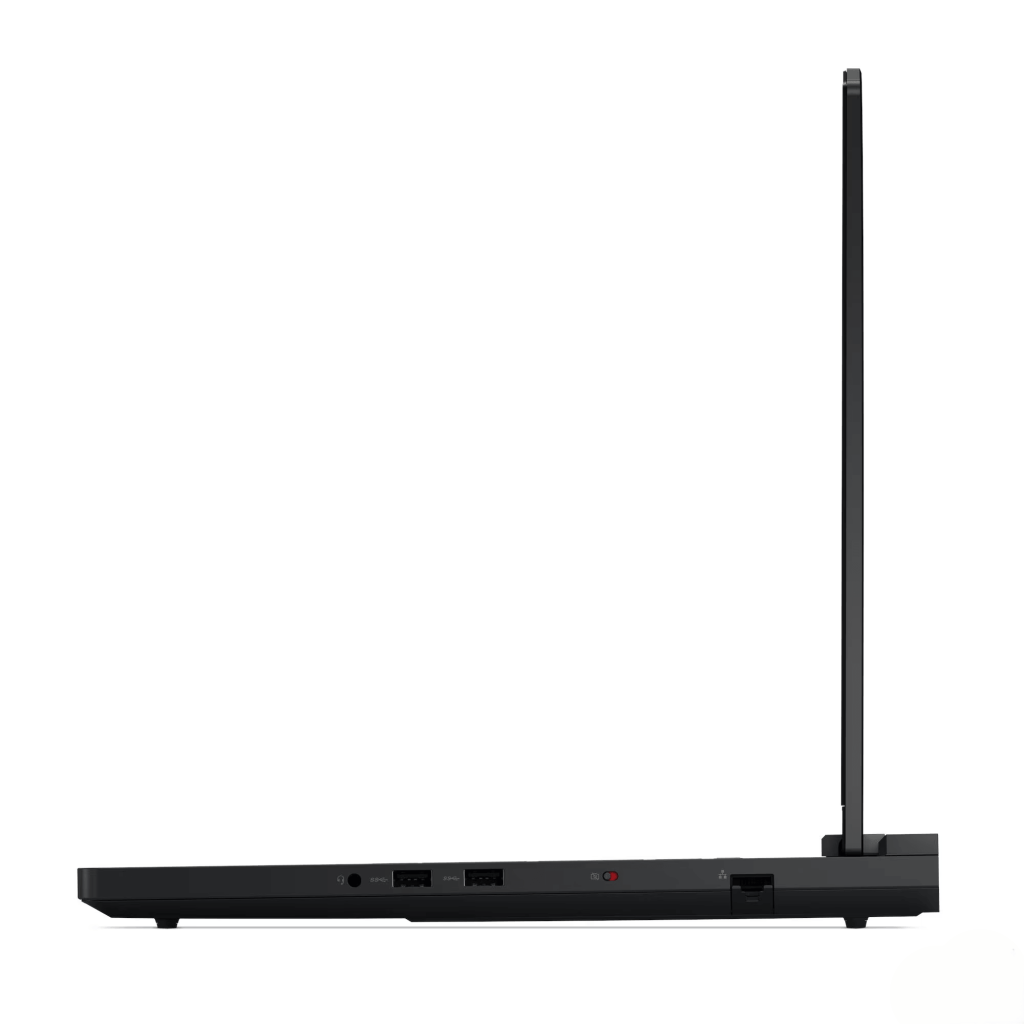
Wi-Fi 7 and Bluetooth 5.4 round out the wireless connectivity, and this time it’s a more standard implementation than the MediaTek card that gave the Legion 5i some grief.
Battery Life
The 80Wh battery is the same capacity as the cheaper Legion 5i, but here it’s feeding far hungrier hardware. The result is predictable.
Real-world expectations:
- Light use (browsing, video, GPU idle): 4 to 5 hours
- Mixed productivity: 2.5 to 3.5 hours
- Gaming on battery: under an hour, with significantly reduced performance
This is a desktop replacement, not a portable. You will keep it plugged in almost all the time, and that’s by design. Nobody buys an RTX 5090 laptop expecting to game on a train.
The bigger issue is the charger. The 400W Slim Tip power brick is genuinely huge and heavy, like carrying a second laptop. Combined with the 2.57kg laptop itself, your bag will be well over 3.5kg once you pack both. If you need to move this machine between locations regularly, factor that in seriously. This is a laptop you set up on a desk and leave there.
A Few Things to Know Before Buying
- It’s heavy. At 2.57kg plus a brick of a charger, this is the opposite of portable. Think of it as a transportable desktop, not a daily carry.
- Bloatware. Like all Lenovo and Legion machines, it ships with a fair bit of pre-installed software. Budget 30 to 60 minutes to clean it up out of the box. Keep Lenovo Vantage and the Legion utilities, since they handle fan curves, performance modes, and RGB control.
- Storage is very expandable. On top of the 1TB drive, you get two free M.2 2280 slots, one of them PCIe 5.0. Adding fast storage later is easy and cheap compared to paying for it upfront.
- RAM is already maxed. At 64GB, you’re at Lenovo’s listed maximum, so there’s no upgrade pressure here. For most users this is more than enough for the laptop’s lifespan.
Who Is This Laptop For?
The Legion Pro 7 16IAX10H is a specialist machine for a specific kind of buyer.
Really good for:
- Enthusiast gamers who want the absolute best mobile performance and a flawless 240Hz OLED
- Content creators doing video editing, 3D work, or local AI, who’ll use the 24GB VRAM and 64GB RAM
- Professionals who want a single machine that replaces both a gaming desktop and a workstation
- Anyone who games at a desk and doesn’t need portability
- Buyers who can take advantage of the genuine EOFY pricing at $5,999
Not the right laptop for:
- Anyone who needs portability (it’s heavy, with a brick of a charger)
- Budget-conscious gamers (the Legion 5i 15 Gen 10 does the job for most people at less than half the price)
- Buyers who want all-day battery life
- Anyone who doesn’t genuinely need RTX 5090 levels of power (most gamers don’t)
For context, my HP Victus 16 review covers the budget end of gaming, and the Legion 5i 15 Gen 10 covers the sensible mid-range. The Pro 7 sits at the very top of the stack, for people who want the best and are happy to pay and carry for it. If you’re not yet sure which tier suits you, it’s worth working out how to choose a gaming laptop before you spend big.
Pros
- Class-leading performance with RTX 5090 (175W) and Intel Core Ultra 9 275HX
- 24GB GDDR7 VRAM is completely future-proof for gaming and excellent for creative and AI work
- Stunning 16-inch 240Hz OLED with DisplayHDR True Black 1000, G-SYNC, and Pantone validation
- 64GB of fast DDR5-6400 dual-channel RAM
- Premium all-aluminium chassis, top and bottom
- Excellent connectivity including Thunderbolt 4 and 2.5GbE Ethernet
- Two free M.2 slots (one PCIe 5.0) for easy storage expansion
- Per-key RGB keyboard with four switchable keycaps included
- Genuine EOFY value at $5,999 from JB Hi-Fi
- Useful creative software bundle via redemption
- Factory colour calibration for content work
Cons
- Heavy at 2.57kg, with a huge and heavy 400W charger
- Gets warm and the fans get loud under heavy sustained load
- Speakers underwhelm for a $6,000 flagship
- Touchpad could feel more premium at this price
- RGB lighting is fiddly to manage and may overwhelm some users
- Significant Lenovo and Legion bloatware out of the box
- Battery life is short (the price of flagship hardware)
- 1-year warranty only
- OLED burn-in is a long-term consideration with static UI elements
- Lenovo direct pricing ($10,779) is wildly out of step with retail
My Final Verdict
The Lenovo Legion Pro 7 16IAX10H (83F5004NAU) is a genuine no-compromise flagship that delivers on its promise. The performance is class-leading, the 240Hz OLED display is reference-grade, the all-aluminium build feels properly premium, and the 24GB of VRAM means you’ll never face the future-proofing worries that affect cheaper RTX 5070 machines. For raw capability, very little in the mobile space touches it.
The compromises are exactly the ones you’d expect from this much power in a laptop. It’s heavy, the charger is enormous, it runs warm and loud under full load, and the battery life is short. The speakers and touchpad also fall slightly short of what $6,000 should buy. None of these are surprises for a flagship desktop replacement, but they’re worth understanding before you commit.
The pricing is where this gets genuinely interesting. JB Hi-Fi’s EOFY price of $5,999 is a real deal, not a manufactured one, which is a refreshing change from the inflated-savings stickers we so often see. If you can get Harvey Norman to price match that figure while keeping their 007 game bundle, that’s the best overall play, just confirm by phone first. Whatever you do, ignore Lenovo’s direct price of $10,779, which makes no sense whatsoever.
Should you buy it?
Yes, especially at the $5,999 EOFY price, if you:
- Want the absolute best mobile gaming performance available
- Are a creator who’ll genuinely use the 24GB VRAM and 64GB RAM
- Want a single machine to replace both a gaming desktop and a workstation
- Game at a desk and don’t need portability
- Value a reference-grade OLED for both gaming and creative work
Look elsewhere if you:
- Need a portable laptop (this is a transportable desktop, not a daily carry)
- Don’t genuinely need RTX 5090 power (most gamers are better served by the cheaper Legion 5i)
- Want all-day battery life
- Are working to a tighter budget
The Legion Pro 7 16IAX10H is overkill for most people, and that’s exactly the point. It’s a halo machine built for those who want the best mobile gaming and creative performance available, with the budget and the desk space to match. If that’s you, and you grab it at the EOFY price, it’s a genuinely outstanding flagship. If portability or value is your priority, look further down the Legion range.