Gaming laptops have always occupied a peculiar space in the market. They promise desktop-level gaming performance in a portable package, but the compromises are significant – they’re heavy, loud, get hot, and drain batteries faster than you can say “frame rate.” The entry-level gaming laptop segment is particularly tricky, as manufacturers try to deliver playable gaming performance without the eye-watering prices of high-end rigs.
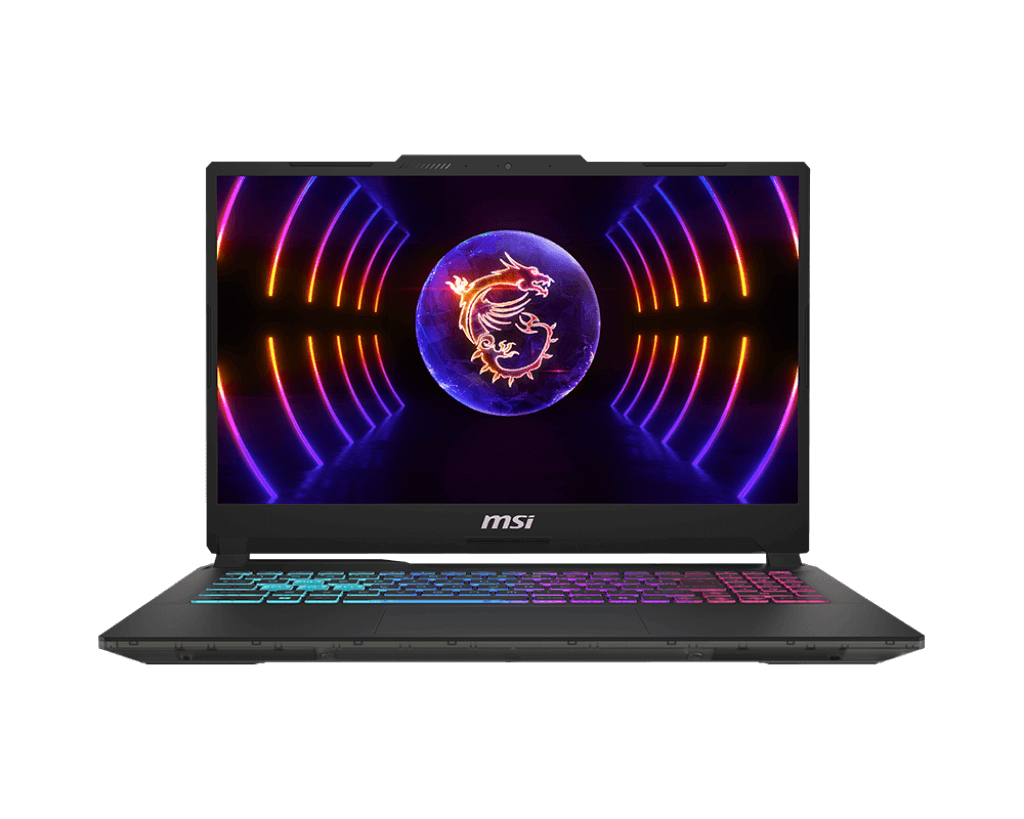
MSI’s Cyborg series sits at the more affordable end of the gaming laptop spectrum, aimed at gamers on a budget who want decent performance without stepping up to the premium GP or GE series. The translucent design aesthetic sets it apart from the typical gamer look, though whether that’s better or worse is subjective.
The MSI Cyborg 15 A13VE-094AU packs some solid gaming hardware – a 13th Gen Intel Core i7, NVIDIA GeForce RTX 4050 GPU, and a 144Hz display. But here’s the kicker: it’s currently on clearance at JB Hi-Fi for just $999, slashed down from a regular price of $2,199. That’s a massive 55% discount, suggesting MSI is clearing out stock to make way for newer models.
At $999, this becomes one of the cheapest ways to get an RTX 4050 gaming laptop in Australia. But are the compromises worth it, even at this heavily discounted price? Let’s find out.
Pros
- Incredible value at $999 (55% off RRP)
- RTX 4050 delivers solid 1080p gaming
- 144Hz display smooth for gaming
Cons
- Terrible battery life with 53.5Wh battery
- Very loud fan noise under load
- Gets hot during gaming sessions
Key Specifications
- Display: 15.6″ FHD (1920 x 1080), 144Hz, 16:9 aspect ratio
- Processor: Intel Core i7-13620H (10 cores, up to 4.9 GHz, 24MB cache)
- Graphics: NVIDIA GeForce RTX 4050 (6GB GDDR6) + Intel UHD Graphics
- Memory: 16 GB DDR5-5200 (2x SO-DIMM, upgradable to 64GB)
- Storage: 512 GB PCIe 4.0 NVMe SSD
- Operating System: Windows 11 Home
- Wireless: Wi-Fi 6 (Intel AX201), Bluetooth 5.2, Gigabit Ethernet
- Battery: 53.5 Wh, 3-cell
- Ports: 2x USB 3.2 Gen 1 Type-A, 1x USB 3.2 Gen 1 Type-C, HDMI 2.1, Ethernet (RJ-45), headphone/mic combo
- Keyboard: Backlit (blue), with numeric keypad
- Camera: HD at 30fps
- Audio: 2x 2W speakers with Nahimic 3
- Weight: 1.98 kg
- Dimensions: 359.4 x 250.3 x 21.9-22.9 mm
- Cooling: MSI Cooler Boost 5
- Power: 120W AC adapter
- Colour: Translucent Black
- Price: Available from JB Hi-Fi for $999 (regular price $2,199) – CLEARANCE
Design and Build Quality
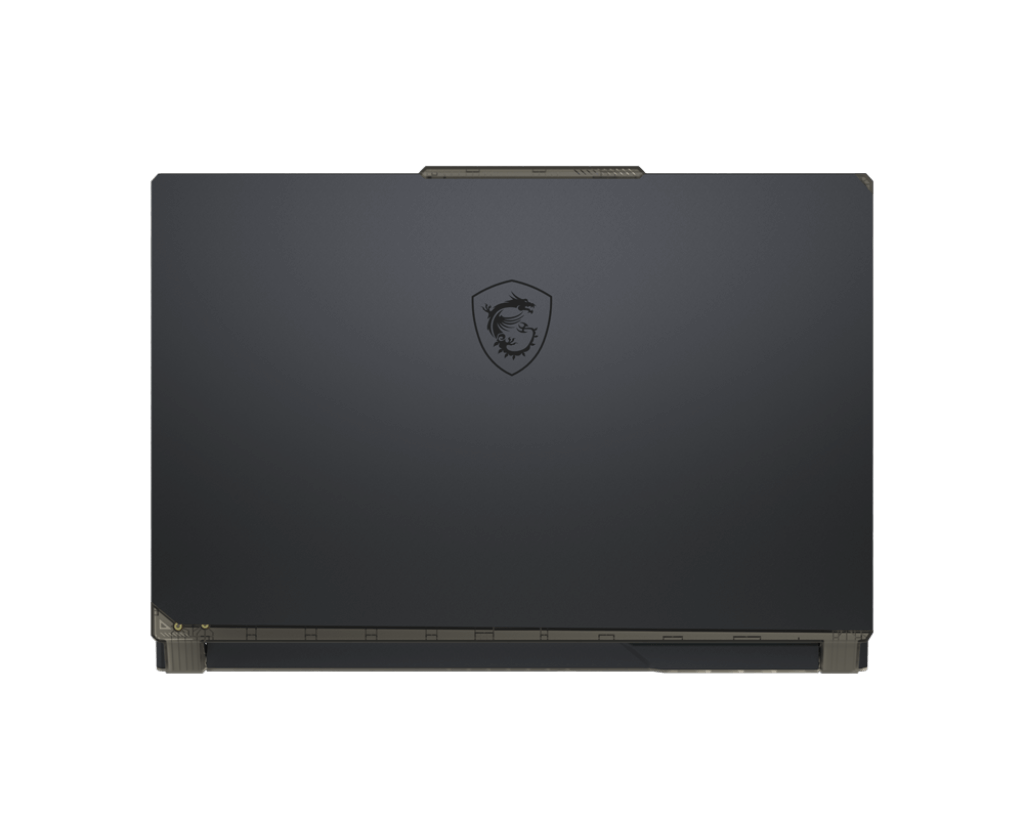
The MSI Cyborg 15 goes for a distinctive translucent black design that sets it apart from typical gaming laptop aesthetics. The semi-transparent elements show glimpses of the internal components, giving it a unique tech-forward look. Whether you think this looks cool or gimmicky will depend entirely on personal taste – it’s definitely not as understated as a business laptop.
The build quality is functional rather than premium. The plastic construction keeps the weight down to a reasonable 1.98 kg for a gaming laptop, making it lighter than many competitors with similar specs. However, the plastic chassis does flex slightly under pressure, reminding you this is an entry-level gaming machine rather than a premium offering.
At 21.9-22.9mm thick, it’s reasonably slim for a gaming laptop, though still chunkier than productivity ultrabooks. The weight and thickness make it portable enough to carry between home and uni or a mate’s place, though you’ll definitely know you’re carrying it.
The blue backlit keyboard adds a gaming aesthetic without going overboard with RGB. Having a full numeric keypad is handy for gaming (particularly for MMOs or strategy games that use number keys heavily) and general productivity.
The build quality won’t wow anyone, but for a heavily discounted gaming laptop, it’s adequate. Just don’t expect the premium feel of MSI’s higher-end GE or Raider series.
Display
The 15.6-inch Full HD display with 144Hz refresh rate is the highlight for gaming. The high refresh rate makes a genuine difference in fast-paced games – first-person shooters, racing games, and competitive titles all feel noticeably smoother compared to standard 60Hz displays. If your games can push frame rates above 60fps, you’ll see and feel the benefit of 144Hz.
The 1920 x 1080 resolution is perfect for the RTX 4050 GPU – it’s the sweet spot where you can achieve good frame rates in modern games without needing a more powerful (and expensive) graphics card. Trying to game at higher resolutions would compromise frame rates significantly.
Colour reproduction is decent for gaming and media consumption, though it’s not colour-accurate enough for professional creative work. Brightness levels aren’t specified, but based on typical gaming laptops in this range, expect around 250-300 nits – adequate for indoor gaming but struggling in bright environments.
The 16:9 aspect ratio is standard for gaming laptops and works well for games and media, though it provides less vertical space than 16:10 displays for productivity work. That said, if you’re buying this laptop, gaming is the priority.
Viewing angles are reasonable, and there’s minimal ghosting or motion blur during fast-paced gaming thanks to the higher refresh rate. For a $999 gaming laptop, this display delivers what matters most: smooth, responsive visuals.
Gaming Performance
Here’s where the MSI Cyborg 15 earns its keep. The combination of Intel Core i7-13620H and NVIDIA GeForce RTX 4050 delivers solid 1080p gaming performance across a wide range of titles.
The RTX 4050 is NVIDIA’s entry-level GPU in the RTX 40-series, featuring 6GB of GDDR6 memory. It’s not going to max out the latest AAA titles at ultra settings, but it handles 1080p gaming admirably:
- Esports titles (Valorant, CS2, League of Legends, Fortnite) run at 144fps+ on high settings, fully utilizing the 144Hz display
- Modern AAA games (Cyberpunk 2077, Starfield, Modern Warfare III) are playable at 60-90fps on medium-to-high settings
- Slightly older AAA titles (Elden Ring, Spider-Man, Resident Evil 4 Remake) hit 80-120fps on high settings
The RTX 4050 also supports DLSS 3 (Deep Learning Super Sampling), NVIDIA’s AI-powered upscaling technology that can significantly boost frame rates in supported games. This helps extend the laptop’s gaming viability, allowing you to play demanding titles at higher settings than the GPU could manage natively.
Ray tracing is technically supported, but the RTX 4050 doesn’t have the horsepower to maintain good frame rates with ray tracing enabled in demanding games. You’ll want to keep ray tracing off for the best experience.
The Intel Core i7-13620H with 10 cores (6 performance cores + 4 efficiency cores) provides plenty of CPU power for gaming and general computing. It won’t bottleneck the GPU in games, and it handles multitasking well – streaming while gaming, running Discord, or having Chrome tabs open in the background all work fine.
The 16GB of DDR5-5200 RAM is adequate for gaming and can be upgraded to 64GB if needed down the track. The dual SO-DIMM slots provide flexibility for future upgrades.
However, there’s a significant catch: thermal performance and noise. Under gaming load, the fans spin up to an aggressive, loud whine. We’re talking properly noisy – loud enough to be distracting even with headphones on. The laptop also gets noticeably hot, particularly around the rear vents and keyboard area. MSI’s Cooler Boost 5 cooling system works hard to keep temperatures manageable, but it’s a constant battle.
Keyboard, Trackpad, and Inputs

The backlit keyboard (blue LED) is functional for gaming. Key travel is reasonable, and the island-style layout with numeric keypad provides a familiar typing experience. The backlighting helps during late-night gaming sessions, though the single-colour blue limits customization compared to RGB keyboards on more expensive models.
For gaming, the keyboard performs adequately – keys are responsive enough for fast-paced action, though dedicated gaming keyboards still feel better for serious competitive play.
The trackpad, however, is disappointing. It feels stiff and requires more pressure to click than it should, similar to the issue we noted on the Dell Inspiron 2-in-1. For productivity tasks, this becomes annoying quickly. That said, most gamers will use an external mouse anyway, so the stiff trackpad becomes less of an issue in practice. Still, for a laptop you might use for general computing between gaming sessions, it’s a frustrating flaw.
Ports and Connectivity
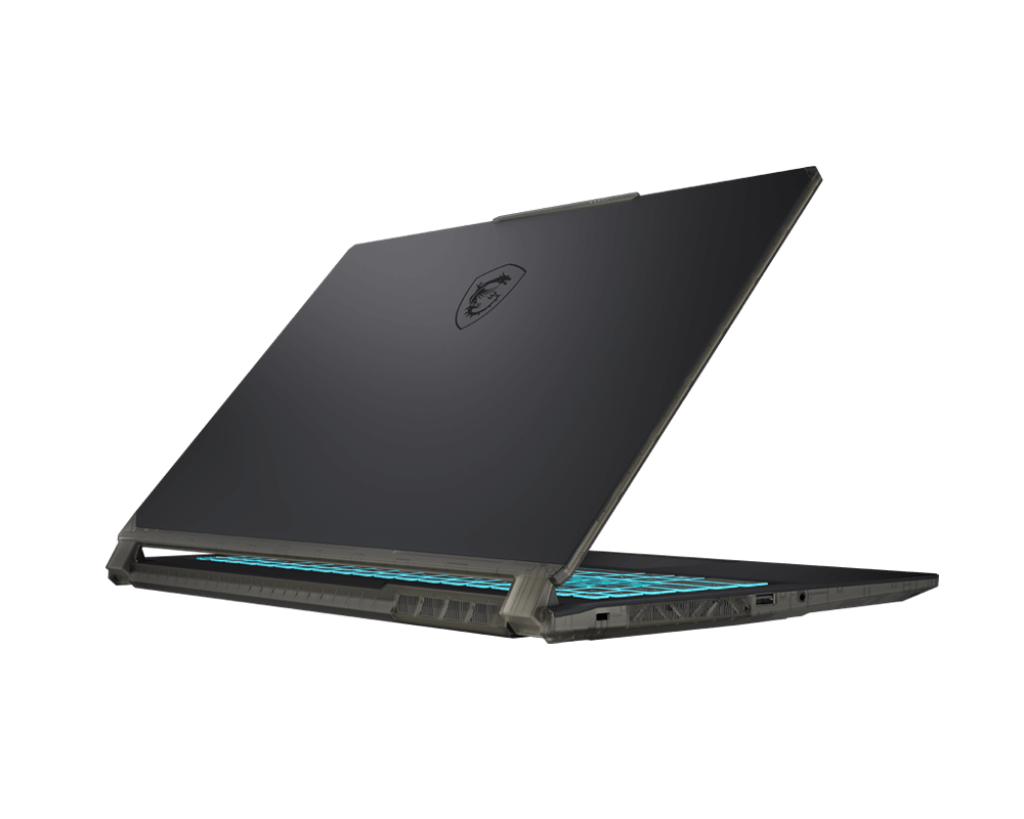
The port selection is solid for a gaming laptop:
- 2x USB 3.2 Gen 1 Type-A (for mouse, keyboard, controllers, etc.)
- 1x USB 3.2 Gen 1 Type-C (with DisplayPort support)
- 1x HDMI 2.1 (supports up to 4K@120Hz or 8K@60Hz)
- 1x Ethernet (RJ-45) Gigabit port (crucial for stable online gaming)
- 1x headphone/microphone combo jack
Having an Ethernet port is genuinely important for gaming – wired connections provide more stable, lower-latency connections than Wi-Fi, which matters for competitive online gaming. Many thin-and-light laptops ditch Ethernet ports, so having one here is welcome.
The HDMI 2.1 port is future-proofed for modern displays and TVs, supporting high refresh rates at 4K. The USB-C port supports DisplayPort output, so you can connect to external monitors for a multi-screen setup.
Wi-Fi 6 (Intel AX201) provides fast wireless connectivity when Ethernet isn’t available, and Bluetooth 5.2 handles wireless peripherals like controllers or headphones.
Audio
The dual 2W speakers with Nahimic 3 audio processing are adequate but nothing special. Gaming laptops generally struggle with audio due to thin chassis and small drivers, and the Cyborg 15 is no exception.
Audio sounds thin with minimal bass response. The speakers are loud enough for casual gaming or YouTube videos, but for any serious gaming or media consumption, you’ll want headphones or external speakers. The Nahimic 3 processing does provide some virtual surround sound effects, which can help with positional audio in games when using headphones.
Most gamers use headsets anyway, so the mediocre built-in speakers aren’t a major issue in practice.
Battery Life
Here’s where things get ugly. The 53.5Wh battery is woefully inadequate for a gaming laptop with these specs. In real-world terms:
- Light productivity use (web browsing, document editing): 2-3 hours
- Video streaming: 1.5-2 hours
- Gaming: 45-90 minutes
Yes, you read that right – gaming on battery will drain this laptop in well under two hours. The RTX 4050 and i7-13620H are power-hungry components, and the small battery simply can’t keep up.
This is fundamentally a laptop that needs to stay plugged in during use. The 120W power adapter is necessary to feed both the components and charge the battery simultaneously during gaming. Using this laptop unplugged for anything beyond basic web browsing is an exercise in frustration.
For a gaming laptop, this level of battery life is unfortunately common at the budget end, but it’s still disappointing. If you need a laptop for classes or work during the day and gaming at night, plan your charging accordingly – or just keep it plugged in constantly.
Thermal Performance and Noise
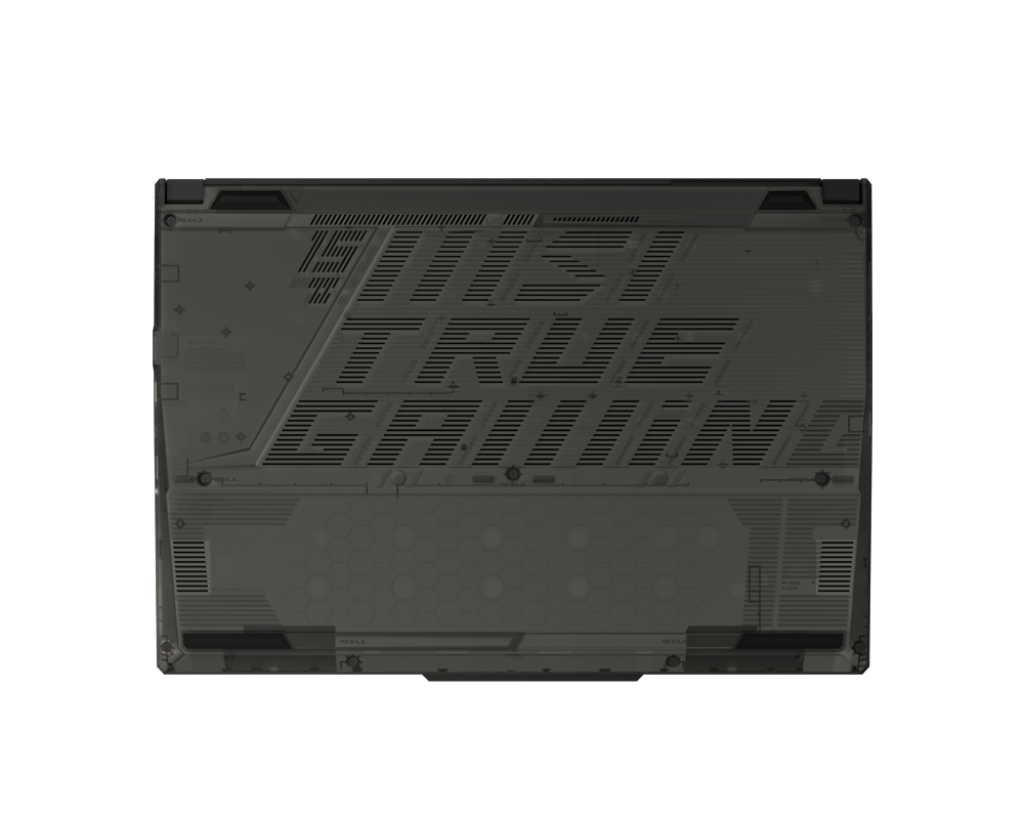
Gaming laptops get hot and loud, and the MSI Cyborg 15 is no exception. Under gaming load, the laptop gets noticeably hot, particularly around the rear exhaust vents and keyboard area. The WASD keys and surrounding area stay relatively cool, but the upper keyboard area and bottom chassis can get uncomfortably warm during extended gaming sessions.
The fans are very loud under load. MSI’s Cooler Boost 5 system works hard to dissipate heat, but the acoustic cost is significant. Expect loud, aggressive fan noise that’s audible even with headphones on. If you’re gaming in a shared space, others will definitely hear it.
The upside is that the aggressive cooling does keep the laptop from thermal throttling too badly – performance remains relatively consistent during gaming sessions. But the noise and heat are the price you pay for packing gaming hardware into a relatively thin chassis.
Pros:
- Exceptional value at $999 – 55% off regular price
- RTX 4050 delivers solid 1080p gaming performance
- 144Hz display provides smooth, responsive gaming
- DLSS 3 support helps boost frame rates in compatible games
- Lightweight at 1.98kg for a gaming laptop
- Upgradable RAM up to 64GB with dual SO-DIMM slots
- Ethernet port for stable online gaming
- HDMI 2.1 supports modern high-refresh displays
- Wi-Fi 6 for fast wireless connectivity
- Blue backlit keyboard useful for low-light gaming
Cons:
- Terrible battery life with 53.5Wh battery – essentially needs to stay plugged in
- Very loud fan noise under gaming load
- Gets noticeably hot during gaming sessions
- Stiff trackpad requires too much pressure to click
- Clearance pricing suggests end-of-life product
- Plastic build feels budget-grade
- Translucent design won’t appeal to everyone
- Mediocre speakers require headphones for gaming
Final Verdict
The MSI Cyborg 15 A13VE-094AU is a textbook example of why clearance pricing matters. At the original $2,199 price, this would be a hard sell – you’d be paying premium prices for an entry-level gaming experience with significant compromises. But at $999? The value proposition changes dramatically.
For $999, you’re getting legitimate 1080p gaming performance with an RTX 4050 and 144Hz display. That’s one of the cheapest ways into dedicated GPU gaming in the current Australian market. If you’re a student or budget gamer who primarily games at a desk (where it can stay plugged in), the terrible battery life becomes less of an issue. The loud fans are annoying but manageable with headphones, and the heat is tolerable for most gaming sessions.
However, be aware that this is clearance stock – JB Hi-Fi is selling it at 55% off because MSI likely has newer models coming or has already discontinued this specific configuration. That might affect long-term support, driver updates, or warranty claims down the track. The one-year warranty should cover you initially, but beyond that, you’re on your own.
The compromises are real: terrible battery life, loud fans, mediocre build quality, and a stiff trackpad all remind you this is a budget gaming machine. But if your priority is gaming performance per dollar and you can accept those limitations, the Cyborg 15 at $999 delivers genuine value.
For those who need better battery life or quieter operation, consider waiting for sales on the ASUS TUF Gaming A15 or Lenovo LOQ 15, which often drop to $1,200-1,400 with better battery capacity and thermal management. If you can stretch your budget to $1,500-1,700, the HP Victus 16 or Lenovo IdeaPad Gaming 3 typically offer RTX 4060 GPUs for noticeably better gaming performance.
But if $999 is your firm budget and gaming performance is your priority, the MSI Cyborg 15 A13VE-094AU delivers. Just keep it plugged in, invest in good headphones to drown out the fan noise, and maybe grab it quickly before JB Hi-Fi sells through their clearance stock. At this price, it’s a solid entry point into PC gaming, warts and all.